Ecommerce Customer Service: Channels, Best Practices, KPIs and Examples
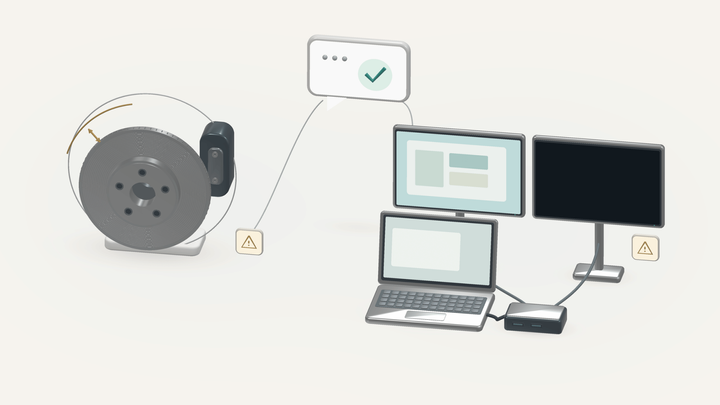
A customer asks to change a delivery address. Your team replies within its promised response time, but the parcel has already left the warehouse. The reply was on time. The help arrived too late.
That is the practical challenge of ecommerce customer service: the right answer has to reach the right person while there is still time to act. A useful support operation connects customer conversations with the people, policies, and systems that can resolve them.
This guide explains how to build that operation, from staffing and channel selection to everyday workflows, escalation, and measurement.
What is e-commerce customer service?
E-commerce customer service is the help an online store provides before, during, and after a purchase. It includes product questions, checkout assistance, order changes, delivery problems, returns, refunds, and complaints. Good service gives the customer accurate information, a clear next step, and someone accountable for the outcome.
Ecommerce customer support connects the people answering shoppers with product, warehouse, logistics, and finance teams. Those teams need access to consistent policies and current order information.
Customer service is part of the broader ecommerce customer experience (CX), which also includes browsing, checkout design, packaging, and using the product. Support helps customers navigate that experience and identifies where it breaks down.
To organize customer support for e-commerce, decide which requests you handle, where customers can reach you, who can make decisions, and how you will follow through. Software and AI should support those decisions.
1. Map the support your customers need
Start with recent conversations and orders. Group requests by what the customer was trying to accomplish. A single label such as “shipping” is too broad if it combines address corrections, missing tracking updates, and damaged deliveries: each needs a different action.
Map the buyer journey to connect each question to the information and outcome required, from the first product inquiry to help after delivery.
| Stage | Customer question | Information support needs | Desired outcome |
|---|---|---|---|
| Before purchase | “Will this jacket fit over a sweater?” | Garment measurements, fit notes, size availability | A grounded recommendation or a useful clarifying question |
| During checkout | “Why is my discount not working?” | Promotion terms, eligible items, checkout status | An explanation and a valid way to proceed |
| Before dispatch | “Can I change the address?” | Verified order, fulfillment stage, warehouse cutoff | A confirmed change or an explanation of available options |
| In transit | “Where is my order?” | Carrier events, promised delivery window, exceptions | An interpreted status and a next step |
| After delivery | “This arrived damaged” or “Where is my refund?” | Item details, applicable policy, replacement stock, payment status | An agreed remedy and clear progress updates |
For each common request, document the information source, the permitted action, and the point at which someone else must help. This becomes the basis for training, help-center content, and automation.
Hypothetical example: a sizing question. An online shopper wants a jacket for layering. The customer service agent checks the size chart, garment measurements, and fit notes, then asks about the buyer's preferred fit or a comparable jacket they own. If the product information does not establish how much room the jacket allows, the agent explains the uncertainty and asks the product team. That missing information should become a product-page improvement.
Review checkout inquiries alongside cart abandonment data. If customers repeatedly ask why a discount does not apply or when delivery charges appear, check the promotion and checkout experience. Support can explain the immediate next step, while the responsible team fixes confusing information. An abandoned cart alone does not establish why the customer left.
2. Choose customer service channels you can reliably cover
Choose channels around your customers' needs and your team's capacity. Every contact option creates an expectation about availability and speed.
| Channel | Best suited to | Coverage requirement | Promise to make clear |
|---|---|---|---|
| Email or contact form | Detailed questions, photos, investigations | A monitored queue with assigned owners | When customers should expect a useful first reply |
| Live chat | Product questions and checkout assistance | Available responders while chat is advertised as live | Opening hours and what happens if the conversation continues later |
| Phone or scheduled callback | Complex explanations and conversations that benefit from speaking | Dedicated coverage or bookable callback capacity | Phone hours, expected wait, or callback window |
| Social media and messaging apps | Questions that begin in Instagram DMs, WhatsApp, or other familiar channels | An owner who monitors messages and moves private details into a suitable channel | Response hours and how order-specific help works |
| Self-service | Common policies, tracking, return instructions, product guidance | A named owner for accuracy and updates | What customers can complete themselves and how to get more help |
For a small store, a shared email queue and a useful help center are a manageable starting point. Add live chat when someone can consistently respond during the advertised hours. Phone support can begin with scheduled callbacks if continuous coverage is impractical.
Publish hours, the relevant time zone, and holiday arrangements wherever customers start a conversation. After hours, acknowledge the request, state when a person will review it, and offer any available self-service options. An address-change request should also explain that a message alone does not stop dispatch.
Omnichannel customer service keeps the same case history and ownership when a customer moves between channels. If someone sends a photo on Instagram and follows up by email, the next responder should see the original issue, the photo, and the promise already made. Our guide to keeping customer context across channels explores this in more detail.
If you send SMS notifications, make clear whether customers can reply for help. A reply-enabled number needs a monitored queue and a published response time, just like any other service channel.
3. Give every issue an owner and staff for actual demand
An issue can depend on several teams while still having one person or queue accountable for customer updates.
A warehouse may investigate a missing item. Finance may trace a refund. The support owner should know when each team is due to respond and tell the customer what happens next.
Assign responsibilities before adding headcount
| Issue | Support owner | Internal dependency | Decision-maker | Customer update owner |
|---|---|---|---|---|
| Product or sizing question | Frontline responder | Product team if information is missing | Product specialist for uncertain claims | Assigned responder |
| Change before dispatch | Urgent support queue | Warehouse or fulfillment partner | Person authorized to change or hold the order | Assigned support owner |
| Damaged delivery | Assigned responder | Fulfillment and inventory | Responder within policy; lead for exceptions | Assigned responder |
| Delayed refund | Assigned responder | Finance or payment operations | Authorized finance or support lead | Assigned responder |
These responsibilities can be shared by two people in a small ecommerce business. The useful distinction is who can answer, who can act, and who can approve an exception. Name a backup for each responsibility so an absence does not strand a case.
Estimate workload, then build the coverage schedule.
Review request volume by day, hour, channel, and issue type. Estimate active handling time, including investigation, follow-ups, and case notes. Keep that separate from elapsed resolution time: a case awaiting a carrier response for two days does not consume two days of agent labor.
Illustrative calculation: 150 issues a day at eight active minutes per issue create 20 hours of direct support work. If a scheduled shift provides five hours of casework after other duties, that workload uses four shifts of direct capacity.
That is a starting calculation, not a staffing recommendation. Arrival peaks, immediate-response channels, existing backlog, breaks, training, and leave still have to fit the roster. Workforce forecasting guidance also accounts for channel, handling time, availability, and service targets.
Plan separately for launches, promotions, weekends, and the returns period after a holiday sale. If you use an outsourced support team, give it the same policy sources, decision limits, and escalation contacts as the internal team. Review a sample of actual resolutions together.
4. Set response standards and keep policies consistent.
Customers need to know when help will begin, when they will hear back, and what remains unresolved. Document those commitments separately:
- First useful response: an answer, a relevant question, or a concrete action. An instant automated acknowledgement confirms receipt; track it separately from substantive help.
- Next update: the time you promise to report progress, including when another team is still investigating.
- Resolution: the completed action or agreed outcome, with any remaining payment or delivery steps explained.
Prioritize requests according to potential harm and the time left to act. A quiet address correction can be more time-sensitive than a forceful request for an update on a delivery still within its expected window.
An example service-standard template
The following commitments are illustrative. Set your own targets around coverage, fulfillment cutoffs, and the urgency of each request.
| Request type | Priority | First-response commitment | Update commitment | Escalation owner |
|---|---|---|---|---|
| Address change before dispatch | Time-sensitive | Immediate triage during staffed coverage | Confirm the outcome before the cutoff where possible; explain if unconfirmed | Fulfillment lead |
| Damaged or incorrect delivery | High | Within four business hours | A specific agreed time, then daily while open | Support lead |
| Standard return request | Normal | Within one business day | At the next return or refund milestone | Returns owner |
| General product question | Normal | Within the channel's published target | By the promised research deadline if more information is needed | Product specialist |
For every target, define whether the clock uses business or calendar hours. Do not promise a final resolution time you cannot control. A carrier investigation may remain open, but your next customer update can still happen on time. See our guide to measuring and improving customer response time for the detailed measurement approach.
Maintain one approved knowledge base for shipping, cancellation, return, exchange, refund, and exception policies. Include the policy owner, effective date, regional or product exclusions, approval limits, and the next review date. The public help center, saved replies, and AI knowledge sources should draw on those same policies. When a return policy changes, update every place customers and agents encounter it.
5. Build a process that carries each issue through to resolution
A consistent process helps responders adapt to different requests without improvising the basic steps.
- Understand the request. Read the existing history, confirm the desired outcome, and verify identity before accessing or changing order-specific information.
- Check urgency and current facts. Look at fulfillment, payment, inventory, and policy information relevant to the request.
- Assign an owner and take the permitted action. Resolve within the responder's authority or request a decision from the right person.
- Explain the next step. Say what has happened, what is still pending, and when the customer will hear back.
- Check completion. Verify the promised action, record the outcome, and give the customer a clear way to follow up.
Keep useful notes: the issue, evidence checked, action taken, decision owner, and next update deadline. If the customer returns with the same unresolved problem, retain that history and investigate why the earlier response did not finish the job.
Personalize each reply with useful context: refer to the actual item, the steps already attempted, and the agreed next action. Using a customer's first name is less useful than showing that the support team has read the previous conversation.
Order changes and cancellations
Check the warehouse's actual stage before confirming a change. An order that appears editable in the storefront system may already be moving through a separate fulfilment process. Shopify's order-editing guidance notes that some fulfilment apps may not recognize order edits.
Hypothetical example: an address change before dispatch. A customer asks for a correction shortly before the warehouse cutoff. Support verifies the customer, checks the order, and requests an authorized hold or address update. The support owner waits for confirmation from the fulfillment system or warehouse before saying the change is complete. If it cannot be confirmed in time, the customer receives the available next steps and a promised update.
Order tracking and delivery problems
Explain the tracking status in plain language and investigate the gap that matters. UPS distinguishes a label being created from the carrier receiving the parcel. A label alone should not become a confident statement that an order is moving through the carrier's network.
Compare the latest order status with the delivery promise in the order confirmation, identify who can investigate, and keep ownership of the next update. A tracking link can be part of the answer, but a customer reporting an exception also needs a plan. For implementation detail, see order-tracking and WISMO workflows.
Send proactive updates when a confirmed delay changes the promised next step. Explain what changed, who is acting, and when the customer will hear more. If tracking information is not updated in real time, state the latest confirmed event and its timestamp rather than implying a live location.
Returns, exchanges, and refunds
Tell customers which stage they have reached: request received, return approved, instructions supplied, item received where required, or refund initiated. Explain any exchange stock check or approval that remains outstanding.
A self-service portal should let customers check the applicable return policy, select an item, review available exchange or refund options, and follow the request's progress. Show any fees and remaining steps before submission. Keep a clear route to a person when an item is ineligible, information is missing, or the portal fails.
Use the relevant payment provider's guidance for refund timing. Shopify's refund documentation distinguishes processing a refund from the funds reaching the customer's bank. Avoid describing an internal refund status as proof that the customer already has the money.
Once the policy and responsibilities are clear, the specialist guide to automating returns and refund workflows explains where automation can help.
A worked example of a damaged delivery
Hypothetical example: a customer receives a damaged lamp and wants a replacement. Under this example store's approved policy, a documented damage report qualifies for a replacement without a return.
The responder verifies the order, reviews the information needed under that policy, and checks replacement stock. The original support owner asks fulfillment to arrange the replacement and records the promised dispatch date.
The customer receives a specific update: “Your replacement is approved. The warehouse is preparing it, and I'll send the dispatch confirmation by tomorrow afternoon.” That wording makes the current stage clear.
If dispatch slips, the owner contacts the customer before that deadline, explains the delay, and offers the options available under the policy. Once the replacement ships, the owner shares tracking and the expected delivery window. The case can move to resolved once the agreed action is complete and communicated; any delivery follow-up already promised must remain assigned.
The weekly review should also ask whether other lamps from the same shipment or packaging run arrived damaged. Resolving the individual request supplies evidence for preventing the next one.
6. Make escalation easy for customers and staff
Escalate when the responder lacks the information, permission, or judgment needed to proceed. Define the route for policy exceptions, repeated failed attempts, suspected fraud, product-safety concerns, and complaints involving significant distress or financial impact.
A request to speak to a person should have a clear path. Tell the customer whether that means a live transfer, an assigned ticket, or a callback, and explain the expected timing.
For a complaint, acknowledge the specific impact and confirm what the customer wants to happen. Explain what the current responder can approve and who will decide any exception. Keep the agreed remedy and update deadline visible in the case, so the customer does not have to negotiate the same outcome again with the next person.
Every handoff should include the customer's goal, verified order details, relevant messages or attachments, steps already attempted, and the decision still needed. Preserve the latest promise as well. A new responder needs to know that an update is due at 3 p.m., even if the underlying investigation has not finished.
Assign the receiving owner and retain responsibility until the handoff is accepted. For automated conversations, the guide to AI-to-human handoffs that preserve context covers the detailed transfer process.
7. Choose software and AI around the support process
Evaluate tools against your actual requests. A useful setup connects four things: approved knowledge, customer conversations, current order information, and permission to carry out the relevant actions.
For a small store, that may begin with a shared inbox, a knowledge base, and access to the commerce platform. As volume grows, look for a helpdesk or ticketing system that supports assignment, history, internal notes, deadlines, and reporting. Each support ticket should connect to the relevant order and any duplicate contacts about the same issue.
Use real scenarios during a software demonstration. Can the responder find the correct order, identify an unconfirmed change, and escalate it without losing the promised update? Can a manager see cases waiting on fulfillment? Can you inspect what an automated system actually changed?
Whether a vendor calls its product a chatbot or an AI agent, test its actual capabilities: answering a question, retrieving current information, requesting an action, and verifying the outcome. Evaluate each automation tool against those tasks and your permission rules.
Where Alhena fits
Alhena AI Support Concierge supports order tracking, returns, order cancellations, and handoffs that pass conversation history to human agents. The actions available in a particular store depend on its connected systems, configured workflows, and permissions.
For requests that remain with a person, Alhena AI Agent Assist can summarize the inquiry, retrieve relevant knowledge, and draft a response for the agent to review. These are different operating choices: one delegates a defined task; the other helps a person complete it.
Start automation with a well-understood request that has accurate source information, clear decision rules, and a dependable escalation route. Test normal cases alongside missing order data, unavailable replacement stock, conflicting policies, and failed system actions.
Measure whether the customer gets the intended outcome. A completed chat is not enough evidence that an address changed or a return was created. Alhena's AI customer service guide explains the broader approach, while its guide to customer service workflows to automate first helps prioritize individual processes.
8. Track ecommerce customer service KPIs that guide decisions
Use a small scorecard that shows access to help, resolution quality, and operating cost. Define each metric before comparing teams, channels, or time periods.
| KPI | What to measure | What it helps you decide |
|---|---|---|
| First useful response time | Time from request receipt to substantive help | Whether queue coverage and prioritization are adequate |
| Resolution time | Elapsed time to the recorded resolution, with a consistent rule for reopened cases | Where investigations, permissions, or handoffs create delays |
| First contact resolution (FCR) | Eligible issues verified as resolved in the initial interaction, with repeat contact checked over a defined window | Whether responders have the knowledge and authority they need |
| Repeat contact and reopens | Further contact about the same issue, including new tickets on another channel | Whether answers and promised actions actually held up |
| Customer satisfaction, or CSAT | Percentage of valid survey responses rated positive, using a declared scale | Which types of experience need closer review |
| Update commitments met | Updates sent by the promised time divided by updates due | Whether customers can rely on your follow-through |
| Cost per resolved issue | Defined support costs divided by distinct resolved issues for a consistently measured period or cohort | Whether efficiency gains are sustainable |
Your helpdesk's default definitions may differ from your operational ones. For example, Zendesk distinguishes first reply, first resolution, and full resolution, with full resolution measured through the latest recorded resolution. Check what the report actually counts.
Use support analytics to examine a typical wait and the longest waits, not just an overall average. Separate channels and issue types. An automated policy answer and a damaged-delivery investigation should not be treated as equivalent work.
Show the number of customer satisfaction survey responses alongside the score, and read the comments to understand what customers experienced. For cost reporting, keep labor, outsourcing, software, and other included costs consistent. Count distinct issues so duplicate tickets do not make the team appear more productive.
For AI and self-service, distinguish verified completion from inferred success. A customer who stops replying may have solved the problem, abandoned the purchase, or moved to another channel. Alhena's guide to interpreting customer support KPIs expands on measurement and automation.
9. Review recurring problems and assign fixes
A weekly support review should produce decisions. Start with unanswered requests, overdue updates, aging cases, repeated contacts, and a sample of completed conversations. Then look for causes that support cannot fix alone.
Use a worksheet like this. The entries below are illustrative; confirm each suspected cause before treating it as fact.
| Observed problem | Possible cause to check | Action | Owner | Review date |
|---|---|---|---|---|
| Repeated sizing questions for one jacket | Missing garment measurements | Check and update the product page | Product-content lead | Next weekly review |
| Address changes miss dispatch cutoff | Urgent requests wait in the general queue | Review triage and warehouse notification | Support and fulfillment leads | One week after the change |
| Refund cases reopen | Replies omit processing stage or expected timing | Update reply guidance and review examples | Support lead | Next weekly review |
| Damage reports cluster around one item | Packaging or handling problem | Inspect packaging and shipment records | Fulfillment lead | Agreed investigation date |
Check whether the change improved the relevant outcome. Fewer sizing questions are useful only if shoppers can still find help and make informed choices. A shorter backlog is useful only if cases were resolved properly.
Support conversations should influence product information, policies, and fulfillment. Otherwise, the team keeps paying to explain the same avoidable problem.
Review recurring service problems alongside retention data and customer feedback. A short response time alone is not evidence of loyalty. Keeping the promised update and completing the agreed remedy gives an ecommerce brand a concrete way to build trust.
Ecommerce customer service setup checklist
Before expanding channels or automation, make sure:
- Customers can find contact options, support hours, and the relevant time zone.
- Common requests have an owner and a backup.
- Responders can access current product, order, payment, and policy information.
- Time-sensitive requests have a route that matches fulfillment deadlines.
- First-response and next-update commitments are documented separately.
- Approval limits and exception routes are clear.
- Conversations retain their context when they move between people or channels.
- Completed cases record the action taken and any remaining follow-up.
- The scorecard includes resolution quality, repeated contact, satisfaction, and cost.
- Recurring problems have a named owner and a review date.
Choose one common request and follow it all the way through: from the customer's first message to the action in the order system and the final update. Any unclear ownership or missing information you find is a concrete place to improve.
If that process is ready for automation, explore Alhena AI Support Concierge against your own order-tracking, returns, and escalation scenarios.
Frequently asked questions
What does ecommerce customer service include?
It includes help before, during, and after an online purchase: product and sizing questions, checkout assistance, order changes, tracking, delivery problems, returns, refunds, and complaints. The support operation also needs clear ownership, current policies, escalation routes, and follow-up through resolution.
Which customer service channels should a small ecommerce business offer?
Start with a monitored email queue and a useful help center. Add live chat when the team can cover its advertised hours. Offer phone callbacks or messaging apps when they suit your customers, with a named owner and clear response times for every channel.
What is a reasonable customer service response time for an online store?
Set response-time targets around channel expectations, staffed hours, and the time left to act. An address change before dispatch needs faster triage than a routine product question. State whether targets use business or calendar hours, separate acknowledgment from useful help, and give an update deadline when resolution depends on another team.
How should support help a shopper whose discount code is not working at checkout?
Check the promotion terms, eligible products, active dates, and whether discounts can be combined. Explain the specific restriction or an authorized next step. Shopify's discount troubleshooting guidance distinguishes invalid codes, ineligible items, and incompatible combinations. Record repeated checkout inquiries so the responsible team can investigate them alongside cart abandonment patterns.
What should support say when a customer asks, "Where is my order?" and tracking has not updated?
Check the current order status, latest carrier event, and promised delivery window. Explain what is confirmed and what still needs investigation. Give the customer a specific next step and update time. Sending the same tracking link again does not explain an unresolved delivery problem.
Can an online store change a delivery address after sending the order confirmation?
That depends on the order's fulfillment stage and the store's available controls. Verify the customer, check whether the warehouse can still hold or edit the order, and request the permitted action. Confirm the address change only after the responsible system or team confirms it; a submitted request is not a completed change.
How should support handle "My order says delivered, but I cannot find it"?
Verify the delivery details, review available delivery evidence, and ask the customer to check relevant receiving locations. If the parcel is still missing, follow the investigation process and assign the next update. For example, UPS advises customers to check likely delivery spots and contact the seller if the package remains missing.
Can a shopper exchange an item for another size instead of getting a refund?
An exchange may be available under the store's return policy, subject to item eligibility and replacement stock. Check those conditions, explain any price difference or shipping charge, and provide the return instructions. If a portal accepts the request, make clear whether the exchange is approved or still awaiting review.
How should support answer, "You received my return, so where is my refund?"
Check the return record and payment status. Explain whether the store is reviewing the item, has approved the refund, or has initiated the payment. Give the relevant payment provider's processing guidance and a follow-up deadline. A return arriving at the warehouse and money reaching the customer's bank are separate events.
What should happen when a customer sends an Instagram DM and then follows up by email?
Connect the messages to the same issue and preserve the photos, order context, attempted actions, and latest promise. Assign one owner for customer updates. This is the practical purpose of omnichannel support: the conversation can move between channels without requiring the customer to start again.
How can a small ecommerce team support customers outside business hours?
Acknowledge the message, state when human support resumes, and offer relevant self-service options. Explain any limits affecting urgent requests, such as dispatch cutoffs. If an automated workflow handles part of the request, show what was completed, what still needs review, and when the customer can expect human follow-up.
When should AI chatbots transfer an ecommerce conversation to a human agent?
Provide a human path when the customer requests one, facts cannot be verified, a system action fails, or the decision exceeds the automated workflow's permissions. Pass along the conversation, verified order details, attempted actions, and promised update time so the receiving agent can continue the work.
Which ecommerce customer service KPIs should a small support team track?
Start with useful first response time, resolution time, first contact resolution, repeat contact, customer satisfaction (CSAT), update commitments met, and cost per resolved issue. Define the measurement rules and review results by channel and request type so a strong overall average does not hide a recurring problem.