What Happens When an AI Shopping Agent Misunderstands Product Compatibility?
Lessons for automotive and electronics brands on correcting wrong recommendations and rebuilding customer confidence
One confident "yes" and two broken purchases
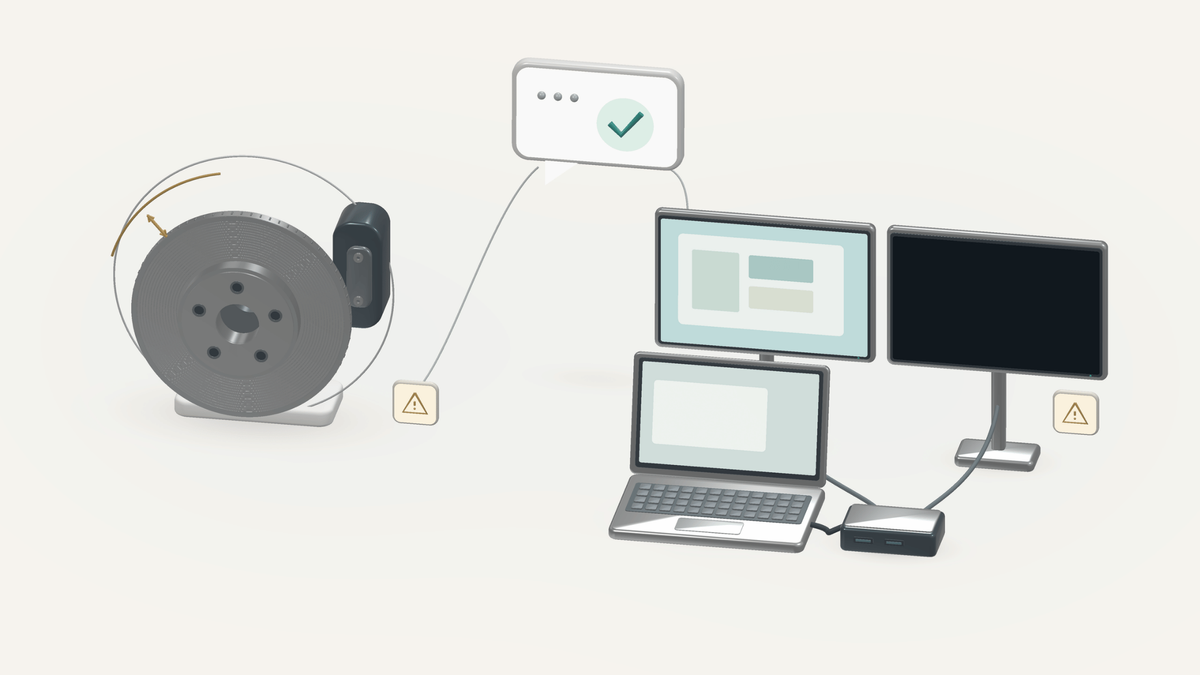
A shopper enters the year, make and model of her car and asks whether a brake rotor will fit. Somewhere else, a shopper asks whether a USB-C dock will run two monitors from his laptop. The store's AI shopping agent gives them both the same answer: yes.
Both answers are wrong, and neither shopper finds out at checkout. One discovers it with the wheel already off. The other discovers it staring at a blank second screen.
That single word did more than answer a question. It ended the shopper's research. Once an agent confirms compatibility, people stop double-checking, because that is the whole reason they asked. The agent's "yes" quietly becomes the brand's promise, and the brand owns what happens when it breaks.
This guide covers what a compatibility error actually is, why AI agents make them, what they cost after the order ships, and how automotive and electronics brands can correct the advice and keep the same mistake from repeating. At Alhena AI, we think of a good shopping conversation as one that carries the shopper's conditions all the way from the first question to the last support message. Compatibility is where that idea gets tested hardest.
Quick answer
When an AI shopping agent misunderstands product compatibility, it confirms that a product will work with a shopper's vehicle, device or setup without checking a condition that decides the outcome. The shopper buys with confidence, finds the problem at installation, and the brand absorbs the return, the support work and the lost trust. The fix is to treat compatibility as a set of conditions to verify, to say "not confirmed yet" when one is missing, and to run a structured correction whenever a wrong answer gets through.
What is a product compatibility error?
A product compatibility error happens when a shopping agent concludes that a product will work with a specific vehicle, device, component or intended use, and that conclusion is false or unsupported.
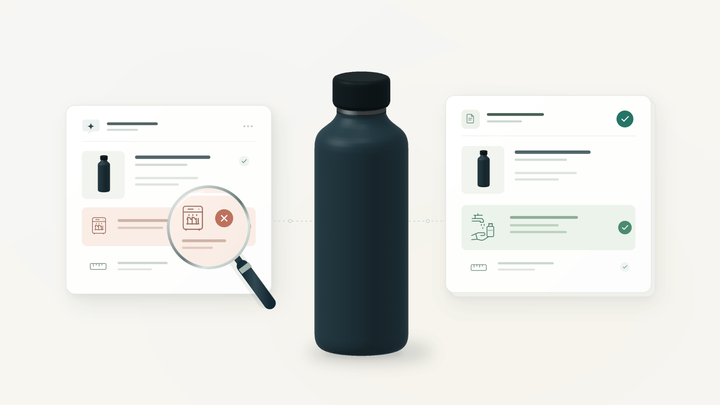
Here is the uncomfortable part: every fact the agent used can be correct. The rotor really is listed for that model year. The dock really does have a USB-C port. The error doesn't live on the product page. It lives in the combination.
That's why compatibility is better treated as a claim about conditions than as a property of a product. A part doesn't "fit" in general. It fits a particular configuration, performs a particular function, and sometimes needs a particular accessory to do either. Change one condition and the answer can flip. The decision usually rests on four things: the exact SKU or variant, the shopper's exact equipment, the job they want done, and any required add-ons or listed exclusions.
The four honest answers to "Will this work?"
Most agents are tuned to answer yes or no. Real compatibility questions have at least four correct answers, and each one leads the shopper somewhere different.
| Answer | What it means | What the agent might say |
|---|---|---|
| Confirmed | Every required condition is verified against approved data | "This rotor is listed for your model with the standard brake package, which you've confirmed." |
| Not compatible | A required condition is known to fail | "This dock needs DisplayPort Alternate Mode, and the port on your laptop doesn't support it." |
| Works, with limits | The core job works, but not everything the shopper expects | "It will charge your laptop and run one external monitor, but not two." |
| Not confirmed yet | A deciding detail is missing, or approved sources disagree | "Fitment depends on your brake package. Do you know which one your car has?" |
Most compatibility errors come from collapsing the fourth answer into the first. "Not confirmed yet" feels like friction to an agent built to help people buy, so it gets rounded up to "yes." The third answer gets lost too: "compatible" is a convenient word that hides the limits a shopper would have wanted to hear about before paying.
Why do AI shopping agents get compatibility wrong?
AI shopping agents usually get compatibility wrong for one of six reasons, and only one of them is bad data. The others are reasoning and conversation failures that can happen on top of a clean catalog.
| Failure pattern | What goes wrong | Automotive version | Electronics version |
|---|---|---|---|
| Partial match becomes full confirmation | The agent matches the obvious attributes and skips the qualifier that decides fitment | Year and model match; the brake-package exclusion is ignored | Brand and port type match; the supported display protocol is ignored |
| Connector mistaken for capability | A shared physical interface is read as shared function | A bolt pattern matches, but the offset or hub bore does not | Both devices have USB-C, but one port carries only data and charging |
| Variant confusion | Two near-identical SKUs are treated as one | Front and rear pads, or 2WD and 4WD versions, share a product family | A 65W and a 100W version of the same dock share one listing name |
| Context drift | The shopper changes a requirement and the old conclusion survives | The shopper mentions a towing package halfway through | One monitor becomes two after the first answer |
| Substitution leap | An out-of-stock item is swapped for a "similar" one that was never checked | A popular rotor from another brand is suggested without a fitment check | A cheaper dock is suggested because it has "the same ports" |
| Missing or conflicting source data | Fitment tables, descriptions and manuals disagree, and the agent picks one | The description says "fits all trims"; the fitment table lists exclusions | The spec sheet and the manual list different maximum resolutions |
The sixth pattern is a data-governance problem, and our guide to product data contracts for AI agents covers how to give each product fact one meaning, one source and one test. The first five are not solved by better data alone. They need the agent to know which conditions are mandatory for a given question and to hold onto them as the conversation moves.
There's also a quieter cause: pressure to always have an answer. Teams work hard to avoid dead ends, and they should; our post on fixing dead-end conversations in AI shopping assistants explains why. But an agent that is never allowed to say "I can't confirm that yet" will eventually trade an honest dead end for a confident wrong answer. That trade is worse for everyone, because a dead end might cost a sale, while a false confirmation books the sale and then costs a return and a customer.
Automotive example: the vehicle matches, the brake package doesn't
In this scenario, the agent got the vehicle right and the configuration wrong. A retailer sells a front brake rotor for a model that came with two brake packages: a standard setup and an upgraded performance setup with larger rotors.
The shopper gives the year, make and model. The agent finds a listing that matches all three and confirms fitment. It misses the note excluding the upgraded package. The shopper's car has the upgraded package.
What the agent said
Shopper: Will this rotor fit my car? It's a 2021 [make and model].
Agent: Yes, this rotor fits your 2021 [make and model]. It's in stock and ships today.
What it should have said
Agent: This rotor is listed for the 2021 [make and model] with the standard brake package. It isn't listed for the performance package, and I haven't confirmed which one your car has. If you can find your original window sticker or share your VIN, I can help narrow it down.
The mistake happens at a precise moment: the point where a partial match is reported as a complete one. Nothing in the catalog was wrong. The exclusion was there to be read.
The automotive aftermarket already has a structure for this distinction. Fitment data is commonly exchanged using the Auto Care Association's ACES standard, which ties parts to vehicle attributes and to qualifier notes such as brake or suspension packages, alongside PIES for the product attributes themselves. An agent that reads the vehicle fields but treats qualifiers as optional text is ignoring the half of the record that was written to prevent exactly this error.
Two more rules matter here. First, a VIN narrows the configuration, but not every option is encoded in it, so "I have the VIN" is not the same as "fitment is verified." Second, brakes are a safety-critical system. If the shopper can't identify the package, the next step is a qualified fitment specialist, not a best guess, and an uncertain fitment answer should never turn into installation advice. Our guide to AI for auto parts ecommerce covers conversational fitment checks in more depth, including vehicle identification and related-part suggestions.
Electronics example: the USB-C connector fits, the display function doesn't
In this scenario, the agent confirmed a plug, not a capability. A shopper asks whether a USB-C dock will connect their laptop to an external monitor. Both products have USB-C ports, so the agent says yes.
The dock drives monitors through DisplayPort Alternate Mode. The specific USB-C port on the shopper's laptop handles data and charging but doesn't carry a video signal. The cable seats perfectly. The monitor stays dark.
This is one of the most common traps in electronics retail because the connector looks universal. USB-IF, the body behind the USB specifications, separates the USB-C connector from the protocols and power capabilities a device actually implements. Microsoft's own support guidance on USB-C problems in Windows makes the same point from the other side: a DisplayPort Alternate Mode adapter needs a port that supports it, and Windows may warn that the display connection is limited when it doesn't.
What the agent said
Shopper: Will this dock work with my laptop? I want to plug in my monitor.
Agent: Yes! Your laptop has USB-C, so this dock is fully compatible.
What it should have said
Agent: It might. The dock sends video through DisplayPort Alternate Mode, and not every USB-C port supports that. What's the exact laptop model? And is this one monitor or two, and do you need the dock to charge the laptop too?
Those follow-up questions aren't stalling. Each one maps to a separate condition that can fail on its own: video output, the number of displays the laptop can drive, and whether the dock's charging wattage meets what the laptop draws. A dock can pass one of those and fail another, which is exactly when "works, with limits" is the honest answer.
So the strongest answer doesn't say "compatible." It describes the setup: "With your model, this dock will run one monitor at up to the resolution your port supports and charge the laptop, but more slowly than your original charger." Our guide to AI agents for electronics ecommerce goes broader on product expertise and comparisons; the point here is narrower. In electronics, compatibility is a statement about functions, and the agent should name them.
What happens after the wrong recommendation?
A wrong compatibility answer doesn't fail at the moment it's given. It fails later, in stages, and each stage adds cost for the shopper and the brand.
| Stage | What the shopper experiences | What it costs the brand |
|---|---|---|
| Before purchase | Steered toward the wrong item and away from one that would have worked | A sale that is already on its way back |
| Delivery and installation | Time lost troubleshooting a combination that was never supported; a car repair stalls, or a desk setup stays half-built | Inbound support contacts, often angry ones |
| Return or exchange | Repacking, waiting for a refund, re-ordering, sometimes paying a mechanic twice | Shipping both ways, handling, restocking, and lower resale value on opened goods |
| The next question | Less willing to trust the assistant, or the store, next time | Shoppers who bypass the agent, call support for every question, or buy elsewhere |
The last row is the one most teams never measure, and it may be the most expensive. A shopper who was told "yes" and got burned learns that the assistant's answers can't be relied on. That lesson applies to every future answer, including the correct ones.
The measurement trap: conversion looks like success
An AI-assisted purchase can look like a win for weeks before it shows up as a loss. Conversion is recorded in minutes. The return lands much later, often in a different system with a reason code like "didn't fit" or "not as expected" and no link to the conversation that caused it.
That gap can make a confidently wrong agent look better on a dashboard than a careful one. The careful agent asks a clarifying question and loses some impatient shoppers. The confident agent converts them, and the cost arrives later, unattributed.
Before treating conversion growth as proof that compatibility advice is working, connect three records: the conversation, the order and the return reason. Without that link, a brand can't tell the difference between an agent that sells well and one that sells the wrong things well.
How should a brand recover from a wrong compatibility recommendation?
A good recovery ends with two things: a corrected answer the shopper can rely on, and a fix that stops the same answer from reaching the next shopper. Apologizing alone delivers neither. These five steps do.
- Name the specific mistake. Say which part of the earlier answer was wrong or unsupported. "Our assistant confirmed fitment without checking your brake package" is useful. "Sorry for any confusion" is not. Never make the customer prove what the agent told them; the transcript exists, so use it.
- Recheck the exact combination. Confirm the SKU that was recommended, the shopper's actual vehicle or device configuration, and the job they expected the product to do. Keep the original question and answer attached to the case so the investigation stays specific.
- Say what is now known, and only that. An established mismatch and a missing detail call for different responses. "This doesn't support your setup" lets the shopper move on. "We can't confirm support yet" tells them what still needs checking. Mixing them up starts a second error.
- Offer a verified next step. Suggest an alternative only after checking it against the same conditions that the first product failed. If the shopper already bought, explain the return, exchange or support route that actually applies, without promising a refund or replacement that hasn't been approved.
- Fix the cause and retest. Find out which failure pattern caused it: incomplete source data, an ignored exclusion, the wrong variant, lost conversation context, or an unchecked substitute. After the fix, rerun the original question and a few close variations, such as the same car with the other package, or the same laptop asking for two monitors.
A recovery message that works
"My earlier answer confirmed this dock would work without checking whether your laptop's USB-C port supports video output. That was incorrect, and I'm sorry for the trouble it caused. If you share your exact laptop model, I'll check which docks support your monitor setup. For the dock you already have, here's how the return works."
Notice what it doesn't do. It doesn't blame the shopper for not mentioning their model. It doesn't claim the new suggestion will work before checking. And it doesn't promise an outcome the team hasn't confirmed. The wording should never get ahead of what the team has actually established.
How and when should an AI shopping agent check compatibility?
A compatibility check should run as a short loop: list the conditions the question depends on, check each one against approved sources, and only then choose one of the four honest answers. A missing detail sends the agent back to the shopper with one targeted question. A detail nobody can resolve goes to a specialist.
When to run the check again
The check isn't a one-time gate at the start of the conversation. It should rerun at four moments:
- When the first recommendation is made. This is the obvious one, and the only one most agents handle.
- When the shopper changes a relevant requirement. A shopper who starts with one monitor and later asks for two has asked a new question. The earlier "yes" no longer applies, even though the product hasn't changed.
- When an alternative or substitute enters the conversation. An out-of-stock rotor replaced by a "similar" one needs its own fitment check. Similarity, popularity and availability don't establish fitment.
- When the shopper comes back after purchase. A support question like "why isn't my second screen working?" should start from the original requirements, not from scratch.
The common thread is that mandatory conditions should stay visible for the whole conversation. If the agent proposes anything that changes the shopper's setup, it should say what changed and verify it again.
How Alhena AI fits into this workflow
Alhena AI gives brands the building blocks to connect the conversation that recommends a product with the support that follows it. That connection is what a compatibility recovery depends on.
Alhena uses specialized agents for different jobs, including a Product Expert Agent for product questions, a General Support Agent, and an agent for order management, each with its own tools and guidelines. In practice, that means the same requirements a shopper gave before buying can inform the support conversation when something goes wrong, and the order context is there when a return or exchange is the right next step.
When a reviewer needs to know why an answer was given, Alhena's Conversation Debugger traces a response back to the sources behind it. For a compatibility error, that turns "the bot got it wrong" into a specific finding: the fitment table was read, but the qualifier wasn't; or the description said one thing and the spec sheet said another.
A recommended guideline for compatibility-sensitive catalogs
For stores where fitment or device compatibility decides the sale, we recommend configuring a guideline along these lines:
| Part | Recommended setting |
|---|---|
| Trigger | A shopper asks whether a product fits or works with a specific vehicle, device or setup, and a required detail is missing or approved sources conflict |
| Action | Name the missing detail or the conflict, ask one targeted question, and withhold compatibility confirmation until the requirement is verified. Route unresolved cases to the configured specialist support path |
| Assign to | The Product Expert Agent and the General Support Agent, wherever they answer compatibility questions |
This is a configuration pattern, not an automatic behavior. Which checks are possible depends on the merchant's connected product data, integrations and setup. A guideline can tell the agent to withhold confirmation; it can't create a fitment qualifier that the catalog never contained.
Who owns the correction?
Four teams own different parts of a compatibility correction, and the incident isn't closed until all four are done. Without clear owners, the usual ending is a polite chat reply to one customer while the same wrong answer keeps going out to everyone else.
| Owner | Responsible for | Done when |
|---|---|---|
| CX team | The shopper's immediate recovery | The shopper has a verified alternative or a completed return, exchange or support resolution |
| Product or fitment specialist | The technical conclusion | The correct answer for that exact combination is confirmed and written down |
| Catalog or product-data team | Missing, vague or contradictory source data | The qualifier, exclusion or spec is corrected at the source, not just in the chat |
| Team running the AI agent | Guidelines, configuration and testing | The original question and close variations now produce the right answer |
How to measure compatibility accuracy
These measures show whether the workflow is working. They are proposed metrics for your team to set up, not figures every platform, Alhena included, reports automatically.
| Metric | How to calculate it | Why it matters |
|---|---|---|
| Incorrect confirmation rate | Confirmed wrong compatibility answers ÷ reviewed answers that asserted compatibility | The headline accuracy number for compatibility claims |
| Unverified confirmation rate | Answers asserting compatibility without enough evidence ÷ reviewed compatibility answers | Catches lucky guesses before they become errors; track it separately from proven errors |
| Compatibility-related returns | Returns coded "didn't fit" or "not compatible" among orders linked to AI conversations | Connects the agent to the cost that shows up weeks later |
| Repeat incidents | The same mismatch recurring after a correction | Shows whether fixes reach the root cause |
| Recovery outcome | Share of affected shoppers who end with a verified alternative or a completed resolution | Measures whether the brand actually won the customer back |
The second metric is the one most teams skip and the one that predicts trouble. An agent can be right by accident for a long time. Counting how often it confirms without evidence tells you how exposed you are before the returns arrive. For auditing what external AI engines say about your products, rather than your own storefront agent, see our guide to detecting incorrect product information in AI answers.
Frequently asked questions
Can a product with correct specifications still be the wrong recommendation?
Yes. Every spec on the page can be accurate while the combination fails. A rotor can be correctly listed for a model year and still not fit one of that model's brake packages. A dock can have a working USB-C port that the laptop's port can't drive video through.
Why do AI shopping assistants say "yes" when they aren't sure?
Most are tuned to be helpful and to avoid dead ends, so an unresolved condition gets rounded up to a confirmation. The fix is to make "not confirmed yet" an approved answer, paired with one targeted question that resolves it.
What should an AI shopping agent say when it can't confirm fitment?
It should say what is confirmed, name the one detail that is missing, and ask for it. For example: "This rotor fits the standard brake package. Which package does your car have?" If the shopper can't answer, the agent should hand off to a specialist rather than guess.
When should a compatibility question go to a human specialist?
Hand off when the deciding detail can't be confirmed from the shopper or approved sources, when sources conflict, or when the product is safety-critical, such as brakes, steering, suspension or electrical components. Uncertain fitment on a safety part should never become installation advice.
Does USB-C mean a dock will work with any laptop?
No. USB-C describes the connector, not what the port supports. Video output, the number of external displays and charging wattage all depend on the specific laptop and port. Check the laptop maker's documentation for DisplayPort Alternate Mode or Thunderbolt support before confirming a dock.
How do you measure AI compatibility errors?
Track incorrect confirmations and unverified confirmations separately, link AI conversations to orders and return reasons, and watch for the same mismatch recurring after a fix. Conversion alone can hide the problem, because the return arrives weeks after the sale.
How does Alhena AI handle compatibility questions?
Alhena's Product Expert Agent can be configured with guidelines that withhold compatibility confirmation until required details are verified and that route unresolved cases to specialist support. The Conversation Debugger helps teams trace any answer back to its source when they need to investigate an error.
A good compatibility answer tells the shopper what still needs checking
The best compatibility answer isn't the fastest "yes." It tells the shopper what will work, under which conditions, and what still needs confirming. Shoppers in automotive and electronics already know their purchases are technical. They don't need an agent that pretends otherwise; they need one that knows which details matter and asks for them.
When an answer does fall short, the brands that keep the customer are the ones that correct it specifically, verify the next step before offering it, and fix the cause so the next shopper never sees the same mistake.
See how your catalog holds up.
Bring your hardest fitment and device-compatibility questions to an Alhena AI demo. We'll run them against your own catalog so you can see how the assistant handles missing details, product exclusions and specialist handoffs before your shoppers do.