Layering an AI Agent on Gorgias Without Ripping It Out
A practical guide to reply ownership, routing, and rollback for teams that are keeping Gorgias.
Every Gorgias account that has been live for more than a season carries decisions nobody wrote down in one place. A rule that tags anything mentioning "chargeback." A tracking template built during a holiday rush and never retired. An assignment rule that sends wholesale inquiries to the one person who knows the terms.
Most of it works, which is exactly why nobody touches it. It is also the first thing an AI rollout runs into. The AI is rarely the problem. The problem is two systems that each believe they own the next reply.
This guide covers the operational side of adding Alhena AI to a Gorgias setup you intend to keep: who answers which message, how your existing rules behave once an AI agent is in the loop, what happens when a person takes over, and how to pause without stranding customers mid-conversation. Your team keeps its inbox, its views, and its reporting.
The short answer
To add an AI agent to Gorgias without replacing it, keep Gorgias as the place your team works and introduce the AI into one selected workflow at a time. Before launch, give every type of customer message a single response owner, review the Gorgias rules that send replies or change assignment, test what happens when a person takes over, and write down how to pause. Expand only after the first workflow meets criteria you agreed on in advance.
Who this is for: CX leaders, support operations managers, and Gorgias administrators at ecommerce brands already running on Gorgias, whether the store sits on Shopify, BigCommerce, or Magento. If you are still choosing a helpdesk or an AI tool, start with the Gorgias vs Zendesk vs Alhena buyer's guide instead. This article assumes that decision is made.
What does "layering an AI agent on Gorgias" mean?
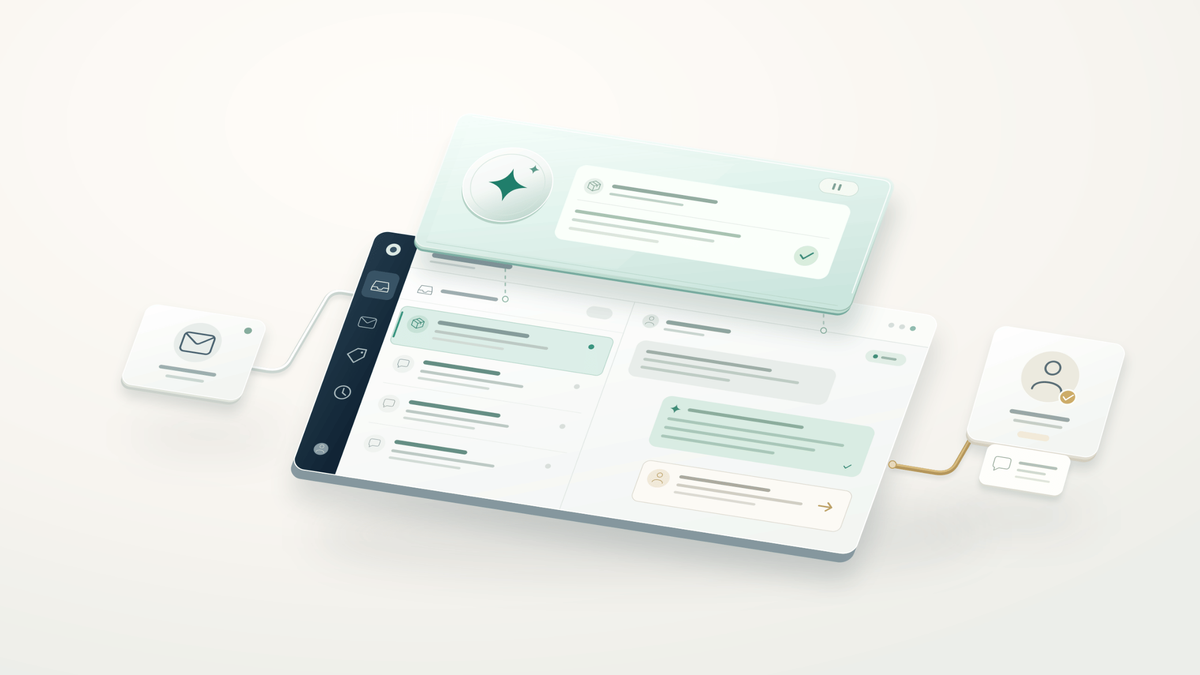
Layering an AI agent on Gorgias means the AI handles a defined set of customer interactions while Gorgias stays the system of record, where tickets are routed, assigned, audited, and worked by your team. Nothing is migrated, and nobody learns a new inbox or app.
In most ecommerce support teams, the split of work looks like this:
| Layer | What it owns | Examples |
|---|---|---|
| Gorgias | Where the work lives | Inbox, views, assignment rules, help center, SLAs, customer history |
| Alhena AI agent | Interactions you approved it to handle | Routine, repetitive queries: tracking, returns within policy, product and sizing questions |
| Your team | Judgment calls | Exceptions, refunds outside policy, subscription disputes, sensitive complaints, anything escalated |
Layering is not a re-platform, a standalone AI chatbot bolted onto your site, or a reason to rebuild routing from scratch. If you want the broader case for running both systems, Helpdesk vs AI Agent: Why Ecommerce Brands Need Both makes it. For how the full stack fits together, see how to combine Shopify and Gorgias with an AI shopping assistant.
The seven steps below cover what those articles don't: the operating rules that let an AI agent work alongside your team without two systems talking over each other.
Map who owns what before you change any routing
Start with one real customer journey, not your whole operation. Pick something frequent and predictable, like "where is my order" emails, and write down five things: where it enters, which Gorgias rules touch it, who sends the first reply, who approves an exception, and what happens when the customer writes back. Treat that map as a prerequisite for every routing change that follows.
Then name the people behind the rollout. Five responsibilities need an owner:
- CX lead: decides which requests to automate, which always need a person, and the guardrails and brand voice the AI must follow.
- Gorgias administrator: reviews rules, views, queues, and assignment logic that could interfere.
- Policy owner: confirms that return, shipping, and warranty answers, along with the help center articles and FAQs behind them, are current.
- Alhena implementation contact or account manager: validates the integration inside your account.
- Conversation reviewer: reads real transcripts during the pilot and flags problems.
At a smaller ecommerce brand, one person may hold three of these roles. That's fine. A decision with no name attached is not, because it's the one nobody makes until a customer complains.
Workflow ownership worksheet
Fill in one row per workflow before launch. The rows below are illustrative examples, not recommended settings.
| Channel | Qualifying request | Response owner | Gorgias rules to review | Human destination | Pause owner |
|---|---|---|---|---|---|
| Delivery tracking with a valid order number | Alhena AI agent | Auto-acknowledgement; legacy tracking-template rule | Human Transfer Group: Tier 1 | Support ops manager | |
| Website chat | Product fit or sizing question | Alhena AI Shopping Assistant | None at intake (chat starts in Alhena) | Gorgias team: Pre-sales | CX lead |
| Refund outside the return window | Human agent | Any rule that auto-closes or tags as resolved | Senior support team | Gorgias admin |
Decide where Alhena enters the conversation
Alhena can join a Gorgias workflow from two directions, and they behave differently enough to treat as separate launches.
Website chat that hands off into Gorgias. The conversation starts with Alhena on your storefront. When a shopper needs a person, Alhena creates a ticket in Gorgias and routes it to a team you select. From Gorgias's side, new work arrives at the moment of handoff.
Email that already lives in Gorgias. Here the helpdesk ticket exists before Alhena sees it. Alhena responds to tickets allocated to the Alhena AI agent, and when the AI escalates a conversation, it moves to the Human Transfer Group you configured. Because the ticket is already in Gorgias, your existing rules can act on it too. That's why Step 3 matters most for email.
Both behaviors are described in Alhena's Gorgias integration documentation, which is also where the connection steps live.
| Website chat handoff | Automated email replies | |
|---|---|---|
| Where the conversation starts | Alhena on your storefront | Your Gorgias inbox |
| What Gorgias receives | A new ticket at the point of handoff | An existing ticket allocated to the Alhena AI agent |
| Where handoffs land | The Gorgias team you selected | Your Human Transfer Group |
| What to test first | The ticket reaches the right team with enough context | No existing rule sends a competing reply |
Whichever path you launch first, the test is the same: the conversation should end with one named person in Gorgias who can see what already happened.
Test the full flow you plan to launch from end to end: what the customer sees, where the ticket lands, and which person picks it up. Your rollout plan doesn't need to repeat setup instructions. It only needs to record who responds at each stage. If you're also weighing Gorgias's native AI Agent, how to set up AI automation in Gorgias covers configuration in detail.
Give every customer message exactly one response owner
The most common failure when adding an AI chatbot to an existing support stack is a customer getting two answers on the same helpdesk ticket. They usually differ in wording and tone, and sometimes one of them is out of date.
Before you switch on AI replies, pull a list of your active Gorgias rules and flag every rule that:
- sends an automated message or applies a macro that replies
- changes the assignee or team
- adds or removes tags that other rules route on
- closes, snoozes, or marks tickets as resolved
Gorgias's own guide to using rules with AI Agent notes that rules run before its native AI Agent, and that an automated reply can be followed by an AI-generated one. That guidance is written about Gorgias's own AI, but the lesson carries straight over: whenever you add an AI responder, the rules that send replies belong in the review. A Gorgias rule fires the same way every time, while an LLM-based AI agent writes each answer fresh, so the two will rarely say exactly the same thing.
For each type of customer interaction, choose one owner: Alhena, an existing automated Gorgias rule, or a person. "Both" is not an option.
If Gorgias's native AI Agent is also enabled, configure and test exclusions so it stays out of interactions allocated to Alhena. Connecting Alhena to Gorgias does not, on its own, coordinate two AI systems for you.
What about auto-acknowledgements? They can stay, as long as they only confirm receipt and set expectations. "We've got your message" sits comfortably next to an AI answer. "Here's your tracking link," followed by Alhena's own tracking answer, is a duplicate. The same goes for rules that deflect customers to self-serve help center articles: useful on their own, redundant when the AI agent answers the same question. Review the full flow of messages a test customer receives, not only the AI's reply.
Test the handoff, not just the answer
A correct first answer proves very little on its own. In a layered stack, most of the damage happens at the moment responsibility moves from the AI to a person, so build your test set around those moments before anything goes live.
Write each test message the way customers actually do. An LLM responds to intent rather than exact keywords, so a tidy test script misses the messy phrasing real customers use. Run at least these five scenarios through the exact channel you plan to launch:
- The customer asks for a person in their very first message.
- The question falls outside approved policy or your knowledge base, such as a refund request past the return window.
- The order number is missing or doesn't match.
- The customer replies after a human has already taken over.
- The message arrives outside staffed hours.
For every handoff, open the ticket and its sidebar in Gorgias and check four things:
- Did it land in the intended team's queue?
- Can the agent understand the customer's intent and what has already happened, including details like the order number or the URL of the page the shopper was on, without asking the customer to repeat it?
- Did the customer get an accurate next step, including realistic timing after hours?
- Did automated answering stop once a person owned the ticket?
Treat these as pass or fail criteria. Confirm what context actually arrives in your configuration rather than assuming it, and close any gaps before you widen the rollout. For designing escalation triggers and handoff context in depth, see AI-to-human handoff best practices.
Stage a routing collision on purpose
The fastest way to find conflicting rules is to provoke one in a test, before a real customer does. Here is an illustrative scenario worth running.
A customer emails to ask about a delayed package. The request qualifies for your Alhena email workflow. But a custom Gorgias rule created two holiday seasons ago also fires on "where is my order" and sends a tracking template.
- First test: the customer receives two replies. They're worded differently, and the template quotes a delivery window that no longer applies.
- The fix: the Gorgias administrator narrows the old rule so it no longer sends a reply in this workflow.
- Second test: the customer gets one substantive answer.
- The turn: the customer replies that the package was a birthday gift, it arrived late, and they want to return it for a refund. That's an exception outside policy, so the conversation moves to the human team as agreed.
- Third test: the customer writes again the next morning. The reply stays with the human team, with no automated answer, because nobody intentionally reassigned it.
That's a pass. To be clear, this is a test scenario, not a reported customer result. Its value is that it exposes competing rules and ownership gaps while the only person affected is someone on your own team.
Write the pause plan before you expand
Decide how to stop before you need to. A pause plan written in the middle of an incident is almost always missing something.
Document four things:
- Every setting change and rule edit you made for the rollout, along with the previous state.
- The person authorized to pause, plus a named backup.
- Where new interactions go while automated replies are paused.
- How interactions already in progress get reviewed and reassigned.
That last point is the one teams tend to miss. Stopping new assignments and reviewing interactions already underway are separate steps. Disabling a single intake rule doesn't prove that every active AI interaction has stopped, so walk through the full procedure with your Alhena implementation team and run it once, deliberately, before launch.
When you expand, change one thing at a time: one new channel or one new request category per step. If something regresses, you'll know what caused it. For scoping the pilot itself and setting go or no-go criteria, see how to run a low-risk AI pilot for your online store.
Measure the combined workflow, not just the AI
Judge the rollout on how the whole support operation performs, not just on how many tickets the AI deflects. Use the same channel and request categories you launched with. An AI-only dashboard misses the problems that sit between two systems.
Track these signals alongside your usual metrics:
| Signal | What it catches |
|---|---|
| Duplicate substantive replies | A rule and the AI both answering |
| Tickets routed to the wrong team | A misconfigured handoff destination |
| Customers repeating themselves after handoff | Context that didn't transfer |
| Time to first human reply after escalation | Handoffs sitting in a queue |
| Reopened tickets or customers returning about the same issue | Answers that looked resolved but weren't |
Read the actual support tickets behind the numbers. Deflecting a ticket isn't the same as resolving it. A faster first reply can coexist with slower human follow-up. A lower ticket count can coexist with customers simply contacting you again. Compare against a baseline from the same channel and categories, and agree on expansion criteria before you look at results, so the data can't be bent to fit a conclusion.
Cost belongs in the review too. You're keeping Gorgias, so its pricing tiers and commercial terms still apply. Look at actual usage in each app rather than assuming an AI layer produces a saving on its own.
Launch acceptance checklist
- Each test message receives exactly one substantive reply
- Escalated tickets land with the correct Gorgias team
- Handoff context lets an agent continue without re-asking the customer
- No automated reply arrives after a person takes over
- After-hours messages set accurate expectations
- The pause procedure is documented, owned, and tested once
Frequently asked questions
Do I have to replace Gorgias to use Alhena?
No. Alhena integrates with Gorgias, so your team keeps working in the same inbox with the same views and reporting. Alhena takes the customer interactions you assign to it and hands the rest to your team inside Gorgias.
What if Gorgias's native AI Agent is also turned on?
Make sure only one AI answers any given conversation. Set up exclusions so Gorgias's AI Agent stays out of interactions allocated to Alhena, then test the full message flow. Connecting the integration does not coordinate the two automatically.
What happens when a customer asks to speak to a person?
On email, the ticket moves to your Human Transfer Group. In website chat, Alhena creates a Gorgias ticket routed to the team you selected. Either way, test that the right team receives it with enough context to continue.
Which Gorgias rules should I review before launching AI?
Any rule that sends a message, applies a replying macro, changes assignment, adds or removes routing tags, or closes tickets. These are the rules most likely to produce duplicate replies or move a ticket away from its intended owner.
What's a good first workflow to automate with an AI agent?
A frequent, well-defined request with a clear policy and an up-to-date help center article behind it, such as order status or simple returns on a single channel. Avoid starting with exceptions, refunds outside policy, or anything that depends on judgment.
How do I pause an AI rollout in Gorgias safely?
Follow a procedure written in advance: stop new assignments to the AI, route new work to a named team, and review interactions already in progress. Turning off one rule on its own may not stop every active AI interaction.
How long should the first phase run before expanding?
Until the workflow passes every acceptance criterion you agreed on and you've read enough real transcripts to trust the result. Volume differs by brand, so set the bar by criteria met rather than by calendar days.
See it on one of your own workflows
The quickest way to judge fit is to stop talking in generalities. Bring one real Gorgias workflow to an Alhena walkthrough: the incoming message, the rules it triggers, the human exception, and the customer's next reply. Then ask to walk through that whole sequence together.
You'll learn more from that one conversation than from any feature list, because you'll see exactly how Alhena behaves inside the support operation you already run.
Book an Alhena walkthrough using one of your existing Gorgias workflows