How Ecommerce Brands Can Detect Incorrect Product Information in AI Answers
Learn how to check AI answers for wrong product facts: capture answers, verify each claim against approved data, route fixes, and retest.
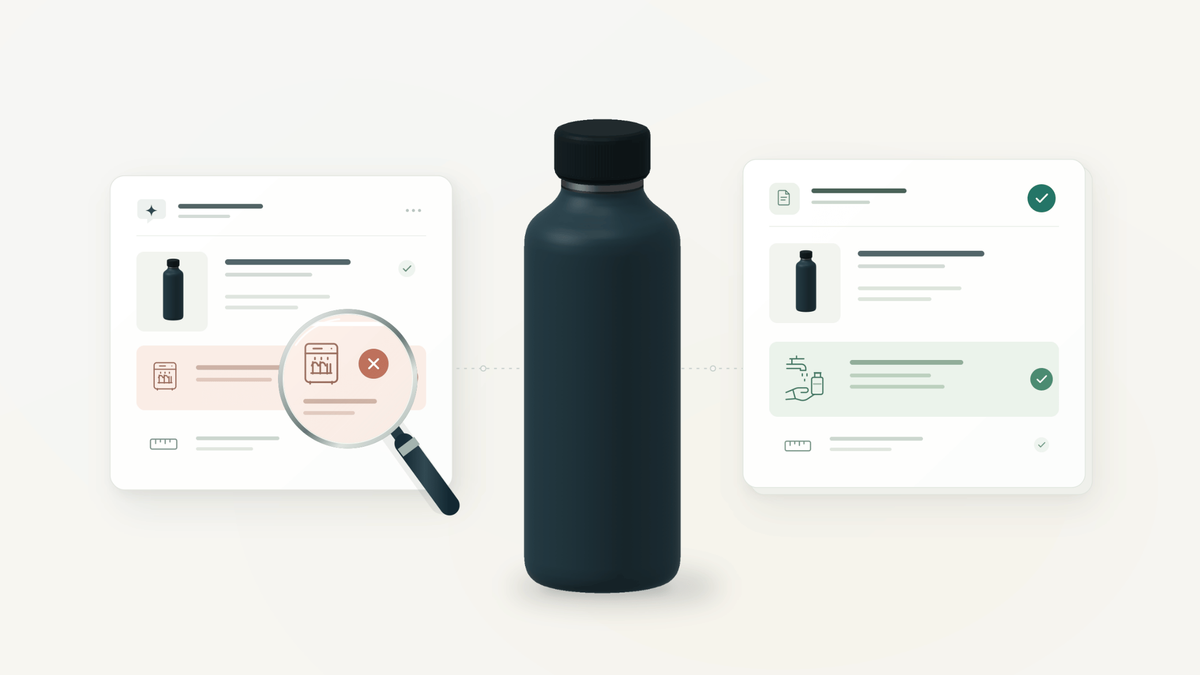
A shopper asks an AI assistant whether your bestselling insulated bottle can go in the dishwasher. The answer names the right product, says "yes, it's dishwasher safe," and links to a listing.
Your care card says hand wash only.
On a brand-mention dashboard, that exchange looks like a win. Your product appeared, by name, with a link. In the shopper's kitchen, it looks like a warped lid, a one-star review, and a return marked "not as described."
The visibility was real. The information was wrong. Getting into AI answers is one problem; making sure those answers describe your products correctly is another, and it needs its own process. This guide lays that process out, with a worked example and a worksheet your team can reuse.
The short answer
To detect incorrect product information in AI answers, ask AI engines the questions your shoppers actually ask and save each answer with its full context. Split every answer into individual factual claims. Check each claim against your approved product data for the same variant, seller, market, and date.
Then label each claim, send confirmed errors to the team that owns that fact, correct the source, and retest the same prompt before you call anything fixed.
What counts as incorrect product information?
Incorrect product information is any factual claim about a product that conflicts with your approved data for the same product, variant, seller, market, and point in time. That last part matters. Without it, teams flag answers that are merely unfamiliar, or accurate for someone else.
The claims worth checking usually fall into six groups:
- Price and purchase terms: list price, currency, discounts, bundles, and subscription conditions.
- Physical specifications: materials, ingredients, dimensions, capacity, and weight.
- Variant details: size, color, model number, and edition.
- Fit and use: compatibility, care instructions, intended use, and age or safety suitability.
- What's in the box: included accessories versus items sold separately.
- Fulfillment and policy: availability, shipping eligibility, returns, and warranty terms.
Not every statement you disagree with is an error. Four types of statement look alike at first glance but need different handling:
| What the answer says | What it is | What to do with it |
|---|---|---|
| "Dishwasher safe," when your care instructions say hand wash only | Contradicted claim | Count it as a confirmed error |
| "Fits all standard bike cages," when you have never published or tested cage fit | Unverified claim | Track it separately; decide whether to publish the fact |
| "$27," when that is a reseller's genuine promotional price | Accurate for another seller | Not an error about your offer; note the seller |
| "Feels premium" | Opinion | Leave it out of the factual error count |
Keeping these apart protects the audit from scope creep. An answer you dislike is not misinformation, and an error rate padded with opinions will not survive its first review meeting.
Why brand-mention reports miss product errors
Mention and share-of-voice reports answer one question: did we show up? They are not built to answer a second one: was what the engine said about us true? A product can appear in every tracked answer and still be described with the wrong price, the wrong size, or a care instruction that leads to a return.
That is why SKU-level AI visibility matters more than brand mentions for ecommerce, and why accuracy needs its own check on top of it. Visibility tells you which products appear. Accuracy tells you whether the facts attached to them would hold up after the shopper buys.
Where errors hide inside a single answer
One AI response can contain several surfaces, and each can make its own claims:
- The prose answer: the sentences that summarize the product.
- Comparison tables: engines often compress specs into a grid, which is where variants get merged.
- Shopping or product cards: seller, price, selected variant, and image.
- The destination link: it may open a different variant or a reseller's listing.
- Cited pages: the sources the engine shows as support.
These surfaces do not always agree with each other. A card can show $32 from your store while the sentence above it says "around $24." Record both, because a shopper sees both.
One boundary worth drawing: this guide covers external AI engines whose answers you do not control. Quality control for your own on-site assistant is a different job, covered in Alhena's guide to how flagged conversations catch AI hallucinations.
How to audit AI answers for incorrect product information: 7 steps
The audit runs as a loop: capture, check, classify, assign, correct, retest. Each step below produces something the next one needs, so skipping one usually means redoing another.
Step 1: Choose the products and questions worth checking
Start small enough to review consistently. For a first pass, a few dozen SKUs is plenty for most teams. Prioritize products where a wrong fact is most likely or most costly:
- Products that drive a large share of revenue.
- Products that changed recently: a reformulation, new packaging, a price change, a new variant.
- Products where one wrong attribute causes real harm: allergens, electrical compatibility, age suitability, load ratings.
- Products with many variants, where sizes and colors are easy to blur.
Your support and returns data can point you to the right SKUs. Ask your support team to tag tickets where a shopper says something like "ChatGPT told me" or "Google's AI said." Returns coded "not as described" are worth a second look too. Neither proves an AI error, but both show you where expectations and reality are drifting apart.
For each product, write the questions a real shopper would ask:
- "Can I put [product] in the dishwasher?"
- "What comes in the box with [product]?"
- "Will [product] fit [specific model]?"
- "How much is [exact variant] in the US?"
- "What's the best [category] that is [requirement A] and [requirement B] under [price]?"
Mix direct questions, which test facts about a named product, with category questions, which test whether you are recommended for requirements you actually meet. Add a few negative-space prompts too: questions where the correct answer should exclude your product. If your hand-wash-only bottle shows up in "best dishwasher-safe bottles," that is an accuracy problem, even though it looks like great visibility.
Two rules keep the prompts useful. Keep the wording identical across runs so results are comparable. And never put the right answer in the question. "Is [product] hand wash only?" tests whether the engine agrees with you, not what it tells a shopper who doesn't know.
Step 2: Capture each answer with its full context
A finding is only useful if someone else can check it. For every run, save:
- The exact prompt and the full answer text.
- Every cited URL.
- The capture date and time.
- The engine, plus the model or mode if the interface shows one.
- Market, language, and currency.
- Any earlier turns in the conversation, or a note that it was a fresh session.
For shopping cards, also record the seller, the selected variant, the displayed price, and the destination URL. Take a screenshot; cards change faster than text.
Treat each capture as an observation, not a verdict. AI answers vary between runs, users, and days, so one response does not represent what every shopper sees. Alhena explains this variability in how Alhena measures AI visibility, including why single answers and aggregate results can tell different stories.
Step 3: Break the answer into individual claims
Review claims, not sentences. A single sentence can hold one accurate fact and two wrong ones, and judging it as a whole hides that.
Take this fictional answer about a fictional product:
"The Trail 750 holds 750 ml, costs $24 from the brand's US store, is dishwasher safe, and fits standard bicycle bottle cages."
That is four separate claims. Checked against the brand's approved data for the same variant on the same date, they come out like this:
| AI claim | Approved evidence | Result |
|---|---|---|
| Holds 750 ml | Spec sheet: 750 ml | Supported |
| Costs $24 from the brand's US store | US store price: $32, no active promotion | Contradicted |
| Dishwasher safe | Care instructions: hand wash only | Contradicted |
| Fits standard bike cages | No published spec or fit test | Unverified |
Before you mark anything as contradicted, run a same-context check. Confirm that the claim and your evidence refer to the same product, variant, seller, market, and time. Price and availability fail this check more than any other fact. If your team hasn't yet agreed which system owns each fact, start with Alhena's guide to product data contracts for AI agents, which covers attribute definitions and authoritative sources in depth.
Step 4: Label every claim the same way
Shared labels let two reviewers reach the same verdict and let you compare results month to month. Five are enough:
- Supported: authoritative evidence confirms the claim.
- Contradicted: authoritative evidence directly conflicts with it.
- Unverified: the evidence is not enough to confirm or reject it.
- Context unresolved: the product, variant, seller, market, or timing is unclear.
- Opinion: subjective language that stays out of the factual error count.
Missing information stays unknown. If you have never published bike-cage compatibility, the answer is unverified, not wrong. The engine may even be right; you just can't prove it yet.
Keep three other outcomes in separate records: runs where your product wasn't mentioned, runs that failed, and prompts where no answer was generated. They matter for monitoring, but counting them as factual errors distorts the numbers.
Step 5: Investigate the sources behind the answer
Open every cited page and check it against the disputed claim. Useful questions:
- Does the page describe your exact product, or a different model or size?
- Is the disputed statement actually on the page?
- Does it reflect an older formulation, spec, price, or promotion?
- On your own pages, do the visible copy and the structured data agree?
- Does a reseller's listing differ from your own offer?
A citation is a lead, not proof. Its presence doesn't mean every claim in the answer came from it, and it can't tell you exactly how the model produced the error. If an outdated retailer page repeats the same wrong spec, log it as a possible contributor. If no visible source supports the claim, record that too, and keep the uncertainty in the record.
When the trail leads off your site, to forums, video reviews, or comparison sites, Alhena's guide to what Reddit and YouTube tell AI about your products covers how to monitor those external sources.
Step 6: Route each confirmed error to the owner of that fact
Every confirmed error needs one owner and one next action. Route by the type of fact that is wrong, not by who found it:
| Wrong fact | Owner | Typical fix |
|---|---|---|
| Materials, dimensions, care, compatibility | Product content or merchandising | Correct and clarify product copy and spec tables |
| Price, promotions, availability | Ecommerce operations | Update pricing, offers, and stock status at every destination |
| Returns, shipping, warranty | Policy owner | Align policy pages and product-level policy text |
| Page copy, structured data, or feeds that disagree | Web or feed management | Make all owned sources state the same fact |
| Wrong third-party listing | Partner or channel owner | Request a factual correction from the seller |
Prioritize by the harm a wrong fact could cause, then by purchase impact, then by how often it recurs. A useful four-tier scale:
- Critical: safety, health, allergen, regulatory, or electrical compatibility claims.
- High: facts a purchase depends on, such as price, fit, size, or what's included.
- Medium: facts that shape expectations, such as finish, color names, or minor specs.
- Low: wording that doesn't change a buying decision.
Fix the authoritative source first, then every place that fact is published. If the problem is on your product page, Alhena's guide to PDP optimization covers the page-level fixes. For Google's AI features, Google's guidance is to keep structured data consistent with visible page content and keep Merchant Center information current; it does not require special AI-specific markup (Google Search Central).
Step 7: Retest, and track source fixes separately from answer fixes
Updating your product page finishes one task. It doesn't prove that an external AI answer has changed. Track four states separately:
- The source information has been corrected.
- The corrected information is live at the relevant public destination.
- Later sampled answers reflect the correction.
- The error has recurred in a later sample.
Retest the same prompt under the same conditions: same engine, market, language, and wording. Then check related prompts and sibling variants, since a fix for the 750 ml bottle doesn't guarantee the 1 L version is described correctly.
Report improvement precisely. "Correct in the last three observed runs for this prompt in the US market" can be defended in any meeting. "Fixed across AI" cannot.
Six patterns behind wrong product facts
Once you've reviewed a few dozen claims, the errors start to repeat. Most fall into one of six patterns. Treat these as hypotheses for your investigation, not diagnoses: you can see what an engine said, but not exactly why it said it.
| Pattern | What it looks like | Where to look first |
|---|---|---|
| Variant blending | The 1 L bottle's weight attached to the 750 ml version; one color's materials applied to another | Variant-level specs and listings that merge variants on one page |
| Stale facts | An old formulation, last season's price, a promotion that ended, a discontinued bundle | Archived pages, unrefreshed retailer listings, older reviews |
| Seller drift | A reseller's price, stock, or bundle presented as your own offer | The seller field on shopping cards and the destination URL |
| Inferred attributes | "Stainless steel, so dishwasher safe"; "water-resistant" upgraded to "waterproof" | Whether your pages state the attribute at all |
| Category over-matching | Recommended as vegan, BPA-free, or laptop-compatible when it isn't | Category prompts and engine-built comparison tables |
| Source conflict | Your page, structured data, feed, and retailer copy disagree, and the engine picks one | Your own owned surfaces, side by side |
Two of these patterns have a fix that's easy to overlook.
Inferred attributes thrive on silence. If your page never says whether a product is dishwasher safe, an engine may fill the gap with a plausible guess. Stating negatives plainly ("Not dishwasher safe. Hand wash only.") gives it a clear, citable fact to use instead.
Source conflict is also the one you control most directly. Before you chase a third-party page, compare your product page, structured data, and product feed for the same SKU. If your own sources disagree, no engine can be expected to pick the right one.
The claim-review worksheet
Use one row per claim, in a spreadsheet or your issue tracker. The tool matters less than recording the same fields every time. Here is what each column holds, filled in for the Trail 750 dishwasher claim:
| Field | What to record | Example |
|---|---|---|
| Product / variant | Exact SKU and variant | Trail 750, 750 ml, Slate |
| Engine | Engine plus model or mode, if shown | AI assistant, default mode |
| Market | Country, language, currency | US, English, USD |
| Capture time | Date and time of the run | Run date, 09:40 ET |
| Prompt | Exact wording used | "Can I put the Trail 750 in the dishwasher?" |
| AI claim | The single claim under review | "It's dishwasher safe" |
| Approved fact | What your authoritative source says | Hand wash only |
| Evidence | URL or document plus its version | Care spec, current version |
| Review label | Supported, Contradicted, Unverified, Context unresolved, or Opinion | Contradicted |
| Severity | Critical, High, Medium, or Low | High |
| Owner | Team that owns this fact | Product content |
| Action | The specific correction | State "not dishwasher safe" on the PDP and in the feed |
| Retest result | Outcome of the follow-up run | Pending |
How to measure AI answer accuracy
Five metrics give a clear picture without overcomplicating the report:
- Confirmed error rate: contradicted claims divided by all factual claims reviewed.
- Unverified claim rate: unverified claims divided by all factual claims reviewed.
- Coverage: product and prompt-engine combinations actually reviewed, against the planned scope.
- Recurrence: previously identified errors seen again after a correction.
- Resolution time: time from detection to source correction, tracked apart from time to an observed answer correction.
For example, say a sample contains 40 factual claims: 6 contradicted and 4 unverified. That's a 15% confirmed error rate and a separate 10% unverified rate. Always publish the sample size and test conditions next to both numbers; a percentage without them invites the wrong conclusions.
These are suggested audit metrics for your own team. They are not part of Alhena's Visibility Score, which measures how your products appear in AI answers rather than whether every claim is correct.
How Alhena supports a product accuracy review
Alhena AI Visibility gives your team the raw evidence this workflow starts from. It monitors how your products appear in answers from ChatGPT, Google AI Overviews, Gemini, Perplexity, and Claude, depending on your account configuration and plan.
In the Prompts area, you can open a tracked prompt and inspect an individual execution. That shows the recorded AI answer along with its citations, which is exactly what a reviewer needs to compare against approved product information. Instead of re-running prompts by hand and pasting screenshots into a spreadsheet, you start from a saved answer and its sources.
The judgment step stays with your team, and it should. A visibility score measures whether and how products appear. It does not certify every specification, price, or policy in an answer. Use Alhena to find and inspect the answers that matter, then apply the claim-review worksheet to verify discrepancies, coordinate corrections, and check later observations.
The same approved product facts you use to audit external engines are the ones your own on-site shopping assistant should answer from. Getting those facts right once, in one place, pays off on both sides of the conversation. For a broader view of where your brand stands across engines, see Alhena's guide to AI brand visibility analysis tools.
Frequently asked questions
How do I check what ChatGPT says about my products?
Ask it the questions your shoppers ask, using fixed wording and a fresh session, and save the full answer with its citations, date, and market. Then check each factual claim against your approved product data. A monitoring tool such as Alhena AI Visibility can record answers and citations across engines so you're not capturing them by hand.
What's the difference between AI visibility and AI answer accuracy?
Visibility measures whether and how your products appear in AI answers. Accuracy measures whether the facts stated about them are correct. A product can be highly visible and still be described wrongly, so you need both.
Is every incorrect product answer a hallucination?
No. An error can come from stale information, a different variant, a reseller's listing, conflicting sources, or an unsupported generated claim. Record the observed error first and investigate the cause before you label it.
Can an AI answer cite a source and still be wrong?
Yes. A citation shows where an engine pointed, not that the page supports every claim in the answer. Open the cited page and check whether it backs the specific statement for the correct product and context.
How often should ecommerce brands audit AI answers for product accuracy?
Match the cadence to how often your products change and how risky a wrong fact would be. A practical starting point is a weekly review of priority products, plus extra checks after launches, spec changes, promotions, or a cluster of related support tickets. This is a suggested operating rhythm, not a platform refresh schedule.
Do I need special markup for AI search?
For Google's AI features, no. Google says no special AI-specific markup is required. Its guidance is to keep structured data consistent with visible page content and keep Merchant Center information up to date.
Can a brand guarantee that an AI engine will use its correction?
No. Brands can correct and clarify the information they publish and monitor later answers, but each engine controls its own responses. That's why source corrections and answer corrections are tracked as separate states.
Start with ten claims this week
You don't need a full program to find out where you stand. Pick five priority products. Write two shopper questions for each. Run them, split the answers into claims, and label every claim against your approved data. Ten answers will typically give you several dozen claims, which is enough to see whether you have a problem and which pattern it follows.
If you find nothing, you have a baseline. If you find a contradicted safety or compatibility claim, you've found it before your customers' reviews did.
See how AI engines describe your products
Explore Alhena AI Visibility, inspect the answers and the sources behind them, and start reviewing the product facts your shoppers rely on.