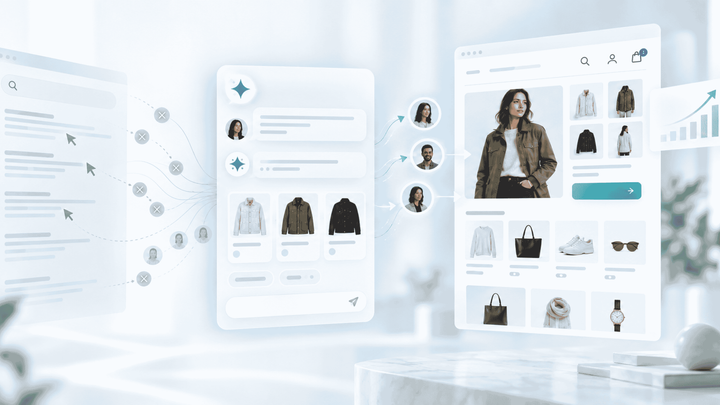
Zoho SalesIQ gives your storefront a live chat widget, visitor tracking, and operator routing out of the box. What it doesn't give you is an ecommerce chatbot that knows your catalog, purchase history, and return policy well enough to answer and resolve conversations without pulling a human in.
That's where Alhena fits. It sits inside your SalesIQ chat surface as an AI layer, handling repetitive customer support questions in ecommerce (order status, product recommendations, and cart nudges) and handing off to your operators only when customers need a human. Alhena works across channels and apps, not just the web widget.
This post covers what the integration actually does, three high-value use cases it handles, and what your team needs to get started.
How Alhena Works Inside Zoho SalesIQ
Alhena connects to SalesIQ through a webhook-based integration that your Alhena account team provisions. There's no Zoho Flow required and no code to write on your side.
Once live, Alhena operates as an AI bot and Zobot-connected first responder in your SalesIQ chat window. The bot reads incoming visitor messages, matches them against your product catalog, order data, and knowledge base, then responds in a conversational, instant manner. If a conversation needs a human (billing disputes, complex complaints, VIP escalations), the bot routes it to the right SalesIQ department with full context attached.
Your team can view the full conversation history, intent labels, ticket context, and any actions the bot already took, so they never ask the customer to repeat themselves.
What stays in SalesIQ
- Visitor tracking, lead scoring, lead routing, and CRM sync (Zoho CRM contacts and CRM records update automatically)
- Team availability and department routing rules
- Chat transcripts, chats history, and CSAT collection
What Alhena adds
- Accurate, zero-hallucination product answers grounded in your actual catalog
- Order lookup and return/exchange handling without human involvement
- Cart recovery nudges that re-engage customers based on visitor behavior
- Sub-5-second first answer time time, 24/7
Use Case 1: Cart Recovery on the Chat Widget
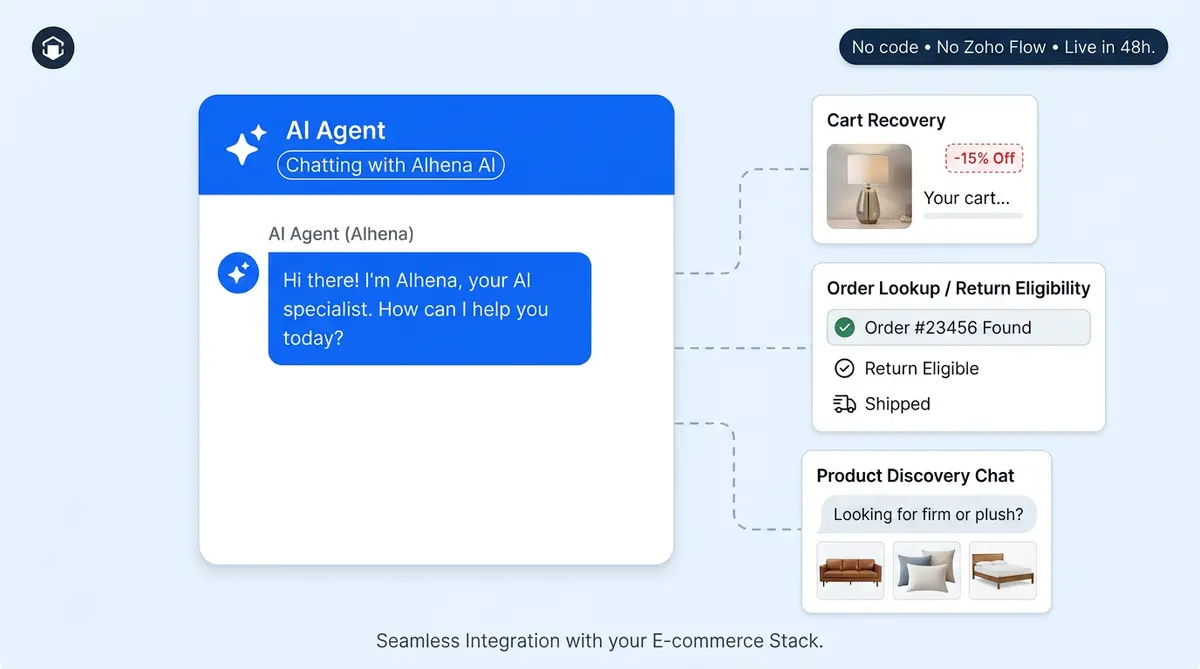
When website visitors add items to their cart on your site, they start browsing away or move toward the exit. The AI bot detects the cart state and proactively engages through the SalesIQ widget with a contextual message: "Still thinking about the linen duvet set? I can answer sizing questions or check if there's a bundle discount."
This isn't a generic product popup. Alhena references the exact products in the cart and related products and can answer follow-up questions about shipping times, material details, or return windows. If the visitor is ready, Alhena can pre-fill checkout, capture the lead, or apply a valid promo code. Brands using Alhena's AI Shopping Assistant have seen conversion rates climb by 3x in similar flows, as Tatcha's results show.
Use Case 2: Order Lookup and Return Handling
Post-purchase questions ("where's my order?", "can I return this?", "I got the wrong size") accounts for a huge share of support volume. On SalesIQ without AI, every one of those hits your support team’s queue.
Alhena connects to your commerce platform (Shopify, WooCommerce, Magento, or Salesforce Commerce Cloud apps) and pulls order data in real time. When customers ask about their shipment, The bot fetches tracking info instantly and answers. For returns, it checks your policy rules, confirms eligibility, and initiates the process, all within the SalesIQ chat window.
Puffy showed that ecommerce businesses can automate 63% of inquiries this way while maintaining 90% CSAT. Manawa cut response time from 40 minutes to 1 minute and automated 80% of their inquiry volume.
Use Case 3: Product Discovery and Recommendations
Visitors who ask, "what moisturizer works for oily skin?" or "Which sofa fits a 10x12 living room?" need guided selling, not a link to your search bar.
Alhena's Product Expert Agent has a deep understanding of your catalog attributes (ingredients, dimensions, compatibility, skin type, and fabric weight) and matches them to the visitor's stated needs. It asks clarifying questions when needed and presents 2-3 tailored options and provide reasons why each fits.
This turns your SalesIQ chat from a support channel into a customer engagement and sales channel. It’s the best chatbot technology for ecommerce businesses that want marketing and sales, not just ticket deflection. Victoria Beckham saw a 20% AOV increase when AI-guided product discovery replaced static FAQ responses.
What You Need to Get Started
The Alhena + Zoho SalesIQ integration is an assisted setup. Here's what your team provides and what Alhena handles:
For the step-by-step technical walkthrough (OAuth, department routing, escalation mapping), see our Zoho SalesIQ chatbot setup guide.
Your team provides:
- Zoho SalesIQ admin access (for webhook configuration)
- Your product catalog feed or commerce platform credentials
- Return/exchange policy documents
- Any existing FAQ or knowledge base content
Alhena's team handles:
- Webhook setup and SalesIQ department mapping
- AI training on your catalog, policies, and brand voice
- Escalation rules, Zoho Desk ticket creation, and handoff configuration
- Testing and go-live within 48 hours
No developers needed. No Zoho Flow automation to build. No custom bot scripts to build. The integration works through SalesIQ's Zobot framework, so your team keep their existing workflows.
Performance You Can Expect
Ecommerce businesses running Alhena on live chat surfaces typically see the following:
- 70%+ deflection rate on routine inquiries
- Sub-5-second first answer time, day or night
- Zero hallucinations because every answer is grounded in verified product and order data
- Full revenue attribution analytics so you know exactly which AI conversations drove sales
You can model the impact for your store using Alhena's ROI Calculator before committing.
From Support Widget to Sales Channel
Most ecommerce businesses treat SalesIQ as a support tool. Alhena turns it into a revenue channel that also handles support. The AI resolves the repetitive questions your operators shouldn't spend time on, recovers carts that would otherwise vanish, and guides undecided visitors toward the right product.
If you're already on Zoho SalesIQ and want AI that actually understands ecommerce (not just generic bot responses from a rule-based chatbot), the path is straightforward.
Ready to add an AI sales layer to your SalesIQ chat? Schedule a demo with Alhena AI or start free with 25 conversations.

Frequently Asked Questions
Does Alhena integrate with Zoho SalesIQ through Zoho Flow?
No. Alhena connects to Zoho SalesIQ directly through SalesIQ's Zobot framework and webhooks. There is no Zoho Flow connector involved. The Alhena team handles the setup, so you don't need to build any automation flows yourself.
How long does it take to deploy Alhena on Zoho SalesIQ?
Most deployments go live within 48 hours. Your team provides catalog data, policy docs, and SalesIQ admin access. Alhena's team handles webhook configuration, AI training, and testing.
Can Alhena recover abandoned carts through the SalesIQ chat widget?
Yes. Alhena detects cart state and proactively engages visitors with contextual messages referencing their exact cart items. It can provide product answers, apply promo codes, and pre-fill checkout to reduce drop-off.
What happens when Alhena can't answer a question in SalesIQ?
Alhena routes the conversation to the appropriate SalesIQ department with full context, intent labels, and a summary of actions already taken. Your operator picks up without customers repeating anything.
Does Alhena work with my existing Zoho SalesIQ operator setup?
Yes. Alhena maps to your existing SalesIQ departments and routing rules. Operators keep their current workflows. Alhena simply resolves the routine conversations before they reach the queue.
What deflection rate can I expect with Alhena on SalesIQ?
Brands running Alhena on live chat surfaces typically see 70%+ deflection on routine inquiries like order status, return eligibility, and product questions. Crocus achieved 86% deflection with 84% CSAT.