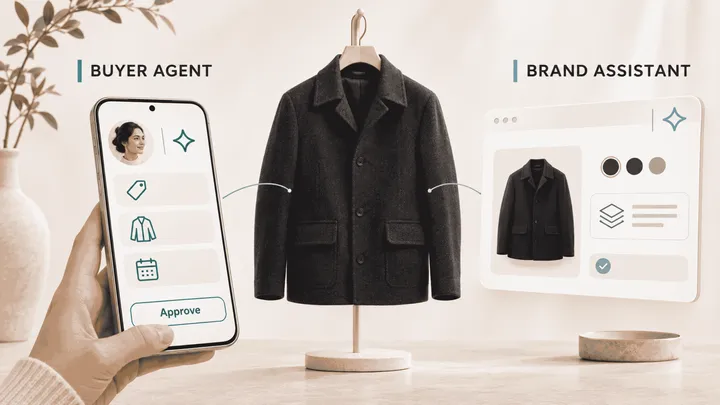
Introducing Vibe Studio: Describe a Page, Ship It to Your Store in Minutes
Every e-commerce store has a page it wishes existed right now. A interactive gift finder for the holiday rush. A high-converting landing page for next week’s drop. A custom product recommendation quiz that helps shoppers pick the perfect item in under a minute.
Coming up with the idea takes 30 seconds. Actually shipping it, however, usually takes three agonizing weeks of dev tickets, static wireframes, back-and-forth reviews, and prototype design drafts stuffed with fake placeholder products.
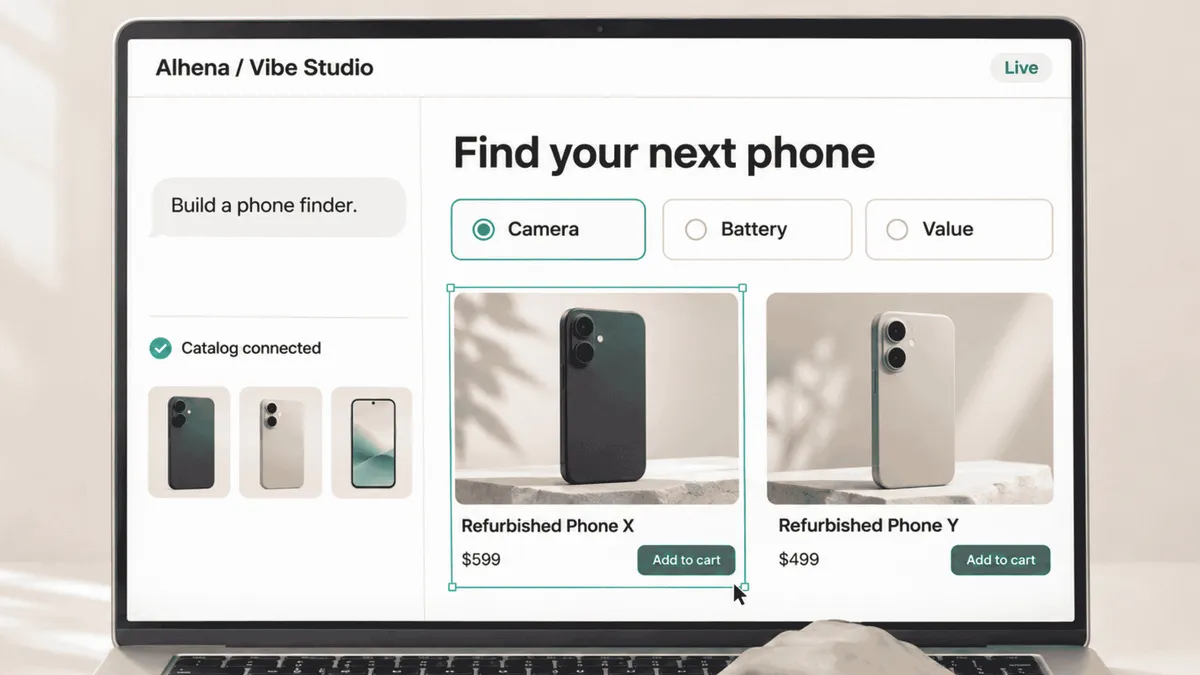
We built Alhena AI Vibe Studio to eliminate that exact bottleneck. It is a catalog-native AI page designer for e-commerce that turns plain-language prompts into production-ready store pages. You describe what you need, watch an AI designer generate it side-by-side using your actual product catalog, refine it effortlessly with your team, and ship it live with a single click.
Here is how vibe coding for online stores changes the game:
- Describe: Brief your AI designer in plain English and attach wireframes, screenshots, brand guidelines, or product lists.
- Build: Watch your page come to life in real time, built directly on your live products, pricing, and images.
- Refine: Collaborate seamlessly by pointing directly at page elements, chatting, or inspecting code.
- Ship: Deploy in one click. Alhena hosts the infrastructure, while a tiny embed snippet publishes no-code e-commerce landing pages straight to your storefront.
What is Alhena AI Vibe Studio?
Vibe Studio is an advanced AI e-commerce landing page builder powered by Alhena AI. Instead of wrestling with rigid drag-and-drop grids or waiting on software sprints, you collaborate with an AI designer using natural language, exactly like messaging a senior developer.
It brings the power of vibe coding to e-commerce storefronts. While general AI builders focus on basic prototypes populated with generic placeholder images, Vibe Studio connects straight to your store catalog from day one.
As a catalog-native AI designer, Vibe Studio ensures the page you build and approve during development is identical to what your shoppers interact with at checkout. No manual content swapping, no broken layouts, and zero friction.
The 4-Step Workflow: Describe, Build, Refine, Ship
Creating high-converting pages in Vibe Studio follows an intuitive four-step journey designed for maximum speed and creative freedom.
1. Describe Your Vision
Start a Project: Every campaign begins as a project saved automatically in your team History for quick access, renaming, and reuse.
Write a Rich Brief: Outline your prompt in everyday conversation. Attach sketch wireframes, competitor screenshots, brand style guides, or curated product lists to guide the AI.
Align on Strategy: Before writing code, the AI clarifies ambiguous details and plays back the proposed user journey step-by-step to guarantee alignment.
2. Watch the AI Build in Real Time
Complete Visibility: A live status line displays current AI actions, while a detailed activity log records every technical step transparently.
Steer & Queue: Don't wait for builds to finish. Use Steer to inject mid-flight instructions into an active build, or use Queue to stack up follow-up edits for automatic execution next.
Build Ownership: Only the team member who initiated a build has permission to stop it, preventing accidental interruptions across collaborative teams.
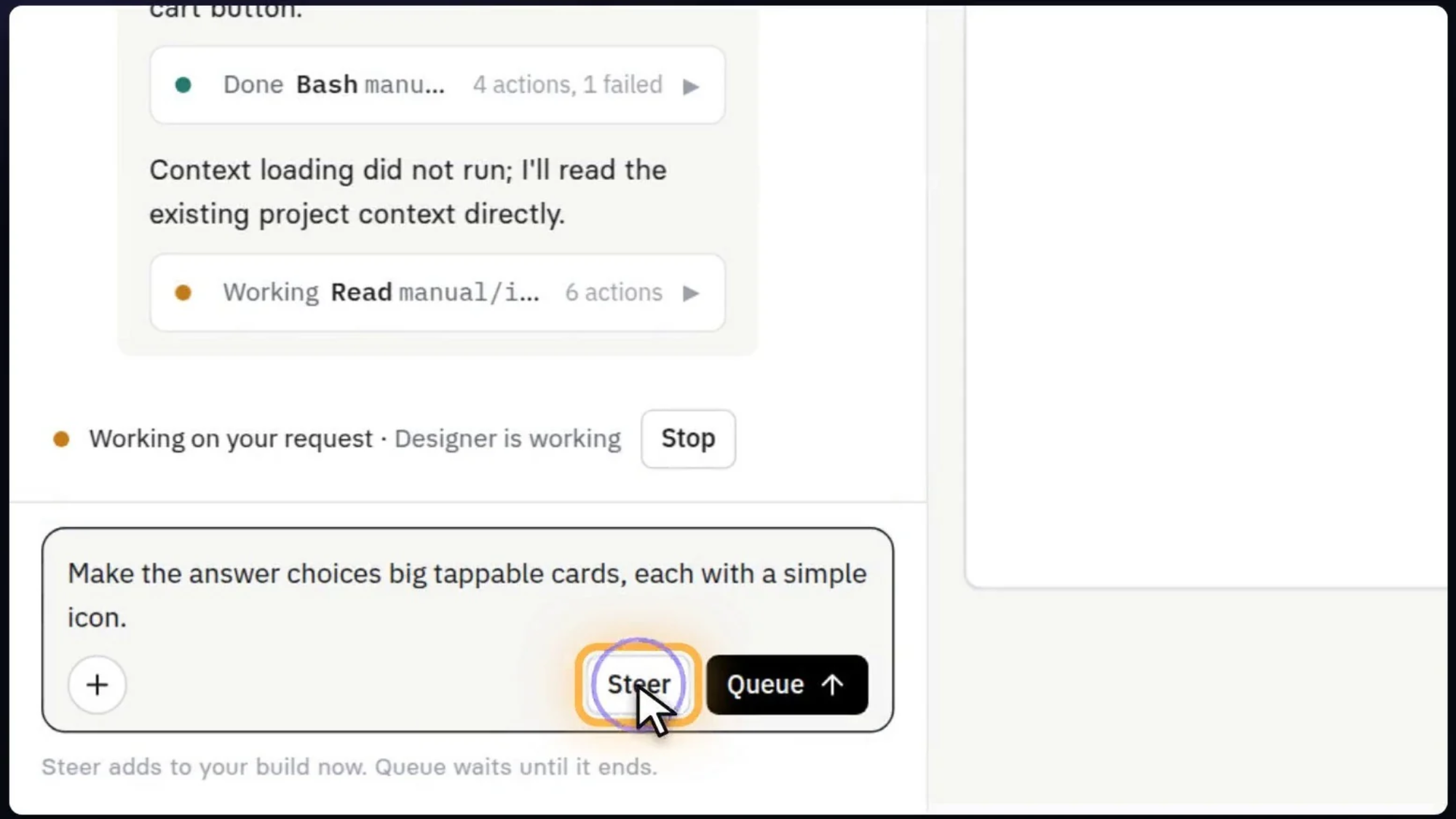
Use Steer to adjust active builds on the fly, or Queue to prepare your next design request.
3. Collaborative Team Refinement
Live Previewing: Inspect your layout live on real catalog items. Toggle mobile responsive previews, open full-screen interactive views, and test shopper flows end-to-end.
Visual Annotation: Enable Annotate to draw targeted boxes around specific UI components and attach feedback. Each visual pin automatically pairs a crisp screenshot with raw DOM element metadata.
Code View Transparency: Inspect underlying HTML/CSS/JS source files directly. Highlight precise code lines to ask questions or submit developer comments alongside visual annotations in a unified feedback tray.
Visual & Code Compare: Use Compare mode to analyze changes between build iterations side-by-side or unified, contrasting draft revisions against your live production state.
Version History: Access full version histories detailing prompt requests, author attributions, and visual snapshots across every iteration.
Real-Time Multiplayer & Follow Latest: See active collaborators and typing indicators. Enable Follow latest to automatically jump to new team builds or review changes on your own schedule.
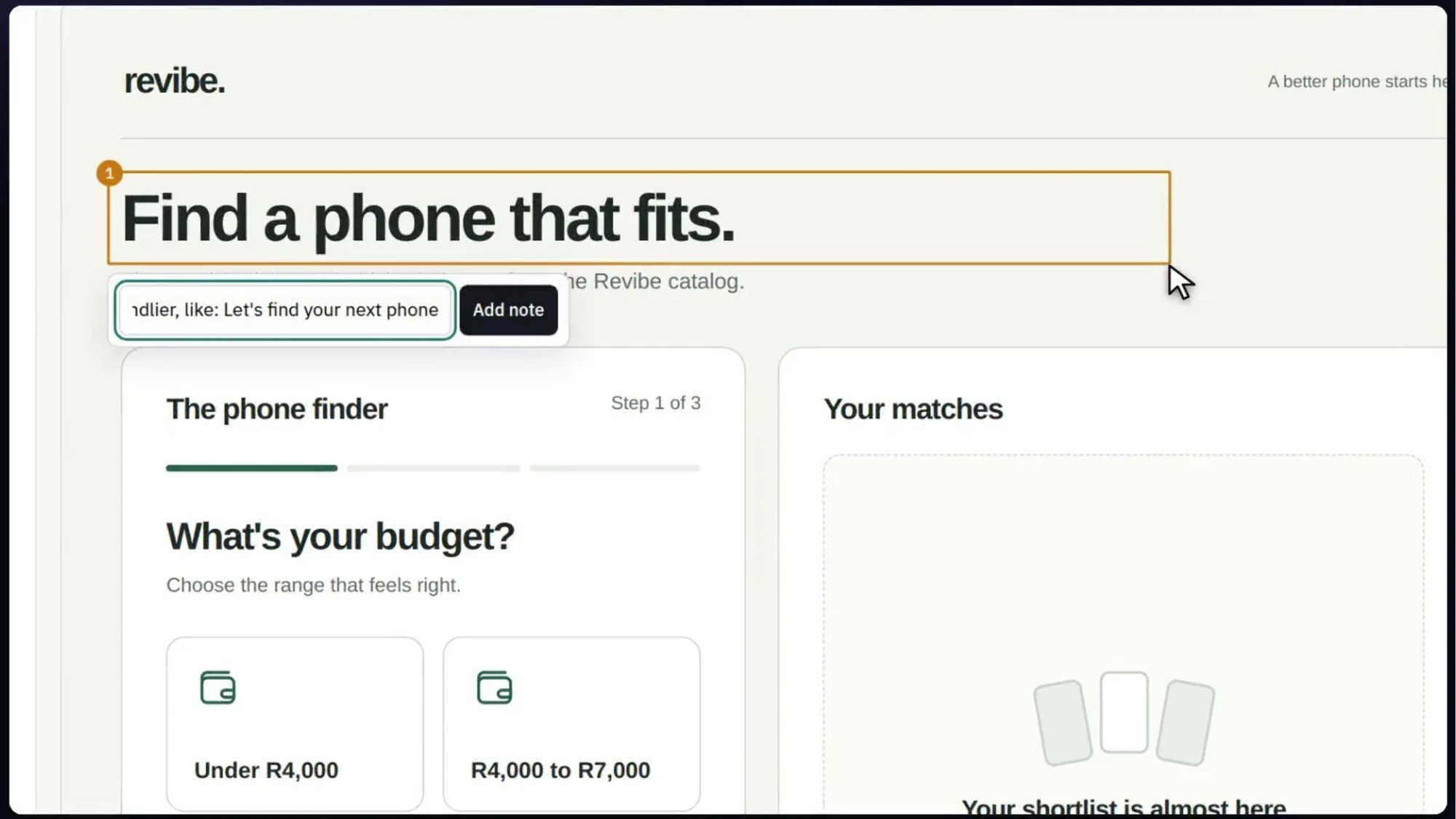
Draw a box around any UI element to instantly share visual feedback complete with DOM context.
4. Instant Store Deployment
When your team approves the page design, click Deploy. Alhena manages high-performance global hosting, while a lightweight HTML snippet embeds the page directly into your e-commerce platform:
<div data-alhena-page="…"></div>
- Every deployment build is archived safely. Need to revert changes? One click on Restore rolls back your live storefront instantly.
Real-World Spotlight: Building Convertible Product Finder Quizzes
To see Vibe Studio in action, consider how a refurbished smartphone retailer built an interactive product finder quiz for their homepage to convert shoppers browsing a massive catalog.
Here is how their multi-step workflow unfolded in minutes:
- The Initial Brief: The marketer submitted a quick prompt attached to a sketch: “Build a phone finder quiz for our homepage asking about budget, primary use case, and preferred brand. Recommend top 3 matching refurbished phones with live prices and direct Add to Cart buttons.”
- Proactive AI Clarification: The AI asked whether Add to Cart should trigger an immediate checkout drawer or direct users to product detail pages. The marketer selected direct cart addition.
- Flow Confirmation: The AI played back the full shopper flow step-by-step for sign-off before initiating code generation.
- Active Steer & Queue: Mid-build, the user steered a prompt: “Make option choices large cards with icons.” They queued another: “Add a Start Over button on results pages.”
- Visual Annotations & Dev Feedback: The team boxed headers to request friendlier text (“Let’s find your next phone”) and inline desk alignments. A developer commented on code line 42 to add confirmation toasts.
- A teammate joins. A second teammate spotted results stuck on a loading message and asked for a fix. Their request and the first person's next idea lined up in the same shared queue.
- Team Queue & One-Click Deploy: Teammates joined the live session, resolved loading states together, and hit Deploy to publish a fully functional quiz connected to live inventory.
From brief to live deployment, the team shipped a high-converting quiz in 5 versions across 2 team members, fully logged in version history.
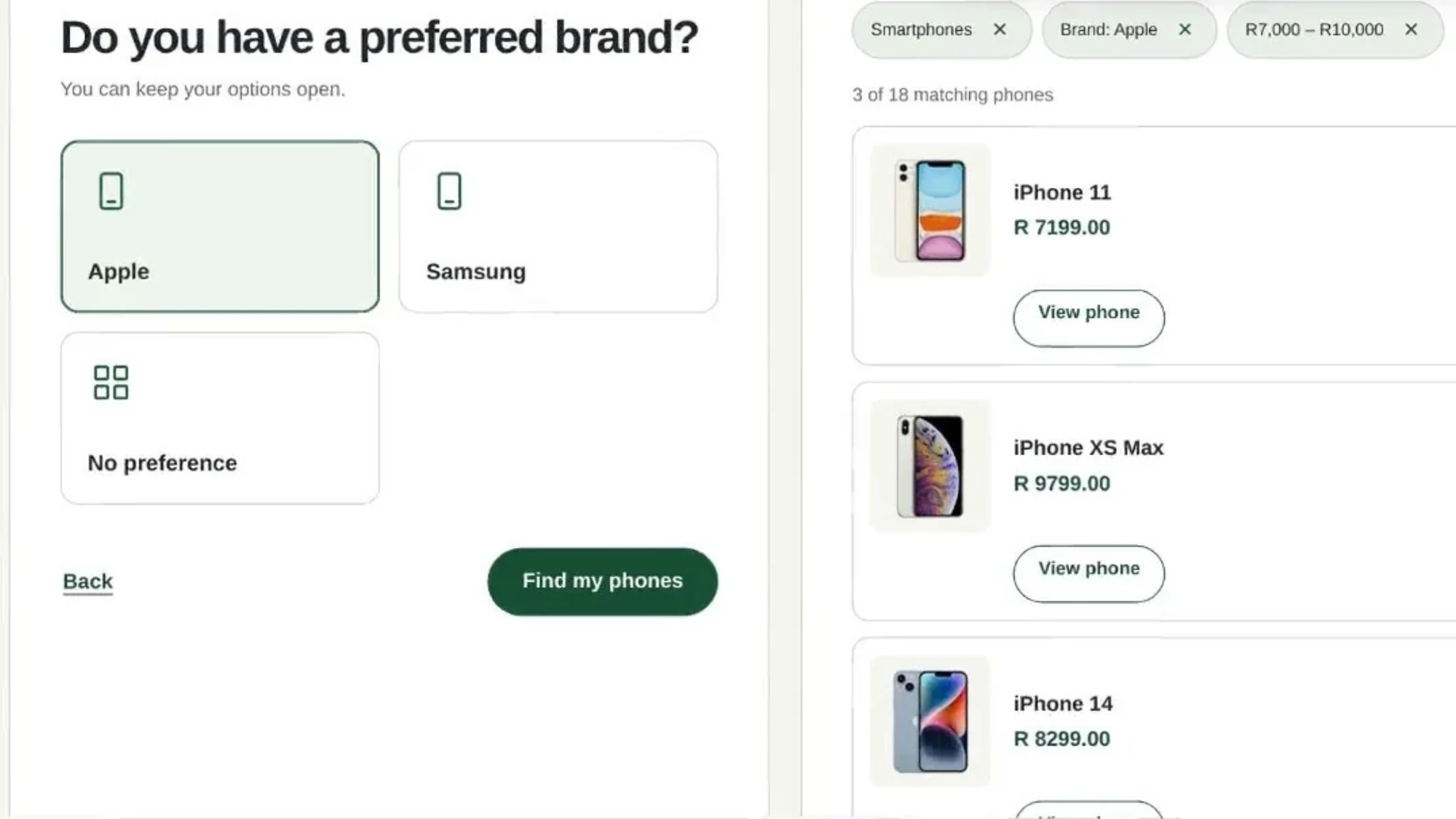
The finished quiz: interactive questions on the left and real-time product matches with live pricing on the right.
Why Vibe Studio Stands Apart from Generic Page Builders
Traditional store builders force a painful tradeoff: manual visual editors require tedious layout adjustments, while generic AI coders generate disconnected prototypes unsuited for enterprise stores. Vibe Studio bridges this gap entirely.
Native Catalog Data Integration: Pages build dynamically against your live inventory, real pricing, and high-res assets. There is zero placeholder data to clean up prior to launch.
Frictionless Production Pipeline: Cloud hosting, embed snippets, revision tracking, and emergency rollbacks are natively integrated. No code export or third-party rebuilding required.
Built for Cross-Functional Teams: Shared prompt queues, presence indicators, build lock protection, and complete prompt-to-code history empower marketers, designers, and developers to build together seamlessly.
Complete Operational Transparency: From flow confirmation playbacks to raw source code inspection, your team retains absolute control over design choices and technical implementation.
Who Vibe Studio is Built For
- Vibe Studio empowers every role across modern e-commerce organizations to move at the speed of thought:
- E-Commerce Marketers: Launch tailored campaign landers and seasonal promo pages instantly without filing engineering tickets.
- Merchandisers: Deploy convertible product finder quizzes and guided shopping tools to turn complex catalogs into streamlined recommendations.
- UX/UI Designers: Convert static wireframes into functional web pages and refine design details using visual point-and-click annotations.
- Engineers & Developers: Audit generated code, comment on exact lines, compare revisions, and deploy securely with built-in emergency restore options.
What You Can Build with Vibe Studio
- If your team can describe it, Vibe Studio can build it. Key e-commerce use cases include:
- Product Finder Quizzes: Interactive diagnostic questionnaires that match shopper preferences to real inventory.
- Interactive Gift Guides: Seasonal curated storefront pages dynamically synced with product pricing and stock.
- Campaign Landing Pages: Custom high-converting landers built specifically for product drops and ad campaigns.
- Product Comparison Grids: Side-by-side matrices helping shoppers compare specs across catalog items.
- Collection Spotlights: Editorial-style showcase pages bringing brand storytelling to product bundles.
Frequently Asked Questions
What is Alhena AI Vibe Studio?
Alhena AI Vibe Studio is a catalog-native AI page designer for e-commerce stores. It transforms conversational prompts into production-ready store pages populated with your live products, prices, and assets.
Do I need coding experience to use Vibe Studio?
No coding knowledge is required. Marketers and designers brief the AI in plain language and annotate visual previews directly. Developers can optionally access the Code view to inspect, comment on, or edit raw code.
What file assets can I attach to a project brief?
You can attach wireframe images, design inspiration screenshots, brand style guides, PDF spec sheets, or targeted product CSV lists to guide the AI builder.
Does Vibe Studio integrate real catalog products and prices?
Yes. Vibe Studio builds natively against your active catalog sync, displaying real product titles, images, and live pricing directly inside design previews.
Can I adjust instructions while a page build is running?
Yes. Use Steer to modify active builds mid-process, or use Queue to line up follow-up design requests automatically.
How do teams provide visual design feedback?
By enabling Annotate, users can draw visual bounding boxes around UI components to submit notes. Each note bundles a screenshot with exact DOM element data for precise AI revisions.
How does multiplayer team collaboration work?
Multiple users can work simultaneously within a project with live presence indicators and a shared prompt queue. Build lock protection ensures only prompt creators can interrupt active builds.
Can I inspect side-by-side version differences?
Yes. The version history log lets you compare any two builds in unified or side-by-side visual modes, including comparing draft iterations against live storefront builds.
How do I embed a Vibe Studio page into my storefront?
Click Deploy to host the page via Alhena infrastructure, then insert a single lightweight HTML embed snippet into your storefront template.
Can I instantly rollback a live deployment?
Yes. Every deployment version is saved, allowing you to instantly revert your storefront to any previous deployment state using Restore.
Describe It, Build It, Refine It, Ship It
Your high-converting page ideas shouldn’t languish in dev backlogs. With Alhena AI Vibe Studio, your team can go from prompt brief to live deployment on real catalog data in minutes.
Ready to experience catalog-native vibe coding for your store?