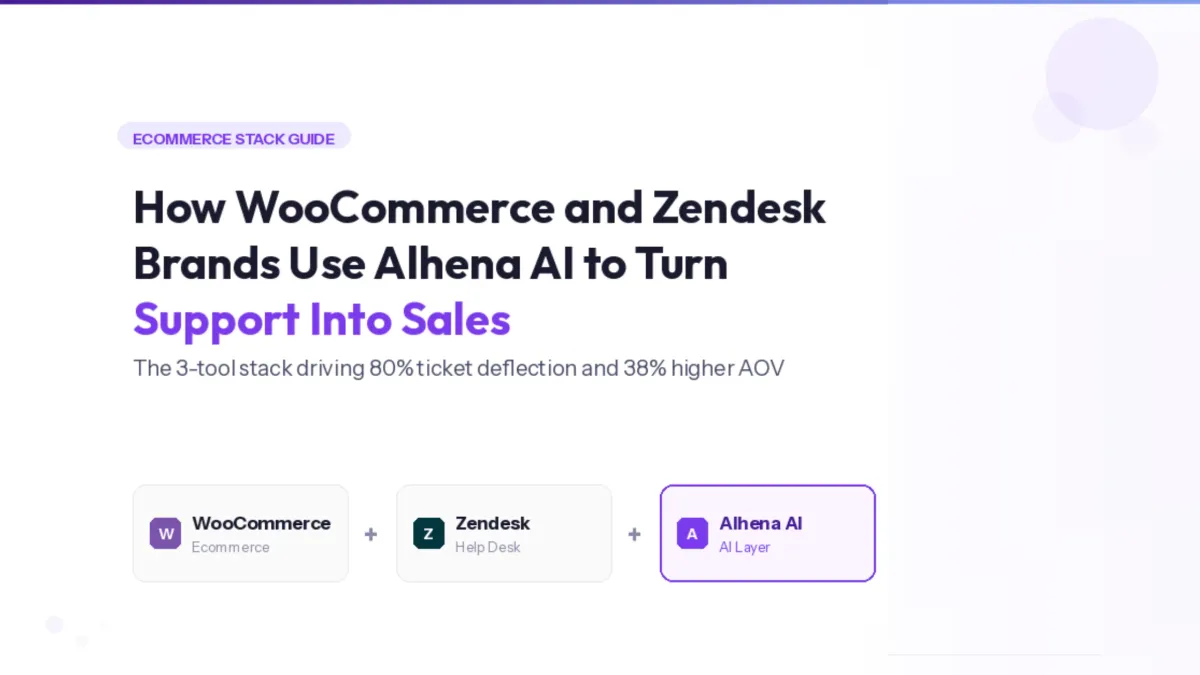
A WooCommerce Zendesk integration connects your store's live order, catalog and inventory data to your help desk, so tickets get answered with real data instead of help-center articles. Alhena AI is the layer that makes it work: two ecommerce agents, no code, live in under 30 minutes.
Zendesk is where the ticket lands. WooCommerce is where the truth lives. Alhena sits between them and closes the gap.
- What it does: reads live WooCommerce order, tracking, pricing and stock data, then answers the ticket inside Zendesk.
- What it deflects: order status, returns, stock, sizing and policy questions — typically 60–80% of L1 volume.
- What it costs you to set up: admin access to both tools, one OAuth connection, one Zendesk trigger. Under 30 minutes.
- Where it stops: anything needing judgment goes to a human with the full conversation attached.
What is the WooCommerce Zendesk integration with Alhena?
It is a single AI layer that connects to both systems natively. Alhena reads your WooCommerce store in real time and acts inside your existing Zendesk ticket workflows.
Nothing about your help desk changes. Your agents keep their views, macros and SLAs. Alhena simply becomes the first responder on the tickets you route to it.
Why can't Zendesk answer WooCommerce order questions on its own?
Because Zendesk's native AI reads content, not commerce. It can deflect a question using a help-center article, but it cannot open order #10482 and tell the customer the parcel shipped Tuesday via FedEx.
That distinction decides most of your ticket volume. The customer already read the shipping email. They contacted you because the email did not answer the question.
How much support volume is actually at stake?
Order-status questions are the single largest category in ecommerce support, and they are also the most automatable — provided the AI can read the order.
Put those together and the maths is uncomfortable. A store shipping 5,000 orders a month with a 5% contact rate generates roughly 250 tickets, and 80 to 100 of them are the same question with a different order number attached.
How do you connect WooCommerce to Zendesk with Alhena?
Five steps. No developer, no custom code, no migration.
- Connect WooCommerceIn Alhena, open Settings → Integrations, enter your store URL and authorize through WooCommerce's OAuth flow. Alhena gains read access to catalog, inventory, pricing and orders.
- Let the two agents activateThe Order Management Agent and Product Expert Agent turn on automatically. Nothing to configure, nothing to train from scratch.
- Enable ZendeskFrom the same integrations panel. This creates a dedicated agent account in your Zendesk instance called Alhena Bot.
- Create one routing triggerIn Zendesk, go to Admin Center → Objects and rules → Triggers. Create a rule assigning new tickets to Alhena Bot. Alhena only replies to open tickets assigned to it, so you keep full control over scope.
- Add your store domain as a training sourcePoint Alhena at your product pages, help articles and policy pages. Live data plus trained content is what makes answers specific rather than generic.
Optional but recommended: enable the Sunshine Conversations API if you want true live chat behaviour and WhatsApp. Create the API key in Zendesk's admin panel and paste it into Alhena.
Which AI agents turn on, and what does each one do?
Order Management Agent
Order status, carrier and tracking, delivery estimates, returns eligibility, cancellations and address changes — all pulled live on every query.
Product Expert Agent
Specifications, materials, sizing and fit, compatibility, stock availability and personalized recommendations from your live catalog.
Both read WooCommerce on every single query. No nightly sync, no stale cache, no “as of last Tuesday” pricing.
What happens to a ticket, from inbound to closed?
Channel-specific behaviour
| Channel | How Alhena handles it | Requirement |
|---|---|---|
| Website chat | Conversations sync from Alhena's Website SDK into Zendesk. Agents watch bot-customer threads in real time. | Base integration |
| Website chat (enhanced) | Send button activates in the Zendesk composer, Enter key sends, email signatures suppressed on chat threads. | Sunshine Conversations API |
| Answered like any Zendesk ticket. Automated system emails and forwarded messages route to humans. | Base integration | |
| Waits at least 30 seconds before responding to collect multi-message context and attached images. | Sunshine + Zendesk Professional or above |
When does Alhena hand off to a human agent?
Escalation is rule-based and predictable, not a black box. Five triggers hand the ticket over:
- The customer explicitly asks to speak to a person.
- Alhena cannot find a grounded answer in its knowledge base — it escalates rather than guesses.
- A custom rule in your answering guidelines fires (VIP accounts, chargebacks, damaged goods, whatever you define).
- The email is an automated system message or a forwarded thread (anything with “Fwd:” in the subject).
- An agent manually replies or reassigns the ticket away from Alhena Bot, at which point the bot stops responding to that thread.
On transfer, the full conversation and every data point referenced goes with it. On website chat, Alhena collects the customer's email first so your agent can follow up even if the visitor closes the tab.
How does this compare to Zendesk's built-in AI?
Zendesk's native AI agents are strong at content deflection. They are not built to read a commerce backend.
| Capability | Zendesk native AI | Alhena on WooCommerce |
|---|---|---|
| Deflect from help-center articles | Yes | Yes |
| Look up a specific WooCommerce order | No | Yes, live on every query |
| Give carrier, tracking and delivery date | No | Yes |
| Check real-time inventory before answering | No | Yes |
| Recommend or cross-sell from the live catalog | No | Yes |
| Trained on your past tickets and Zendesk macros | Limited | Yes |
| Separate bot profiles per brand on one Zendesk account | No | Yes |
| Understands return windows and order lifecycle natively | No | Yes |
The two are not mutually exclusive. Many brands keep Zendesk's article deflection for general policy questions and route commerce-specific queues to Alhena.
Can one Zendesk account serve multiple WooCommerce brands?
Yes. Alhena supports bot profile mapping, which routes tickets from different email addresses or WhatsApp numbers to separate bot profiles.
Each profile carries its own knowledge base, training data and tone. One help desk, several distinct brand voices, no cross-contamination of answers.
Can support tickets actually generate revenue?
This is where the stack stops being a cost centre. The Product Expert Agent does not just answer — it sells, using live catalog data.
Ask “is this jacket waterproof?” and it answers from the product record, then flags the matching promotion. Ask about an out-of-stock size and it offers the nearest available alternative instead of ending the conversation.
Puffy runs 63% inquiry automation at 90% CSAT with a 28% increase in pre-purchase conversion. Victoria Beckham Beauty saw a 20% AOV increase. The pattern holds across verticals: deflection pays for the deployment, and the selling is upside.
Which edge cases should you plan for?
Every store has awkward tickets. Here is how the stack behaves on the ones that break naive chatbots.
| Edge case | What Alhena does |
|---|---|
| Customer sends five WhatsApp messages in a row | Waits at least 30 seconds, collects the full thread and any images, then answers once. |
| Order number does not exist or does not match the email | Escalates rather than guessing. No fabricated tracking data. |
| Question falls outside the knowledge base | Hands off to a human. Alhena is built to stay silent rather than hallucinate. |
| Customer replies a week after the ticket closed | Zendesk reopens the ticket, Alhena resumes with full history intact. |
| Forwarded email chain from a marketplace or 3PL | Routes to a human automatically. |
| Requested size is out of stock | Reads live inventory and offers the closest in-stock alternative. |
| Agent jumps into a live bot conversation | Alhena stops responding on that thread immediately. |
What do you need before you start?
- Admin access to your WooCommerce store
- Admin access to Zendesk, on any Zendesk Suite plan
- Zendesk Professional or above, only if you want WhatsApp
- A Sunshine Conversations API key, only for enhanced live chat and WhatsApp
- Your store domain, help articles and policy pages ready to add as training sources
- About 30 minutes, and no developer
How do you measure it in the first 30 days?
Four numbers tell you whether the integration is working.
- Automated resolution rate — share of assigned tickets closed without an agent touch. Expect 60–80% on L1 queues once training sources are in.
- WISMO share of queue — track it as a percentage of total tickets before and after. It should be the first line to drop.
- First response time — measured on Alhena-assigned tickets. Should fall to seconds.
- Assisted revenue — conversations where the Product Expert Agent influenced an order. This is the number that changes the budget conversation.
Segment by channel from day one. Website chat, email and WhatsApp behave differently, and blended averages will hide which one needs attention.
Key takeaways
- The gap is data access, not intelligence. Zendesk's native AI reads articles; Alhena reads your WooCommerce orders, stock and catalog live.
- Setup is a connector and a trigger. OAuth into WooCommerce, enable Zendesk, create one routing rule. Under 30 minutes, no code.
- Two agents activate automatically. Order Management for post-purchase, Product Expert for pre-purchase.
- Escalation is rule-based. Five defined triggers hand off to a human with full context attached.
- Deflection is the floor, not the ceiling. 60–80% of L1 volume automated, plus measurable AOV and conversion lift from live-catalog selling.
- Multi-brand is supported. Bot profile mapping keeps separate knowledge bases and voices on one Zendesk account.
See it on your WooCommerce store
Bring one week of Zendesk tickets. We will show you which ones Alhena closes without an agent.
Frequently asked questions
Connect your store in Alhena under Settings → Integrations using WooCommerce's OAuth flow, then enable Zendesk from the same panel. Enabling Zendesk creates an “Alhena Bot” agent account. Finally, create one trigger in Zendesk (Admin Center → Objects and rules → Triggers) that assigns incoming tickets to Alhena Bot. No plugin development or custom code is required, and setup takes under 30 minutes.
Not on its own. Zendesk's native AI deflects questions using help-center content and has no live connection to your store's order data. With Alhena connected, the Order Management Agent reads WooCommerce in real time on every query and can return order status, carrier, tracking number, delivery estimate and return eligibility directly inside the ticket.
The right choice is whichever agent reads both systems natively rather than sitting on top of one. Alhena AI connects to WooCommerce and Zendesk directly, activates dedicated Order Management and Product Expert agents, trains on your past Zendesk tickets and macros, and escalates to humans on defined triggers instead of guessing. Generic help-desk bots deflect from articles; ecommerce-specific agents resolve from live commerce data.
For L1 queues — order status, returns, stock and policy questions — 60 to 80% automated resolution is a realistic target once live commerce data and training sources are connected. Alhena customers report figures in that band and above, including 86% deflection at 84% CSAT for Crocus and 63% inquiry automation at 90% CSAT for Puffy. Gartner projects agentic AI will autonomously resolve 80% of common service issues by 2029.
On five triggers: the customer asks for a person, the answer is not in the knowledge base, a custom rule in your answering guidelines fires, the message is an automated system email or a forwarded thread, or an agent manually replies or reassigns the ticket. In every case the full conversation history and referenced data transfer with the ticket, so the customer never repeats themselves.
All three. Email and website chat work on the base integration. Enhanced live chat and WhatsApp require the Sunshine Conversations API, and WhatsApp needs Zendesk Suite Professional or above. On WhatsApp, Alhena waits at least 30 seconds before replying so it can collect multi-message context and any images the customer sends.
Yes. Alhena supports bot profile mapping, which routes tickets from different email addresses or WhatsApp numbers to separate bot profiles. Each profile has its own knowledge base, training data and brand voice, so answers never bleed between brands.
No. Alhena is built to stay grounded in verified store data and approved content, and it escalates to a human when it cannot find a supported answer. If an order number does not exist or does not match the requesting customer, the ticket transfers rather than returning invented tracking details.
It can, when the agent reads the live catalog. Alhena's Product Expert Agent answers pre-purchase questions with real specifications and inventory, cross-sells complements and offers alternatives when an item is out of stock. Tatcha saw a 38% AOV uplift and 11.4% revenue contribution; Victoria Beckham Beauty saw a 20% AOV increase; Puffy recorded a 28% increase in pre-purchase conversion.
Where to go next
- Reduce order-status volume specifically: read how AI handles WISMO queries at scale.
- Automate pre-purchase questions on the storefront itself: see the AI Shopping Assistant.
- Cover the full support surface across channels: see AI Support Concierge.
- Get found before the click, inside ChatGPT, Gemini and Perplexity: see Alhena AI Visibility.
- Ready to wire it up? Book a 20-minute walkthrough with your own ticket data.