How to Prepare Your AI Shopping Assistant for Black Friday
Black Friday 2026 falls on 27 November. The work starts eight weeks out. Here is the week-by-week plan, from catalog audit to the returns wave nobody budgets for.
When should you start preparing your AI for Black Friday?
Start eight weeks before Black Friday. For BFCM 2026 that means beginning around 2 October. The first four weeks go on catalog and knowledge base work. The final four go on promotion logic, inventory feeds and stress testing. Brands that start in the week of Black Friday are not preparing, they are reacting.
Cyber Week 2025 generated $41 billion in U.S. ecommerce revenue. AI chatbot interactions rose 85% year over year during BFCM 2025. Brands with prepared AI shopping assistants captured a disproportionate share of that spending because their AI handled deal discovery and support surges simultaneously, while competitors scrambled with undertrained seasonal staff. Small and mid-size businesses lost customers to brands whose AI offered real-time deal guidance, and to generic chatbots that broke under volume.
The failure pattern repeats every year. Most brands deploy AI and forget about it until BFCM week, then panic when the assistant recommends discontinued products, misquotes expired promotions, or cannot answer questions about seasonal shipping deadlines. By the time someone notices, Black Friday traffic has already converted elsewhere.
Counting back from Black Friday 2026
If you are reading this in late September, you are on schedule. If you are reading it in November, skip to the stress testing and live monitoring sections and accept that this year is triage.
| Phase | Timing | What you are fixing |
|---|---|---|
| 1. Catalog and knowledge | 8 weeks out | Product data, gift guides, shipping cutoffs, return policy, BFCM FAQs |
| 2. Promotion and inventory | 4 weeks out | Date-aware deal logic, live stock feeds, peak-season nudges |
| 3. Stress test and channels | 2 weeks out | Load testing, cross-channel consistency, gift flows, escalation protocol |
| 4. Live monitoring | BFCM week | Knowledge gaps, escalation spikes, revenue attribution, post-purchase surge |
| 5. Returns and retention | After peak | Holiday return questions, gift recipients, first-time buyer follow-up |
For a deeper look at how AI resolves discount combination questions year-round, see our promo stacking logic guide. And for what happens when the shopper on the other end is not a person at all, see what AI shopping agents read on your store at Black Friday.
What should your AI know before BFCM traffic arrives?
Everything you will sell, every promotion rule, every shipping cutoff and every return exception, loaded before a single shopper asks. Your AI shopping assistant is only as good as the data behind it. Eight weeks out is when you audit what the assistant knows and fix what it does not.
Audit product data for every BFCM-featured product
Pull the full list of products you plan to feature during Black Friday and Cyber Monday. Check that every product title, description, price, variant and image in your catalog feed matches what your site will show during the sale. If you run a Shopify or WooCommerce store, Alhena AI syncs directly with your product feed so updates flow into the assistant automatically. But the source data still needs to be right.
Add seasonal gift guides and bundle configurations
BFCM shoppers buy gifts. They ask questions like "What's the best set for someone with dry skin?" or "Do you have a starter kit under $75?" Your AI needs gift guide content and bundle logic loaded before traffic arrives. Create dedicated knowledge base entries for holiday bundles, curated sets and gift-by-recipient categories so the assistant can recommend them naturally during conversations.
Update shipping cutoffs and holiday return policies
Every year, shipping deadline questions flood support during peak. Load your holiday shipping cutoff dates, expedited shipping options and extended return policy details into the AI's knowledge base now. If your return window extends from 30 days to 60 days for holiday purchases, the AI should know that before a single Black Friday shopper asks.
Load BFCM-specific FAQ content
Cover the questions that spike every November: deal stacking rules, discount code limitations, price match policies, gift card terms, loyalty point redemption during sales, and whether BFCM discounts apply to new arrivals. Build these as structured FAQ entries so the AI delivers clear, accurate answers instead of guessing.
Test against last year's top 20 BFCM queries
Pull your customer service data from BFCM 2025. Identify the 20 most frequent questions your team received. Run each one through your AI shopping assistant and grade the response. Every gap you find now is a sale you save later. Alhena's Support Concierge logs every conversation, so pulling last year's top queries takes minutes, not hours.
How do you stop an AI from quoting an expired Black Friday deal?
Configure date-aware promotion logic, so every deal tier activates and expires on a schedule rather than in a script someone has to remember to update. Quoting a deal before it starts or after it ends is the single most common BFCM chatbot failure, and it is entirely preventable.
Configure date-aware promotion handling
BFCM promotions are time-sensitive. You likely run tiered deals: early access for VIP customers, a main Black Friday sale, Cyber Monday extensions, and possibly a post-Cyber week clearance. Your AI needs to know exactly when each promotion activates and expires.
With Alhena AI, you configure promotion-aware conversation logic that activates and expires deals automatically. The assistant tells a VIP shopper about their early access pricing on Wednesday, then switches to the public sale messaging on Friday morning, without anyone manually updating scripts.
Connect real-time inventory feeds
Nothing kills trust faster during BFCM than recommending a product that sold out two hours ago. Connect your AI to real-time inventory data so it responds with live availability and suggests alternatives when bestsellers sell out. If your top-selling moisturizer goes out of stock at 2 PM on Black Friday, the assistant should immediately pivot to the next closest option instead of sending shoppers to a dead-end product page.
Alhena's Shopify and WooCommerce integrations pull inventory status in real time, so recommendations stay accurate even when stock changes by the hour.
Set up BFCM-specific AI nudges
Peak season shopping behavior is different from everyday browsing. Shoppers compare across multiple tabs, abandon carts at higher rates (76% on Black Friday, 80% on Cyber Monday), and respond to urgency signals. Configure your AI to trigger nudges tuned to each customer segment during BFCM: cart abandonment recovery with discount urgency ("Your 30% off expires in 4 hours"), bundle upselling with holiday savings framing ("Add the matching serum and save an extra $15"), and low-stock alerts that create genuine scarcity ("Only 12 left at this price").
Brands using AI nudges already see measurable add-to-cart lifts. During BFCM, when purchase intent is highest, these prompts convert at even higher rates.
How do you stress test an AI assistant before peak season?
Load test at five to ten times your normal volume, then verify that every channel returns the same offers and the same answers. Two weeks out, your knowledge base is current and your promotions are configured. This is when you find out whether any of it holds under pressure.
Simulate peak traffic volumes
Customer inquiries spike 5 to 10x during BFCM. Your AI needs to handle thousands of concurrent conversations without degradation in response time or accuracy. Run load tests that simulate your expected peak volume and monitor for latency, errors or dropped conversations. Every millisecond of latency costs conversions, and during BFCM the stakes multiply.
Alhena's surge-capacity architecture handles thousands of simultaneous conversations across every channel without performance loss, so the AI does not slow down when traffic peaks at noon on Black Friday.
Test every channel for consistent BFCM messaging
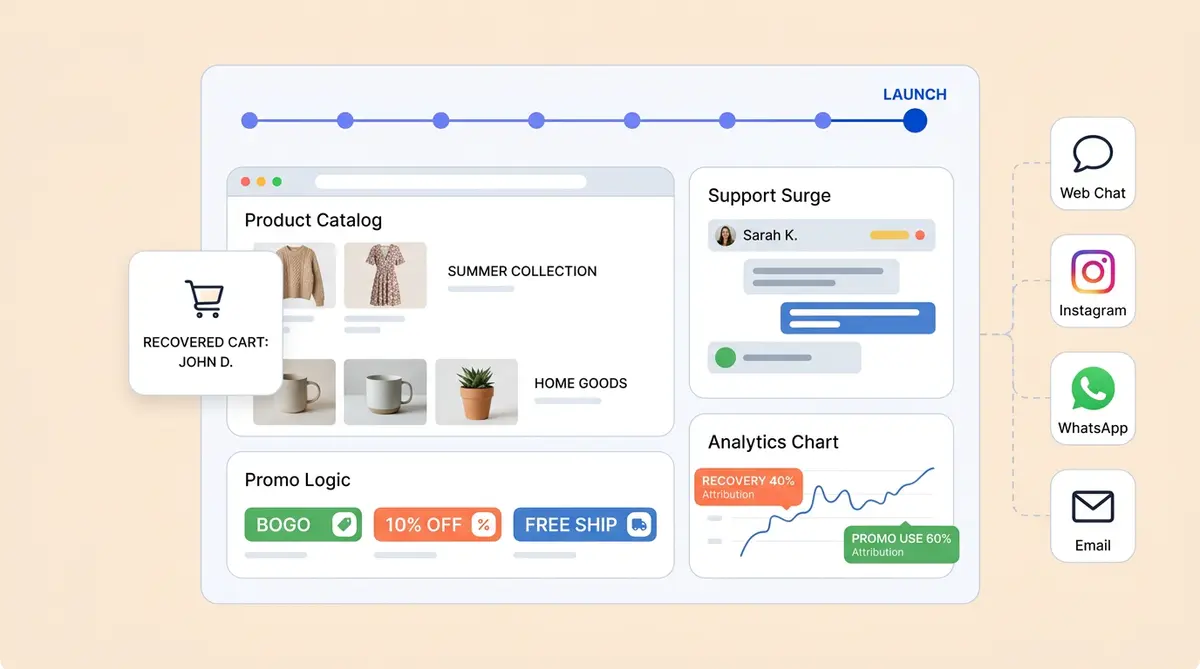
Your shoppers do not stay on one channel. They browse your site on desktop, DM you on Instagram from their phone, send emails with follow-up questions, and expect consistent offers everywhere. Test your AI across web chat, email, Instagram DMs and WhatsApp to confirm that BFCM messaging, promotions and product recommendations match everywhere.
If the web chat knows about your Cyber Monday extension but the Instagram DM assistant does not, you will lose conversions on one of your fastest-growing channels. Social media drove 15% of digital traffic during Cyber Week 2025, with social commerce continuing to grow as a direct sales channel.
Configure gift-specific conversation flows
A significant share of BFCM purchases are gifts. These shoppers need different help than someone buying for themselves. They ask about size guidance for someone else, preference matching ("She likes natural ingredients, nothing with fragrance"), and gift wrapping options. Build conversation flows that recognize gift intent and adapt the experience accordingly, including product recommendations filtered by recipient type.
Brief your human support team on AI handoff protocol
Your AI will not handle everything. Complex billing disputes, emotional complaints and edge-case returns still need human agents. Before BFCM week, run your support team through the escalation protocol so every handoff transfers with full conversation context. The customer should never have to repeat themselves when moving from AI to a human agent.
Alhena's Agent Assist passes the complete conversation history, customer profile and order details to the human agent, so escalations feel like a continuation rather than starting over.
What should you monitor during Black Friday week?
Unanswered questions, escalation spikes and AI-assisted revenue, in that order. Preparation is done. Now the job is to catch knowledge gaps within minutes rather than after the weekend.
Monitor AI conversation analytics live
Watch your AI dashboard during BFCM to catch emerging issues early. Look for new product questions the AI cannot answer, promotion codes that are not being recognized, or sudden spikes in escalation rate that signal a knowledge gap. If a new question pattern emerges at 10 AM on Black Friday, you need the answer live by 10:15 AM, not next Monday.
Use live feedback loops to add FAQs in minutes
Every BFCM surfaces questions you did not anticipate. Maybe a viral TikTok sends unexpected traffic to a specific product, or a shipping carrier announces a delay mid-sale. Your platform needs to support rapid knowledge base updates so you can add new answers and update offers within minutes, not hours.
Track AI-assisted revenue separately from unassisted
During BFCM, track your AI-assisted conversion rate and AOV alongside your unassisted metrics in real time. This tells you exactly how much incremental revenue the shopping assistant is driving. Tatcha saw 3x conversion rates and 38% AOV uplift from AI-assisted sessions, with 11.4% of total site revenue attributed to their AI shopping assistant. Those numbers become your business case for expanding AI investment into the next fiscal year.
Alhena's built-in revenue attribution analytics separate AI-influenced purchases from organic ones, so you see the real impact without manual tagging or guesswork.
Handle post-purchase surges
BFCM does not end when the sale does. Order tracking, shipping updates and return initiation requests surge in the days following Cyber Monday. Make sure your AI handles post-purchase queries with the same accuracy it showed during the sale. Manawa cut response times from 40 minutes to 1 minute and automated 80% of inquiries using Alhena's Order Management Agent, the same workflow that scales into post-BFCM volume without adding headcount.
How do you handle the returns wave after Black Friday?
Load your holiday return policy into the AI before BFCM ends, not after the wave starts. For every return that gets filed, your team fields two to four pre-return questions: "Can I still return this?" "Where's my refund?" "What's the holiday return window?" That is a conversation-volume problem, not a logistics one.
The biggest support spike often hits after BFCM, not during it. Gift recipients who did not choose the product, buyers with remorse after impulse purchases, and shoppers confused about extended holiday return windows all flood your inbox in late December and January. BFCM also brings a flood of first-time buyers, and what you do in the weeks afterwards determines whether they become repeat customers or one-time bargain hunters.
Add holiday return FAQs before the wave hits
Before BFCM ends, add your extended holiday return policy to Alhena's knowledge base using custom FAQs. Cover the exact return window dates, any gift-receipt exceptions, and whether holiday purchases have different exchange rules. Your AI will answer these accurately from day one of the returns wave instead of escalating every one to a human.
Use Guidelines to shape how your AI handles return conversations. For example, create a guideline that triggers when a customer asks about returning a gift and instructs the agent to offer an exchange or store credit before processing a return. The Product Expert Agent can suggest alternatives in the same conversation, turning potential returns into exchanges.
Handle gift recipients who cannot authenticate
Gift recipients create a unique challenge: they have no order number, did not create an account, and cannot verify the purchase. Your AI needs a clear path for these shoppers. Configure human handoff rules so the agent can answer general return policy questions but routes gift-recipient cases that need order lookup to your support team with full conversation context.
If your store uses Narvar, Alhena's Order Management Agent can look up return status, RMA tracking and refund progress for authenticated customers. This alone deflects a large share of "where's my refund?" tickets. Crocus achieved an 86% deflection rate with this kind of automated order support, and Puffy hit 63% automated inquiry resolution with a 90% CSAT score.
Monitor return trends in real time
Once the returns wave starts, use Trending Topics to watch what customers are asking about. If you see a spike in questions about a specific product or a particular return reason, add a targeted FAQ or guideline within minutes. Smart Flagging will also catch any AI responses about refunds or exchanges that do not align with your updated holiday policy, so you can correct them before they become a pattern.
After the wave subsides, review your Revenue Impact dashboard to see how many return conversations the AI handled without human involvement, and check whether exchange nudges actually converted. For a deeper look at end-to-end returns automation, see our complete guide to AI-powered returns and refunds.
Follow up with first-time buyers, then mine the data
Use your AI to send personalized product recommendations to BFCM first-time buyers based on what they purchased. If someone bought a skincare set, suggest the complementary serum three weeks later. This is where AI shopping assistants transition from peak season tools to year-round retention engines.
Then analyze the conversations. Your AI captured thousands during peak. If 200 shoppers asked about a product you do not carry, that is Q1 merchandising intelligence. If customers consistently asked for a bundle you did not offer, build it for next year. Identify which AI-assisted interactions drove the highest AOV, and use those insights to refine proactive engagement for Valentine's Day, Mother's Day and BFCM 2027. The quiet months are when that work actually gets done.
What makes an AI assistant hold up under peak load?
Live catalog data, promotion logic that expires on its own, surge capacity, and attribution you can show a CFO. Not every AI platform can handle what BFCM demands.
- Real-time catalog and inventory integration keeps product recommendations accurate as stock changes by the hour, integrated with Shopify, WooCommerce, Magento and Salesforce Commerce Cloud
- Promotion-aware conversation logic activates and expires deals automatically across tiered VIP, main sale and extension windows
- Surge-capacity architecture handles thousands of concurrent conversations across web chat, email, Instagram DMs and WhatsApp without response time degradation
- Hallucination-free AI grounded in your verified product data, so recommendations are accurate, never fabricated
- Post-BFCM revenue attribution analytics show exactly how much incremental revenue the AI drove during peak, making ROI clear for leadership
- Two specialized agents working together: the Product Expert Agent drives sales through recommendations and agentic checkout, while the Order Management Agent handles order tracking, returns and shipping updates
Crocus achieved an 86% deflection rate with 84% CSAT using these same capabilities. Puffy reached 63% automated inquiry resolution with 90% CSAT. Victoria Beckham saw a 20% AOV increase. These results come from the same platform that scales into BFCM volume.
Key takeaways
- Start eight weeks before Black Friday, not the week before. For BFCM 2026 that start line is roughly 2 October
- Your AI needs clean product data, BFCM-specific FAQ content, gift guide knowledge and updated shipping and return policies before any promotion goes live
- Promotion-aware AI that activates and expires deals automatically prevents the most common BFCM chatbot failure: quoting a deal that has ended
- Real-time inventory connections stop the AI recommending out-of-stock products during peak traffic
- Stress test at 5 to 10x normal volume and verify consistent messaging across web chat, email, Instagram and WhatsApp
- Track AI-assisted conversion and AOV separately from unassisted to prove revenue impact
- The returns wave is a conversation-volume problem. Load holiday return policy before BFCM ends, not after the first refund question arrives
- Post-BFCM follow-up turns first-time bargain hunters into repeat customers, extending peak season ROI into Q1
BFCM preparation is not a one-week scramble. It is a phased process that starts eight weeks out. Brands that treat their AI as a peak season revenue engine, not just a support deflection tool, outperform those still training seasonal hires the week before Black Friday. For the data behind where shoppers stall during peak, see our BFCM data brief, and for getting recommended by AI search in the first place, our AI visibility strategy for holiday peaks.
Frequently asked questions
When should I start preparing my AI for Black Friday?
Start eight weeks before Black Friday. Black Friday 2026 falls on 27 November, which puts the start line at roughly 2 October. The first four weeks cover catalog audits, gift guide content, shipping cutoffs and BFCM-specific FAQs. The final four cover promotion configuration, inventory feeds, stress testing and cross-channel readiness.
How far in advance should I start BFCM AI preparation for my ecommerce store?
At least eight weeks. The first four weeks focus on product catalog audits, gift guide content loading, shipping cutoff updates and BFCM-specific FAQ entries. The final four weeks cover promotion configuration, inventory feed connections, stress testing at peak volumes and cross-channel readiness. Alhena AI syncs with your Shopify or WooCommerce catalog automatically, but the promotional logic and seasonal knowledge base updates need human oversight to get right.
Can a promotion-aware AI shopping assistant prevent BFCM chatbot failures like quoting expired deals?
Yes. Promotion-aware AI like Alhena AI lets you configure date-specific activation and expiration for every deal tier, including VIP early access, main sale and Cyber Monday extensions. The assistant automatically switches messaging when a promotion window opens or closes, so it never quotes a deal before it starts or after it ends. This is the most common BFCM chatbot failure, and it is entirely preventable with the right platform.
How does an inventory-connected AI shopping assistant handle out-of-stock products during BFCM peak traffic?
An inventory-connected assistant pulls real-time stock levels from your ecommerce platform and adjusts recommendations instantly when products sell out. Instead of sending shoppers to a dead-end product page, Alhena AI suggests the closest available alternative based on the original product attributes. This keeps the conversation moving toward a purchase even when bestsellers sell out within hours on Black Friday.
What metrics should I track to measure AI shopping assistant revenue impact during BFCM?
Track AI-assisted conversion rate and average order value separately from unassisted sessions. Compare these to your baseline to isolate incremental revenue driven by the AI. Alhena AI provides built-in revenue attribution analytics that tag every AI-influenced purchase automatically. Tatcha attributed 11.4% of total site revenue to their AI shopping assistant using this approach, giving leadership a clear ROI number without manual tagging.
How do I handle the returns wave after Black Friday?
Load your extended holiday return policy into the AI's knowledge base before BFCM ends, not after the wave starts. For every return filed, teams field two to four pre-return questions such as whether an item is still returnable and where a refund is. Configure handoff rules for gift recipients who have no order number, and use guidelines to offer an exchange or store credit before processing a return.
How do I turn BFCM first-time buyers into repeat customers using post-peak AI retention?
Deploy AI-driven follow-up sequences within two to three weeks of purchase, using personalized product recommendations based on what each customer bought during BFCM. Mine your BFCM conversation data to identify the most common questions, unmet needs and product gaps, then use those insights to shape Q1 merchandising and engagement strategy. Alhena AI captures this data automatically across every channel.
Keep reading
- The data: Where shoppers stall during BFCM
- Getting found: AI visibility strategy for BFCM and holiday peaks
- When the shopper is a machine: What AI shopping agents read on your store
- Support side: Prepare your support stack for agentic traffic
- Without seasonal hires: Handling peak season support
Get your assistant BFCM-ready
See how brands prepare for peak, or test it against your own catalog before you commit. Use the ROI calculator to estimate your BFCM revenue impact.