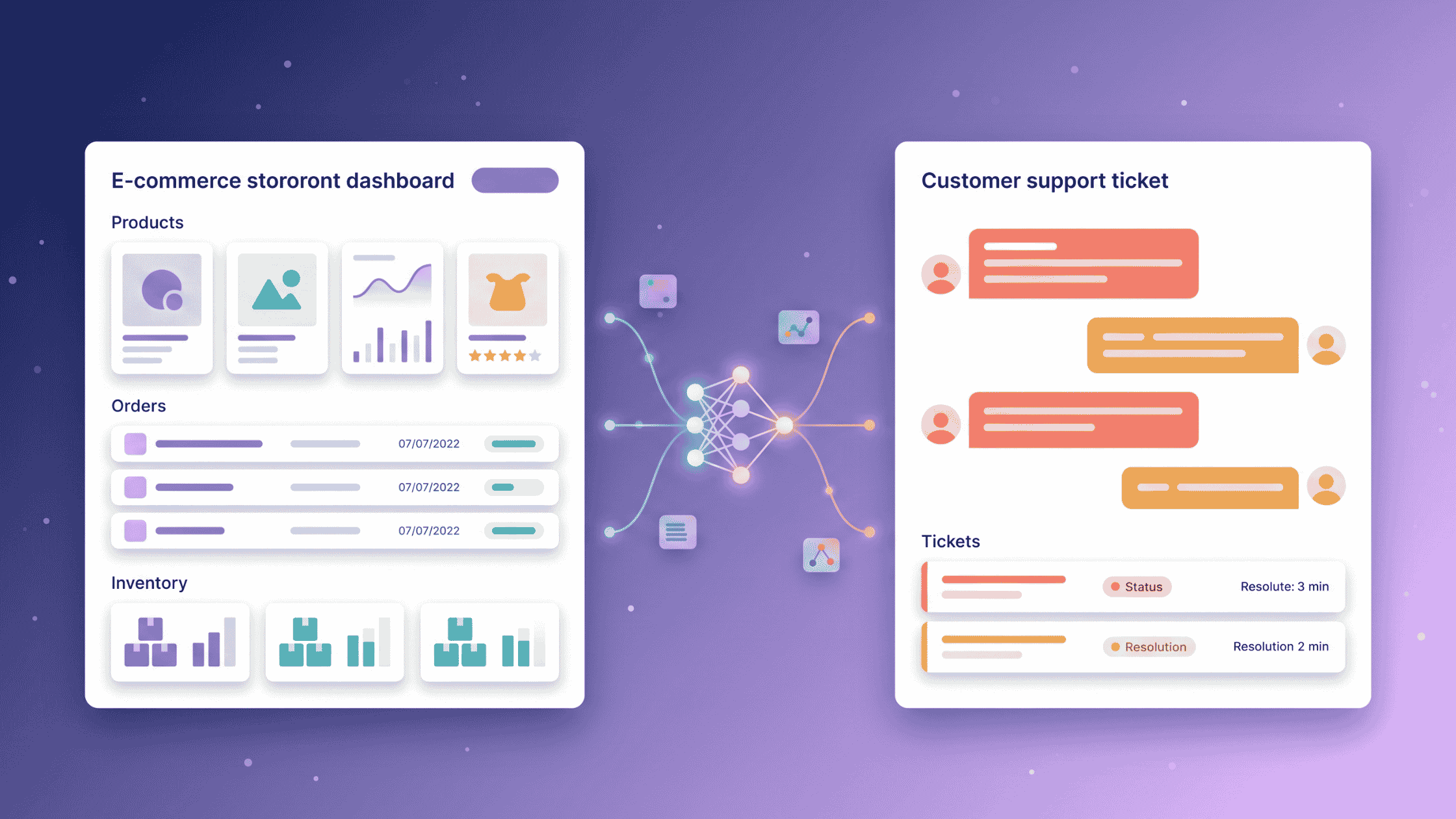
A Freshdesk AI agent for Magento is an AI layer that reads live Magento 2 order and catalog data and resolves Freshdesk tickets end to end, with no agent in the loop. Alhena AI connects to both platforms natively in under 30 minutes and activates two agents: Order Management and Product Expert.
The gap it closes is a familiar one. Freshdesk holds the ticket. Magento holds the order, the inventory, the configurable variant and the custom attribute. Nothing holds both.
So an agent reads the email, opens a second tab, logs into the Magento admin, runs the lookup, copies the answer back, and closes the ticket. Multiply that by a few hundred a day and you are paying skilled people to be a manual API.
What does a Freshdesk AI agent for Magento actually do?
It answers the ticket using live commerce data instead of a static help article. Six jobs cover most of the volume:
- Order status and tracking — pulled from Magento at the moment of reply, not from a nightly sync.
- Stock and availability — including per-store-view inventory.
- Product specification questions — dimensions, materials, compatibility, warranty.
- Configurable and bundled product logic — which variant, which combination, what is included.
- Returns and refund timelines — grounded in the actual order state.
- Escalation with context — handing a human the full thread and order data, not a cold start.
Why can't Freshdesk's native bot answer Magento questions?
Because it was not built for Magento. Freshworks' ready-to-launch vertical AI agents ship with pre-built workflows and connectors for Shopify, Stripe, PayPal, FedEx and Wix. Magento is not on that list.
On a Magento store, Freddy AI falls back to what it can reach: knowledge base articles and public help centre URLs. That answers "what is your returns window". It cannot answer "where is order #100048291".
Four practical limits show up in Magento deployments:
- No native order lookup. Without a Magento connector, order questions become escalations.
- Read-heavy integrations. Where commerce integrations do exist, they largely surface data for humans rather than act on it.
- Thin email threading. Reports through 2026 note the email AI agent typically replies to the first message in a thread and stays quiet on follow-ups.
- Session-based billing. Sessions are consumed whether or not the ticket resolves — the meter runs fastest in peak season.
| Capability | Freshdesk native bot | Alhena AI on Freshdesk |
|---|---|---|
| Magento 2 order lookup | No native connector | Live via Magento REST API |
| Custom product attributes | Not catalog-aware | You choose which attribute codes sync |
| Configurable & bundled products | Article matching only | Reads variant and bundle structure |
| Multi-storefront routing | Manual rules | Bot profile mapping per support inbox |
| Follow-up replies in a thread | Commonly first message only | Reopens and resumes the conversation |
| Learns your past tickets | Knowledge base articles | Past tickets, canned responses, store URLs |
How do you connect Magento 2 to Alhena?
Five steps in the Magento admin, then one paste into Alhena.
- Go to System > Extensions > Integrations in your Magento Admin.
- Create a new integration and name it (for example, "Alhena AI").
- Grant API access to Sales for order data and Catalog for product data.
- Activate the integration. Magento issues four credentials.
- In Alhena, open Settings > Integrations > Magento, paste the credentials with your store URL, and connect.
| Credential | Where it comes from |
|---|---|
| Consumer Key | Generated on activation of the Magento integration |
| Consumer Secret | Generated on activation of the Magento integration |
| Access Token | Generated on activation of the Magento integration |
| Access Token Secret | Generated on activation of the Magento integration |
| Store URL | Your storefront base URL, entered in Alhena |
Both agents activate automatically on connection. There is no separate model training step and no data warehouse to build. Alhena queries Magento at reply time, so a stock level that changed ten minutes ago is the stock level the customer is told about.
How do you connect Freshdesk to Alhena?
- In Freshdesk, open Profile icon > Profile Settings > View API Key and copy the key.
- In Alhena, go to Settings > Integrations > Freshdesk, enter your Freshdesk domain and API key, and click Connect.
- Alhena creates an Alhena Bot agent inside your Freshdesk account.
It is a native connection on both sides. No middleware, no Zapier layer, no third-party connector to maintain.
Which tickets does Alhena Bot actually answer?
Only the ones explicitly assigned to it. That is the safety valve — you decide the blast radius before anything goes live.
In Freshdesk, go to Settings > Automations > New Rule and assign incoming tickets to the Alhena Bot agent. Scope it broadly to all new tickets, or narrowly by channel, tag, ticket type, customer segment or sender address. Most teams start narrow, on order-status tickets only, and widen after two weeks of transcripts.
What happens once a ticket reaches the AI?
Alhena reads the customer's message, queries Magento for the relevant order or product record, composes a reply and moves the ticket to closed. If the customer writes back, Freshdesk reopens the ticket and the agent picks it up again.
How does Alhena handle Magento custom attributes?
This is the part that matters most on Magento and that generic bots miss entirely. Magento's strength is its flexible attribute system, and Alhena lets you nominate exactly which attribute codes the AI can reference.
Go to Settings > Integrations > Magento, scroll to Custom Product Fields, and add the attribute codes. From that point the Product Expert Agent can answer from your data rather than from a generic FAQ.
| Attribute you sync | Ticket it now resolves without a human |
|---|---|
| Material composition | "Is this jacket wool-lined or synthetic?" |
| Compatibility spec | "Will this fit a 2019 model?" |
| Warranty terms | "How long is this covered for?" |
| Certification data | "Is this unit CE marked?" |
| Third-party extension fields | "What is the lead time on this made-to-order item?" |
You can also train the agent on past Freshdesk ticket responses and canned responses, plus your store domain as a training URL. The result is an agent that knows your catalog and your house style — your phrasing, your escalation patterns, your brand voice.
Order Management Agent
Tracking, shipping status, return eligibility and refund timelines, from the live order record.
Product Expert Agent
Specifications, stock, configurable options and recommendations, grounded in your catalog and custom fields.
Guardrails you set
Answering guidelines decide what the AI attempts and what it must escalate.
Bot profile mapping
One Freshdesk account, several storefronts, each with its own knowledge base and catalog.
What happens outside business hours?
If you run Freshchat alongside Freshdesk, Alhena routes by the clock. During business hours, website chat tickets go to Freshchat where agents can answer live. Outside them, the same tickets route to Freshdesk for email follow-up.
Alhena collects the customer's email address on handoff, so an after-hours conversation still has somewhere to land in the morning. Set the window under AI Settings > Connect Tools > Set hours for transfer.
The Freshchat integration connects through Freshchat's API and syncs messages both ways via webhooks. An optional translation layer converts customer messages into the agent's language and agent replies back into the customer's — useful if your Magento install serves several markets from one helpdesk.
When does the AI hand off to a person?
Escalation design is where most AI support deployments succeed or fail. Alhena transfers in four situations:
- The customer explicitly asks for a human.
- The agent cannot find a confident answer in its knowledge base.
- A custom rule in your answering guidelines fires.
- The email is an automated system message or a forwarded thread (anything with "Fwd:" in the subject).
By default the bot unassigns itself. Set a Human Transfer Group in the integration settings to land escalations with a specific team instead — senior support, billing, B2B.
Three edge cases worth knowing
- An agent replies mid-thread. The moment a human responds or reassigns the ticket away from Alhena Bot, the AI stops replying to that conversation.
- A closed ticket comes back. Freshdesk reopens it on customer reply and the AI resumes with the earlier context intact.
- Damage, chargeback and fraud tickets. These carry brand and legal risk and belong in an answering-guideline rule that routes them straight to a person, not in the automation pool.
How much volume can this realistically remove?
Order-status tickets are the largest single category in ecommerce support. Industry benchmarks put them at roughly 25–40% of inbound volume in a normal month, rising to 50–60% during peak periods like Black Friday.
They are also the most automatable, because the answer already exists in a system — it is simply not in the helpdesk.
Be sceptical of headline resolution rates, including ours. Published 2026 ranges land near 30–50% for new deployments, 50–70% once workflows mature, and 70–85% for deeply integrated agents that can take action on well-scoped ticket types.
The variable is not the model. It is integration depth. An agent that can look up the order resolves far more than one that can only retrieve an article, which is precisely why the Magento connection matters more than the chat interface.
Where does the revenue come from?
Deflection lowers cost. The Product Expert Agent does something different: it converts.
Support conversations about sizing, compatibility and product comparison are pre-purchase conversations wearing a support ticket's clothing. When the agent answers those in seconds with live catalog data, it can also recommend alternatives, suggest complementary items or flag an active promotion.
That matters most on Magento, where bundled products, grouped items and configurable variants create exactly the kind of question that stalls a purchase. There are roughly 111,000 active Magento stores as of early 2026, and they skew enterprise: multi-store, multi-language, ERP-connected and heavily customised. Complex catalogs generate complex questions, and unanswered questions become abandoned carts.
What you need before you start
- A Magento 2 or Adobe Commerce store with admin access.
- Magento API credentials: Consumer Key, Consumer Secret, Access Token, Access Token Secret.
- Freshdesk admin access and your Freshdesk API key.
- Freshchat credentials, if you want live chat with business-hours routing.
- A shortlist of custom attribute codes the AI should be able to reference.
- Your store domain, to add as a training URL.
Key takeaways
- Freshdesk's native bot has no Magento connector. Its pre-built commerce workflows cover Shopify, Stripe, PayPal and FedEx — so on Magento it answers from articles, not orders.
- Alhena connects to both platforms natively through the Magento 2 REST API and the Freshdesk API, with no middleware in between.
- Two agents activate on connection: Order Management for the post-purchase queue, Product Expert for catalog and pre-purchase questions.
- Custom attribute support is the Magento-specific advantage. Nominate the attribute codes and the AI answers from your real product data.
- You control the blast radius. The bot only touches tickets a Freshdesk automation rule assigns to it, and stops the moment a human steps in.
- Setup runs under 30 minutes and both agents go live on connection.
If you are still evaluating platform-level options, our Magento AI chatbot setup guide covers installation paths independent of helpdesk, and the WISMO automation breakdown goes deeper on order-status economics. On the product side, see AI Support Concierge and AI Shopping Assistant.
See it on your Magento store
Connect Magento and Freshdesk, watch the first order-status ticket answer itself.
Frequently asked questions
It is an AI layer that sits inside Freshdesk and reads live Magento 2 data to resolve tickets end to end. Alhena AI provides this through native connections to both platforms, activating an Order Management Agent and a Product Expert Agent that query orders, inventory and catalog in real time.
Not natively. Freshworks lists pre-built commerce workflows and integrations for Shopify, Stripe, PayPal, FedEx and Wix. Without a Magento connector, the native bot answers from knowledge base articles rather than looking up a specific Magento order or product record.
Under 30 minutes for a standard install: create the Magento integration, paste four credentials plus your store URL into Alhena, connect Freshdesk with your domain and API key, and add one Freshdesk automation rule. Both AI agents activate automatically on connection.
Two resource groups: Sales, for order and fulfilment data, and Catalog, for product and inventory data. You grant these when creating the integration under System > Extensions > Integrations, and Magento then issues the four OAuth credentials.
Yes. The Product Expert Agent reads Magento's product structure, including configurable variants and bundles, and can also reference custom attribute codes you nominate in the integration settings — material, compatibility, warranty, certification or fields added by third-party extensions.
The AI stops. If an agent responds to the ticket manually or reassigns it away from Alhena Bot, Alhena immediately stops replying to that conversation. Human agents can intervene at any point without changing any settings.
Yes. The integration runs over the Magento 2 REST API, which both editions expose, so Adobe Commerce and Magento Open Source stores connect the same way. Multi-store setups are handled through bot profile mapping, with each profile holding its own knowledge base and catalog.
Published 2026 benchmarks put new deployments around 30–50%, maturing workflows at 50–70%, and deeply integrated action-taking agents at 70–85% on well-scoped ticket types. Order-status and catalog questions sit at the automatable end, so a Magento store that scopes to those categories first typically lands higher than a blended average suggests.