Why Magento Stores Need an AI Chatbot
As an ecommerce platform, Magento powers roughly 111,000 active stores and handles an estimated $173 billion in annual gross merchandise value. Brands like PUMA, Helly Hansen, and HP trust it for flexibility, multi-store architecture, and deep product catalog management. Yet Magento ships with zero native chat or AI support functionality. Unlike Shopify (which bundles Shopify Inbox and Shopify Chat), Magento merchants start with nothing.
That gap matters more than it used to. Gartner's February 2026 survey found that 91% of customer service leaders feel pressure to adopt AI this year. Meanwhile, 72% of ecommerce businesses and their customers expect a response within 30 minutes, and 74% expect 24/7 availability. A Magento store without AI powered chat is leaving money on the table and missing customer engagement and revenue opportunities.
Ecommerce businesses on Shopify, WooCommerce, and BigCommerce already use AI shopping assistants. Compare that to the numbers when AI chat is present: shoppers who engage with an AI chatbot convert at 12.3% versus 3.1% for those who don't, according to industry research. That's a 4x conversion lift. Returning customers who interact without human agents spend 25% more per order. And each AI chatbot interaction costs about $0.50, compared to $6.00 for a human agent.
The business case writes itself. The question isn't whether your Magento store needs an AI chatbot. It's which kind, and how deep the integration goes.
What a Magento AI Chatbot Assistant Can Actually Do in 2026
The old generation of Magento live chat tools were glorified contact forms. A visitor typed a question into a chatbot. Magento merchants had limited options: if a human agent was online to respond to the bot messages, the shopper got an answer. If not, they got a ticket number. That model is dead.
Today's modern conversational AI chatbot solutions for ecommerce handle the full customer engagement lifecycle, from pre-purchase product discovery through the entire customer journey to post-purchase order management. Here's what that looks like on a Magento store:
Pre-Purchase: Product Discovery and Recommendations
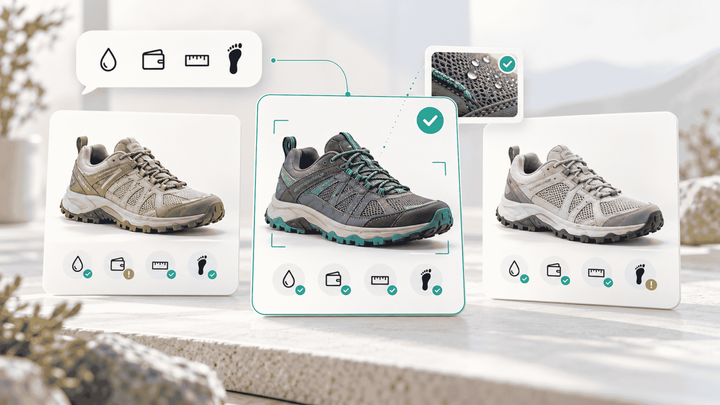
A customer lands on your store and asks, "Which of your running shoes work for flat feet?" A catalog-aware AI chatbot searches your Magento product attributes (arch type, cushioning level, width options) and returns specific, personalized product recommendations with images, prices, and stock status. It can even add items to the cart directly.
Generic chat widgets can't do this. They don't have access to your product information, so the best they can offer is a link to your search results page.
Mid-Purchase: Checkout Assistance and Cart Recovery
With cart abandonment rates sitting at 70.22% (and 80% on mobile, making cart abandonment the number one revenue problem in ecommerce), the checkout flow is where most revenue disappears for any chatbot. Magento stores lose even more due to complex product configurations. An AI chatbot can detect hesitation, answer last-minute shipping and billing inquiries about costs or return policies, and even pre-fill checkout fields for a seamless, frictionless buying experience. AI-driven proactive chats recover up to 35% of abandoned carts through proactive outreach.
Post-Purchase: Order Tracking, Returns, and Exchanges
The most common automated inquiry in ecommerce is "What is my order status?" An AI chatbot connected to your Magento order data and shipping providers answers that question instantly, without needing human agents to respond. Human agents can then focus on complex issues. The same goes for return requests. Automated responses handle these seamlessly, providing post-purchase customer support for exchange processing and refund, order status, and delivery status updates.
Omnichannel: Beyond the Website
Your customers don't just shop on your website. They message you on Instagram, WhatsApp, and email. A modern conversational AI platform handles all of these channels using conversational AI from a single system, with the same product knowledge and order access across each one.
Three Ways to Install a Chatbot on Magento 2
Not all Magento chatbot integrations are built the same. The installation method determines what your chatbot can and can't do. Here are the three approaches, ranked from lightest to deepest:
1. JavaScript Embed (30 Minutes, Limited Capabilities)
Most chatbot providers give you a JavaScript snippet to paste into your Magento theme's layout XML or a CMS block. Setup takes about 30 minutes. The chatbot appears on your storefront and can answer general questions based on whatever content you've trained it on.
The catch: a JS-only embed has no access to your Magento product catalogs, order data, or inventory. It's a standalone widget sitting on top of your store, not connected to it. When a customer asks "Is this jacket available in size large?", the chatbot either guesses or redirects them to search.
2. Magento Marketplace Extension (1-2 Hours, Moderate Capabilities)
Some vendors offer Composer-installable extensions through the Adobe Commerce Marketplace (the official ecommerce platform extension store). Installation follows the standard Magento 2 process: composer require, then php bin/magento setup:upgrade and setup:di:compile. These extensions can hook into Magento's frontend and sometimes access basic product catalog data.
The limitation: marketplace extensions typically run within Magento's PHP process. As industry analysts have noted, "Running chat processing inside a Magento application would be a performance disaster." Heavy AI inference happening inside your Magento cron or request cycle slows your entire store.
3. REST/GraphQL API Integration (Full Capabilities)
The deepest approach connects an external AI platform to Magento through its REST or GraphQL APIs. The chatbot lives on its own infrastructure, processes conversations asynchronously, and pulls catalog, order, and inventory data from Magento in real time. These real time API calls happen outside your server.
This is how platforms like Alhena AI integrate. The automated AI system never touches your Magento server's resources for inference. It reads product attributes, configurable product structures, multi-source inventory levels, and order histories through scoped API credentials. Your store performance stays untouched.
Magento's GraphQL API reduces payload sizes by roughly 48% compared to REST by fetching only the fields the chatbot needs, which makes real time product lookups fast even for stores with 10,000+ SKUs.
What Generic Magento Chatbot Extensions Get Wrong
Most live chat and chatbot solutions available for Magento today fall into one of two categories: helpdesk tools that bolted on a chat widget, or generic AI chatbots or simple tools like ManyChat that are trained on broad language models. Neither is built for ecommerce sales.
They Don't Understand Magento's Data Model
Unlike Shopify's simpler product variants, Magento's configurable product system is unique. A parent product holds the description, images, and marketing copy. Child simple products contain the actual SKUs, prices, and stock levels. A chatbot that doesn't understand this hierarchy will show a customer the parent product's "starting at" price instead of the exact price for their selected size and color.
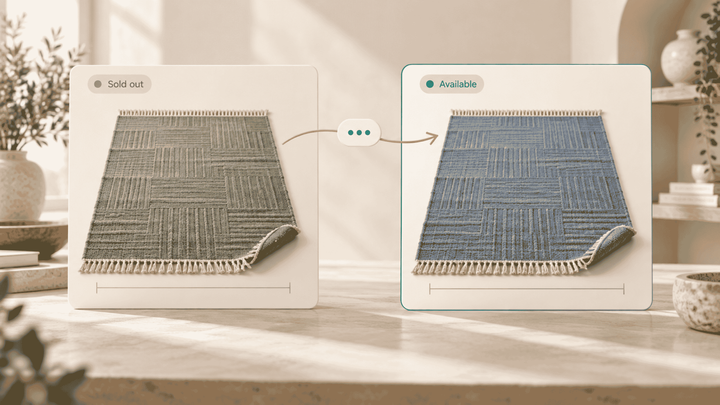
Multi-Source Inventory (MSI) adds another layer. Your blue jacket might be in stock at your East Coast warehouse but sold out at the West Coast one. A chatbot that only queries a single stock field will give wrong answers. And if your store runs multiple store views for different languages or regions, the chatbot needs to know which view the customer is browsing.
They Can't Drive Revenue
Zendesk Chat, Freshdesk Messaging, and most live chat add-ons are customer support tools. These customer support platforms are designed to deflect tickets, not drive sales. They won't recommend complementary items, build carts, or guide a hesitant shopper toward checkout with personalized suggestions. When your chatbot can only say "Let me create a ticket for you," you're paying for a tool that delays the sale instead of closing it.
They Hallucinate
Generic AI chatbots that are trained on broad language models will confidently make up product specifications, invent return policies, or quote prices that don't exist in your catalog. In ecommerce, a single wrong answer about allergens, compatibility, or pricing can mean a bad customer experience that erodes trust, a chargeback, or a lost customer. You need an AI that's grounded in your verified product data through natural language processing, not one that improvises.
How Alhena AI Connects to Your Magento Store
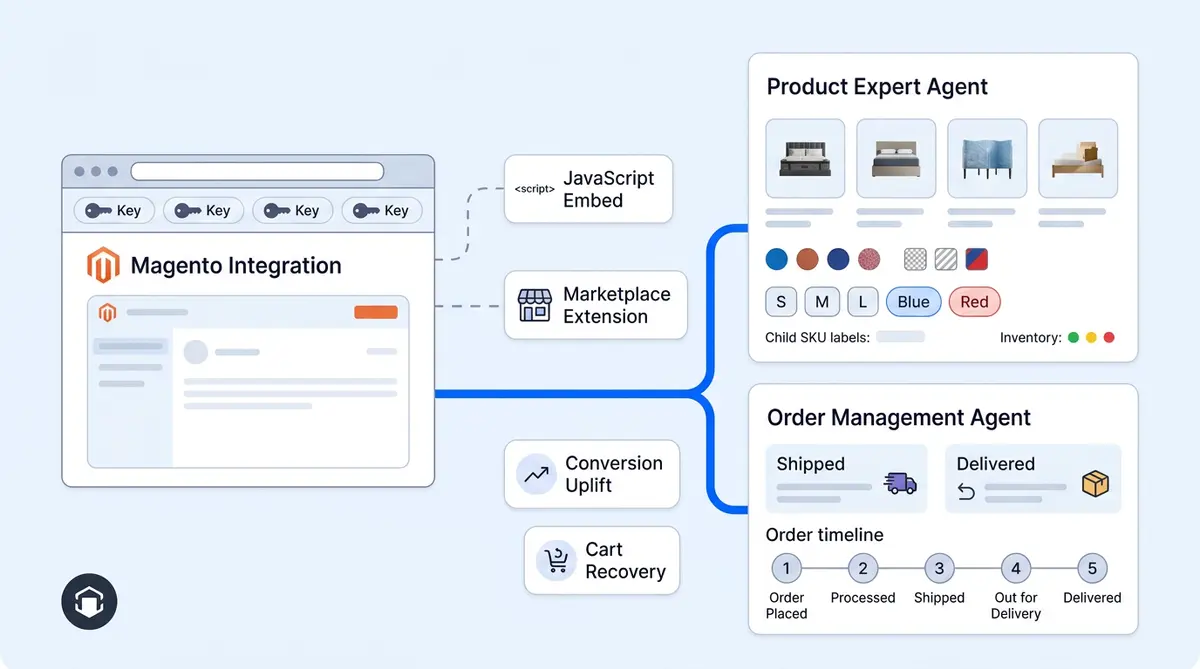
Alhena AI takes the API-first approach described above. It connects to your Magento 2 store using Magento's standard OAuth 1.0a authentication (HMAC-SHA256 signed requests). You provide five credentials: your Store URL, Consumer Key, Consumer Secret, Access Token, and Access Token Secret. These come from an Integration you create in your Magento Admin under System > Extensions > Integrations, granting API access to Sales and Catalog resources.
When you hit Connect, Alhena validates the credentials against your store's REST API in real time. If anything is misconfigured, you know immediately. Once validated, the system provisions two specialized agentic AI agents that work together:
The Product Expert Agent: Full Catalog Ingestion
This agent doesn't just read a product feed. Alhena runs a full catalog ingestion pipeline that pages through your entire Magento product catalogs via the REST API, pulling every simple and configurable product that's visible in search or your catalog.
For configurable products (e.g., a t-shirt with size and color options), Alhena fetches each child SKU separately through Magento's /V1/configurable-products/{sku}/children endpoint. Each child variant gets its own record with specific pricing, images, and attribute values. The system also checks special_price and msrp custom attributes to compute original vs. current pricing correctly.
Stock filtering runs by default. Out-of-stock products are excluded from the catalog so the AI never recommends something a shopper can't buy. For multi-website Magento installs, Alhena filters by website ID to only index products relevant to each storefront.
The ingestion also auto-detects your store's URL suffix via a GraphQL call to storeConfig { product_url_suffix }. This fixes a common integration bug: some Magento stores serve products at /blue-jacket.html while others use /blue-jacket with no suffix. Alhena detects this automatically so every product link the AI shares actually works.
Custom product attributes are opt-in. If your store tracks material, concentration, spf_value, or other custom fields, you pick which ones to ingest. Everything else is discarded to keep the knowledge base clean. When a customer asks "Which of your moisturizers are fragrance-free and under $40?", the Product Expert AI assistant checks those custom attributes and returns accurate results.
The Order Management Agent: Live Order Lookups
Unlike the Product Expert (which works from an indexed catalog), the Order Management Agent makes live API calls to your Magento store every time a shopper asks about an order. This means order status is always current, not cached or stale.
When a shopper provides their email and order number, the agent queries Magento's /V1/orders endpoint with an exact match on customer_email and increment_id. The shopper's "#1000123" input gets normalized (uppercase, whitespace stripped, # removed) before the lookup. Results are capped at 20 orders per query.
For each order, the agent also fetches shipment data and assembles per-item tracking details: carrier name, tracking number, and a clickable tracking URL generated for the specific carrier (UPS, FedEx, USPS, etc.). Magento's raw order statuses get mapped to friendly labels:
processingbecomes "Order Processing"completebecomes "Order Shipped"canceledbecomes "Order Cancelled"holdedbecomes "Order On Hold"
That structured data goes straight into the AI's context, so when a shopper asks "Where's my order?", the response includes their exact order status, line items, quantities, and a tracking link they can click. No human agents required for routine order status inquiries.
Beyond Web Chat
Alhena doesn't stop at your website. The same conversational AI, with the same Magento product and order knowledge, works across Instagram DMs, WhatsApp, email, and even voice. A customer who starts a conversation on Instagram about a product can pick it up on your website, and the AI assistant remembers the full context.
For Magento stores that also use a helpdesk (see our Magento + Freshdesk integration guide) like Zendesk, Freshdesk, or Gorgias, Alhena's Agent Assist gives human agents AI-suggested responses and full customer history, so complex support workflows get resolved faster too. Each AI agent handles customer support in its domain.
Real Results from AI-Powered Ecommerce Chat
The ROI of adding an AI chatbot to your Magento store isn't theoretical. Here's what real ecommerce businesses have achieved with Alhena AI:
Tatcha, the luxury skincare brand, saw a 3x increase in conversion rate and a 38% uplift in average order value after deploying Alhena. The AI drives customer engagement and now generates 11.4% of total site revenue while deflecting 82% of chats through automated deflection. Read the full Tatcha case study.
Victoria Beckham achieved a 20% increase in average order value through AI powered product recommendations that guide shoppers toward complementary products. See how they did it.
Puffy, a mattress and bedding brand, achieved 63% automated resolution of customer inquiries while maintaining a 90% customer satisfaction score. Their customer support team now focuses on cases that need human agents. Read the Puffy case study.
Manawa, a travel and activities marketplace, reduced support workload by 43% and cut response time from 40 minutes to 1 minute. They now automate 80% of customer inquiries. See Manawa's results.
These results reflect a broader industry trend. Industry data shows that 92% of businesses see improved customer satisfaction after deploying automated AI chatbots, and 70% of mid-sized businesses report a 40%+ jump in CSAT within three months of adoption.
How to Set Up Alhena AI on Magento in Under 48 Hours
One of the biggest concerns Magento merchants have about AI chatbots is the implementation timeline. Magento projects are notorious for taking weeks or months. Alhena's setup is different: it doesn't require Composer installations, theme modifications, or developer sprints. Magento 2 is fully supported for self-serve connections.
Step 1: Create Your Alhena Account
Sign up for free on Alhena's platform. You get 25 free conversations on the free plan, no credit card required. It works across Shopify, Shopify Plus, WooCommerce, Magento, and BigCommerce stores.
Step 2: Create an Integration in Magento Admin
In your Magento Admin, go to System > Extensions > Integrations. Create a new integration (name it "Alhena AI"). Under API permissions, grant access to Sales and Catalog resources. Alhena deliberately only needs these two scopes, not full admin access. Save and Activate the integration, and Magento generates your five OAuth 1.0a credentials: Consumer Key, Consumer Secret, Access Token, and Access Token Secret.
Step 3: Connect in Alhena's Dashboard
In Alhena's Settings, go to Integrations, enable Magento, and paste your store URL along with the four API credentials. Click Connect. Alhena validates the credentials against your store's REST API immediately. If there's a permission issue or typo, you'll know before anything else happens.
Step 4: Add Custom Product Attributes
If your products use custom Magento attributes (material, warranty length, compatibility, certifications), add those attribute codes in Settings > Integrations > Magento > Custom Product Fields. The catalog ingestion pipeline only pulls the attributes you specify, keeping your AI's knowledge base focused and accurate.
Step 5: Add Your Store Domain for Training
Point Alhena at your store's URL and any support pages so it can learn from your product descriptions, FAQ pages, knowledge base articles, and policy documents. This training layer works alongside the API data to give the AI complete knowledge of your brand.
Step 6: Install the Live Chat Widget
Add Alhena's lightweight live chat JavaScript snippet to your Magento theme. This is the only frontend change required. The snippet loads asynchronously and doesn't affect page speed.
Step 7: Test and Go Live
Use Alhena's automated conversational AI preview mode to test conversations, verify product answers, and confirm order lookups work correctly. Once you're satisfied, flip the widget to live. Automated catalog syncs, automated product updates, and automated order data refreshes run in the background with zero performance impact on your store.
For stores that run Adobe Commerce Cloud or headless/PWA frontends, the process is the same on the backend. The API connection works identically regardless of your deployment model, and the live chat widget adapts to any frontend framework. For a deeper look at this architecture pattern, see our guide on headless and composable commerce AI chatbot architecture.
Choosing the Right Magento Chatbot for Your Store
Not every Magento store needs the same level of AI. Here's a quick framework for choosing:
If you just need basic live chat with human agents and live chat software, and your catalog is small (under 500 products), a simple live chat tool like Tidio or LiveChat may be enough. You'll pay $20-55 per agent per month, and your agents will handle everything manually.
If you're migrating from Shopify or want AI powered automation but your primary goal is ticket deflection (not sales), a helpdesk AI like Zendesk's built-in AI or Intercom Fin can reduce your customer support queue. Just know that these tools weren't designed to recommend products or build carts.
If you want an AI that can drive sales (not just deflect tickets), understands Magento's catalog structure, handles omnichannel conversations, and connects to your existing helpdesk, Alhena AI is purpose-built for that. It's the difference between a chatbot that can't drive sales and one that can. One says "I've created a ticket" and the other says "I've added the blue jacket in size large to your cart. Ready to check out?"
You can start with a free plan or explore paid plan options on Alhena's pricing page, or use the ROI calculator to estimate your savings based on your current ticket volume and conversion rates.
Key Takeaways
- Magento's $173 billion ecosystem has no native chat or AI support, creating a significant gap that third-party solutions must fill.
- API-based integrations (REST/GraphQL) deliver the deepest capabilities. JavaScript embeds and Marketplace extensions can't access your full product catalogs and order data.
- Generic chatbots don't understand Magento's configurable products, multi-source inventory, or multi-store views. Choose a solution built for ecommerce complexity.
- AI chatbot users convert at 4x the rate of non-users (12.3% vs 3.1%), and each AI interaction costs 12x less than a human agent.
- Alhena AI connects via OAuth 1.0a, ingests your full catalog (including configurable product children and custom attributes), and makes live order lookups against the Magento API. It deploys in under 48 hours with no developer resources.
- Real brands see measurable results: 3x conversion rates, 38% AOV uplift, and 80%+ inquiry automation.
Ready to add an AI chatbot to your Magento store? Book a demo with Alhena AI to see the Magento integration in action, or start for free with 25 conversations.

Frequently Asked Questions
What is the best AI chatbot for Magento 2?
The best Magento chatbot depends on your goals. While Shopify and other platforms like Shopify Plus have hundreds of options, Magento requires more selective choices. For ticket deflection alone, Zendesk Chat works. For AI-powered sales and customer support that understands Magento's configurable products and multi-source inventory, Alhena AI is purpose-built for ecommerce. It connects via OAuth 1.0a REST API and deploys in under 48 hours.
How does an AI chatbot connect to Magento's product catalog?
The deepest integration method uses Magento's REST API with OAuth 1.0a authentication. You create API credentials (Consumer Key, Consumer Secret, Access Token, Access Token Secret) in your Magento Admin under System > Extensions > Integrations. Alhena then runs a full catalog ingestion, pulling configurable products and their child variants, custom attributes, pricing (including special_price and msrp), and stock status from all inventory sources.
Does adding a chatbot slow down my Magento store?
It depends on the integration method. Marketplace extensions that run AI processing inside Magento's PHP process can hurt performance. API-based chatbots like Alhena AI process everything on external infrastructure and communicate with Magento asynchronously. Catalog syncs, order lookups, and all AI inference happen outside your Magento server, so there's zero impact on your store's page load speed.
Can a Magento chatbot handle configurable products and multi-source inventory?
Generic chatbots cannot. They don't understand the parent-child relationship in Magento's configurable products or warehouse-level stock from Multi-Source Inventory (MSI). Alhena AI fetches each child SKU through Magento's /V1/configurable-products/{sku}/children endpoint and checks real-time inventory across all sources, so customers get accurate size, color, and availability answers.
How much does an AI chatbot for Magento cost compared to human agents?
Each AI chatbot interaction costs roughly $0.50, compared to $6.00 for a human agent, a 12x cost reduction. A Magento store handling 500 customer inquiries per month could save over $2,750 monthly by automating 65% of inquiries. You can estimate your savings with Alhena's ROI calculator at alhena.ai/roi-calculator.
Will an AI chatbot work with my Magento headless or PWA storefront?
Yes. API-based chatbots connect to Magento's backend, not the frontend theme. Whether you run a traditional Luma theme, a PWA Studio frontend, or a fully headless setup with a React or Vue storefront, the AI chatbot works the same way. The chat widget loads as a lightweight JavaScript snippet on any frontend.
Can a Magento chatbot also handle Instagram DMs and WhatsApp messages?
Most basic Magento chat extensions only work on your website. Alhena AI supports omnichannel conversations across web chat, email, Instagram DMs, WhatsApp, and voice, all using the same Magento product and order data. Customers can start a conversation on Instagram and continue it on your website without losing context.
How long does it take to set up an AI chatbot on Magento?
JavaScript-only embeds take about 30 minutes but lack catalog access. Full API integrations like Alhena AI typically deploy in under 48 hours. Most of that time is the automated catalog sync running in the background. You don't need dedicated developer resources or Composer installations for the setup.