Why Our AI Designer Asks Questions Before It Builds
Quick answer: The AI designer in Vibe Studio asks questions before it builds because a brief always leaves decisions out, and it's far cheaper to settle them in chat than in code. It asks one question at a time, plays the shopper's flow back to you in plain words, waits for a yes, and only then starts building.
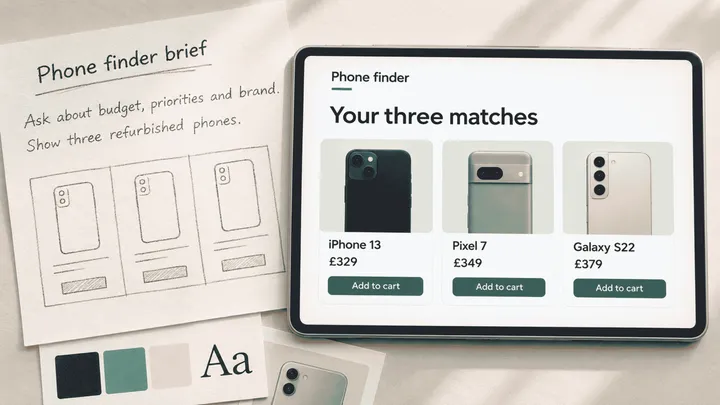
The brief was one short paragraph and a wireframe. A refurbished phone store wanted a finder quiz on its homepage: three questions, then the three best-fit phones from the catalog, “with price and Add to cart".
Most AI builders would have had a page on screen within a minute. Vibe Studio's designer asked a question instead:
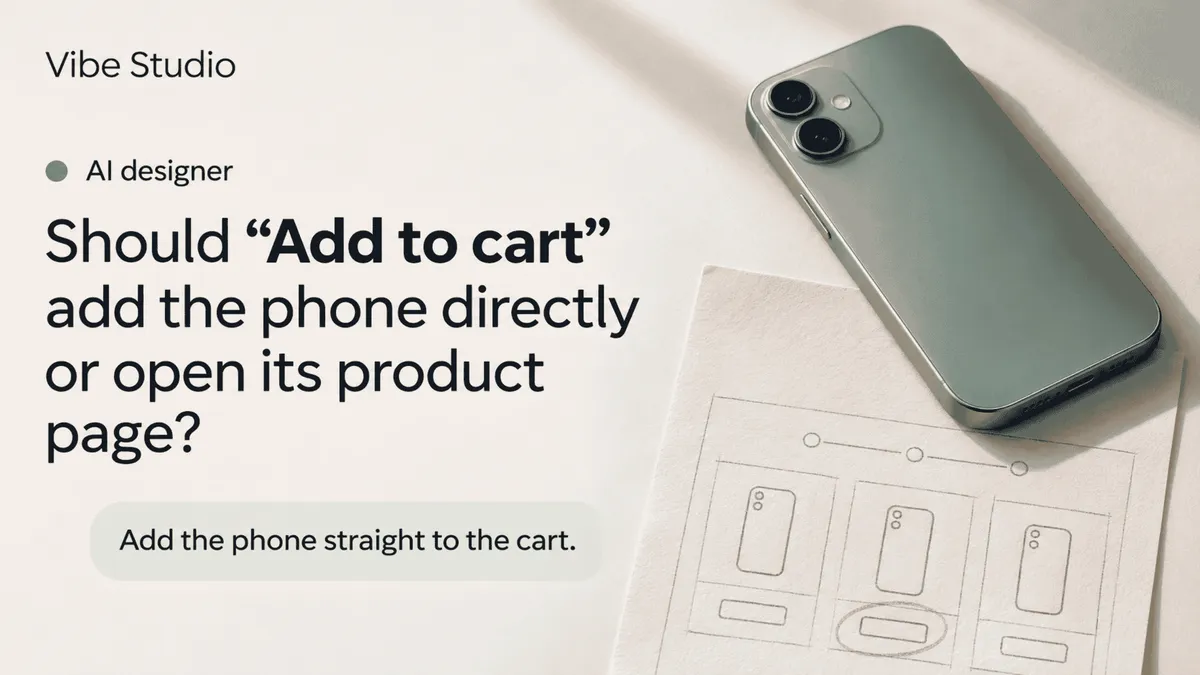
What should “Add to cart” do: add the phone directly, or open its product page for the shopper to choose a condition and add it there?
The team answered in one short sentence: “Add the phone straight to the cart.” The designer played the whole shopper flow back, got a yes, and built the quiz.
That one question is what this post is about. It explains most of how the Vibe Studio designer is built to behave, and why we think that behaviour is right.
Why does an AI designer ask questions instead of just building?
An AI designer asks questions because every brief leaves decisions out, and a decision left out doesn't disappear. Someone still makes it. The only question is whether you make it on purpose in a chat message or the model makes it by accident in the code.
“With price and add to cart” reads as complete. It isn't. There are at least two honest readings:
- Tap the button, and the phone goes straight into the cart, and the shopper stays on the quiz.
- Tap the button and land on the product page, where the shopper picks a condition grade and adds it there.
Both are reasonable. They're also two different pages.
A builder that guesses picks one. If it picks wrong, you find out when the first version appears. Then you type a correction, wait for a rebuild, and check again. That costs a minute or two, which sounds cheap, and it does.
The trouble is that a typical brief hides several of these, and the guesses stack. By the third correction, you're no longer refining a page. You're reverse-engineering what the model assumed.
A question in chat costs one sentence. The same question answered wrong in code costs a rebuild.
So the Vibe Studio designer works from a simple instruction: behave like a good freelance designer on a first call. Understand first, build second. That isn't a marketing line. It's how the designer is set up, and the rest of its behaviour follows from it.
What changes with the answer?
The answer to the 'Add to cart' question changes the results card, the shopper's last step, and the job the whole page does. That's why it was worth one message.
Add straight to the cart | Open the product page | |
|---|---|---|
The results card is | The end of the journey | A handoff to another page |
The card needs to show | Enough to buy with confidence: phone, condition, price | Enough to earn a click; the product page does the convincing |
After the tap | A confirmation on the card, and the shopper stays on the quiz | The shopper leaves, and the quiz should still be there when they come back |
The button is | The conversion | A click-through |
What you measure | Adds to cart from the quiz | Clicks to product pages, then conversion there |
Neither choice is wrong. Phone retailers use both. But a page built for one and then switched to the other isn't a small tweak. The card layout, the mobile behaviour and the copy all move.
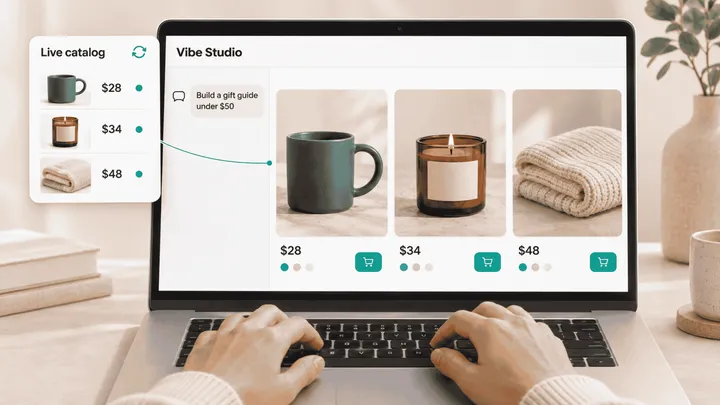
Because Vibe Studio builds on your real catalog, either path was available. Each product already has a cart and a product page. The designer just needed to know which one you meant.
The team chose the cart. A few words, and a design decision that would otherwise have been a guess became a choice.
What is plan playback?
Plan playback is the designer restating the shopper's flow in a few plain sentences and asking for a yes before it builds anything.
Once the designer has what it needs, it doesn't say, "Great, building now.” It describes the page the way a shopper will experience it. Here's the real playback from the phone finder:
The shopper starts on the homepage, picks a budget, chooses what matters most, then selects a brand. They see three matching refurbished phones with prices, and “Add to cart” should add the chosen phone without leaving the page. Is that the flow you want?
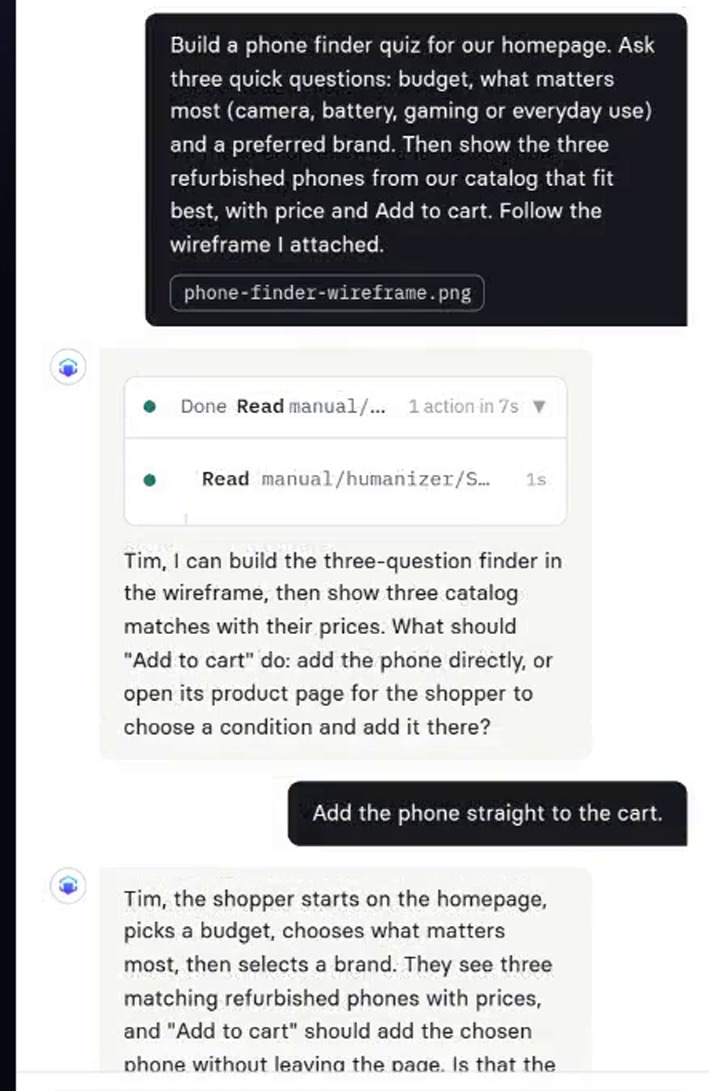
The whole exchange: the brief, one question, a one-line answer, and the plan played back for approval.
This is the moment to read slowly. Every sentence is a claim about your page. If “picks a budget, chooses what matters most, then selects a brand” should have been all three on one screen, now is when you say so. The designer adjusts the plan, not the code.
The playback is the last cheap moment in the project. After the yes, changes cost builds.
Two details make the playback more than politeness.
It's written in the shopper's terms. It doesn't list components or explain how the page is wired. It says what a person on a phone will see and do. That's the level a marketer can actually check.
Nothing gets built until you say yes. While the designer is still understanding the experience and getting the design, it doesn't write files or start building. The only thing it does is read its own reference material and, when it has access, look at your site. The empty preview pane during that conversation is deliberate.
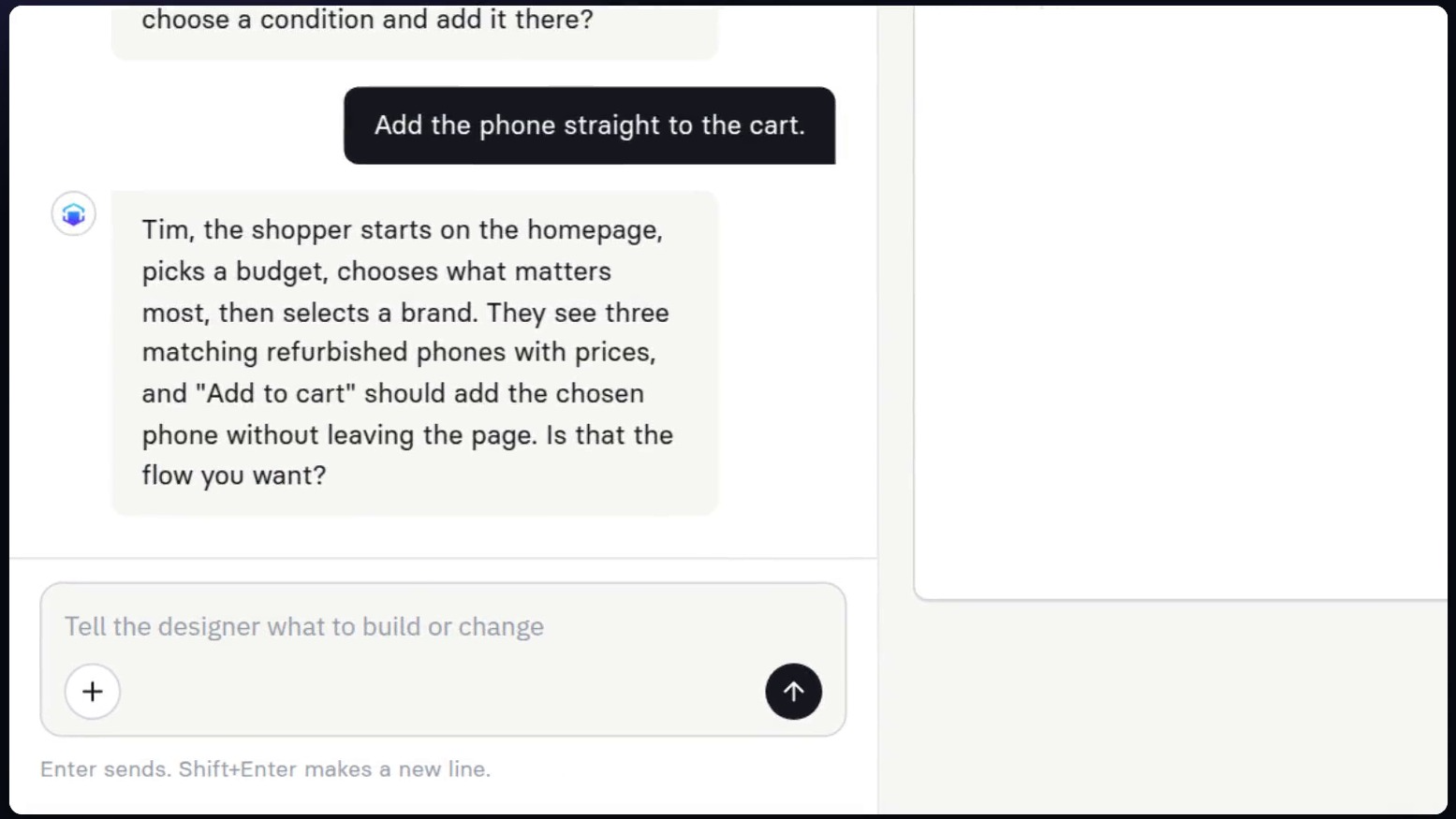
The preview stays empty until the plan is agreed.
In the phone-finder project, the yes came next. The designer then asked for the store's web address, and the reply was simple: “That's everything; please build it now.”
If you're still deciding which questions a product finder should ask in the first place, our guide to AI shopping experience design for complex catalogs covers that. The playback is where you check the designer heard you.
Why does the designer ask one question at a time?
The designer asks one question per message because a list of questions gets skimmed, and a single question gets answered.
Anyone who has received a twelve-point questionnaire from an agency knows how this goes. You answer the three you have opinions on, skip the rest, and the agency fills the gaps itself. Nothing was gained by asking.
An AI that dumps all its uncertainties at once gets the same treatment, with an extra problem: it will happily carry on with your partial answers as if they were complete.
So the rule in Vibe Studio is strict. One question per message, never a numbered list of questions, even when the designer is responding to several of your code comments at once. It asks for the single thing it most needs next. You answer. It asks the next one or moves on. On the phone finder, that meant one question before the playback, because the brief had already covered nearly everything.
One question gets a considered answer. Twelve questions get three answers and nine guesses.
There's a useful side effect. Because each question stands alone, you can tell how good your brief was by counting them. A brief that produces one question is a good brief. A brief that produces five is telling you what to put in the next one.
What does the designer never ask?
The designer never asks for what it already has, for anything another block on the page can supply, or for a design it has already been given.
Clarifying questions only help if they're the right ones. A designer that asks for things it should already know is as frustrating as one that guesses. So Vibe Studio draws the line in three places.
What the platform already handed it. Your Alhena company key, where the page will be placed, and your store's address, when those were passed in, are already in the designer's hands. It's said never to ask you for them. If your store address isn't provided, it asks once, before building, because every page needs it.
What another block can supply. Building blocks in Vibe Studio chain together. A product card already knows its product page address, so a try-on or FAQ step can follow a recommendation without you supplying a link. When you ask whether something is possible, the designer answers with the chain it would build and starts on it. It only asks for an input that nothing on the page can produce.
The design, twice. Once you've given a reference, or said plainly that you have none, small changes are made without going back to the design question. “Make the headline friendlier” doesn't trigger “what are your brand colours?”
When the designer will stop and ask
There's one situation where it pauses on purpose: when two teammates ask for opposite things. Several people can work in the same project, and if a newer request undoes an earlier one, the designer says so in a sentence and follows the newer message. If it can't tell which should stand, it asks which to keep. We'd rather it be asked than quietly take sides.
Doesn't asking questions slow everything down?
Asking adds a minute at the start of a project and saves rounds of rebuilds in the middle of it.
“The AI asks questions” is an easy feature to get wrong, and we worried about it. A designer that asks about everything is worse than one that asks about nothing. What keeps it fast is a fixed order of three stages:
- Understand the experience. What are you building, and what does the shopper do? One question at a time, then the playback.
- Get the design. A wireframe, a screenshot, a page you like, your site, or your colours and fonts. If you have no design at all, it asks at most two short questions, then proceeds with sensible defaults and tells you what it chose.
- Build and iterate. It writes the page, shows it, says in a sentence or two what it did, and asks what to change.
Each stage has a clear exit. The designer is told never to skip ahead and never to loop back without a reason. That's what stops stage one from turning into an interview.
On the phone finder, stage one was one question and one playback. Stage two needed no design questions at all, because the wireframe was attached. After the store address, stage three began.
Compare that with a guess-first builder on the same brief. You get a first version fast, with the wrong add-to-cart behaviour. Correction, rebuild, check. The layout splits the questions in a way you didn't want. Correction, rebuild, check. Each round is short, but you sit through all of them, and every one is a decision you discover rather than make.
Speed isn't time to the first preview. It's time to the version you actually ship.
How do you answer the designer's questions well?
Answer in a sentence, read the playback line by line, and say “no design” plainly if that's the truth. A few habits make this step quick:
- Keep answers short. “Add the phone straight to the cart” was enough. The designer needs the decision, not the reasoning behind it.
- Read the playback as the shopper. Picture it on a phone. Is anything out of order? Is the end result the thing you'd want to measure? Say yes only when every line is true.
- Fix the plan, not the page. If a line in the playback is wrong, say which one and what it should be. The designer restates the plan in one message. Fixing the same thing after a build means a rebuild.
- Say “no design” if you have none. The designer asks two short questions at most and moves on. Hedging, like “we sort of have a brand guide somewhere,” leads to more questions, not fewer.
- Put the answers in your next brief. Every question the designer asked this time is a line for your next brief. Our guide on how to brief an AI designer is built from exactly those questions.
Guess first vs. ask first
The difference between the two approaches shows up before a single line of code exists.
Guess-first AI builder | Vibe Studio from Alhena AI | |
|---|---|---|
An ambiguous brief (“with price and Add to cart”) | Picks a reading and builds it | Asks one question, then builds your answer |
Where the first decisions get made | Inside the generated code | In the chat, by you |
Before any code is written | Nothing | The shopper flow is played back, and a yes is required |
Questions per message | Often a long list, or none | One |
Asks for things it already has | Often | Never, by design |
Changing a line of the plan | A rebuild | A reply |
What the first preview shows | The model's assumptions | The page you agreed to |
The question is the feature
It would have been easy to ship a designer that never asks. The demo looks more impressive when a page appears instantly, and nobody films the rebuilds that follow.
But a store page is a chain of decisions, and the ones a brief leaves out are usually the ones that matter most: what happens on the last click, what shoppers see when results come back, whether they leave the page or stay.
We built the Vibe Studio designer to find those decisions before it writes any code, ask about them one at a time, and show you the plan it heard before it acts on it. On the phone finder, that was one question, one playback and one yes. The full build is in the launch post.
The best thing an AI designer can build first is the right question.
Start for free or book a demo and see what it asks about your brief.
Frequently asked questions
Why does the AI designer ask questions before building a page?
Because every brief leaves decisions out, and someone has to make them. The designer in Vibe Studio from Alhena AI asks about the ambiguous ones in chat, where an answer costs a sentence, instead of guessing in code, where a wrong guess costs a rebuild. It is set up to understand first and build second.
What is plan playback in Vibe Studio?
Plan playback is the designer restating the shopper's flow in a few plain sentences: what the shopper sees first, what they do at each step, and what they get at the end. It then asks for a yes, and it does not start building until it has one.
How many questions does the Vibe Studio designer ask?
As many as the brief leaves open, one per message. A clear brief with a design reference attached often produces just one question before the playback. It never sends a numbered list of questions.
Does asking questions make the AI page builder slower?
It adds a minute at the start and saves rebuilds later. The designer works in three stages with clear exits: understand the experience, get the design, then build. It is told never to skip ahead or loop back without a reason, so the questions stay short.
What does the Vibe Studio designer never ask for?
It never asks for what the platform already gave it, such as your Alhena company key, the page placement or your store's address when they were passed in. It never asks for an input another block on the page can supply, and it never asks for the design a second time once you have given one or said you have none.
What was the add to cart versus product page question?
A brief for a phone finder quiz asked for results with price and Add to cart. The designer asked whether the button should add the phone straight to the cart or open its product page so the shopper could choose a condition first, because the two readings produce different results cards and a different final step. The team chose the cart, and the designer played back the full flow before building.
What happens if I say no to the playback?
Say which line is wrong and what it should be. The designer restates the plan and asks again. Because no code exists yet, correcting the plan takes one message instead of a rebuild.
Can the designer build without a design reference?
Yes. If you say plainly that you have no design, it asks at most two short questions, about your colours and fonts and the feel you want, then builds with sensible defaults and tells you what it chose.
What if two teammates give the designer conflicting instructions?
It says in one sentence that the newer request undoes the earlier one and follows the newer message. If it cannot tell which should stand, it asks which one to keep.
How do I reduce the number of questions the designer asks?
Put the shopper's flow, what happens on the final click, a design reference, the catalog scope and your store's web address in the brief. Every question the designer asks on one project is a line to add to your next brief.