How to Design an AI Shopping Experience for Complex Product Catalogs
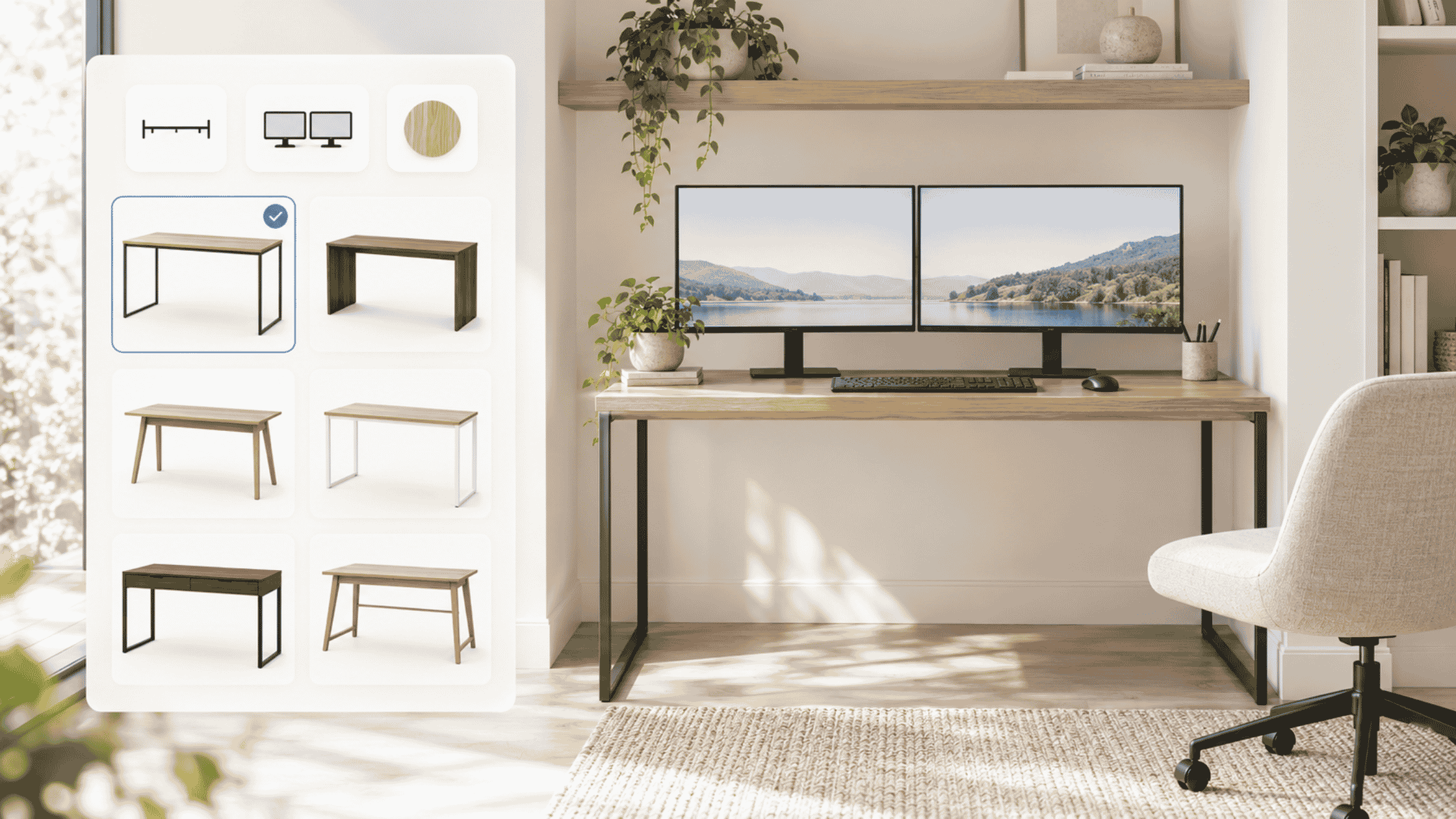
A shopper has measured the spare room. There is space for a desk no wider than 48 inches. The budget is $600. Two monitors need to fit, and an oak finish would be nice.
The online store offers dozens of possibilities. One product page lists dimensions. Another explains the lifting mechanism. A third shows a beautifully styled room. The shopper still has a practical question: which of these will work for me?
AI-powered shopping should help answer that question. For complex product catalogs, design the journey around six steps: capture the need, confirm the requirements, resolve important unknowns, compare suitable options, verify the exact variant, and support the next action.
That is a practical application of AI in retail: helping people make a well-informed choice. An AI shopping assistant can support that process. For enterprise retailers, AI shopping experience design means connecting the customer journey across search, product pages, comparison views, and checkout.
What makes a product catalog difficult to shop?
Catalog complexity comes from the decisions a purchase requires. Even a small range can be difficult to navigate when similar-looking products serve different purposes.
A shopper may understand “oak” but overlook the distinction between an oak finish and solid oak. They may know their room dimensions without knowing which measurements determine whether a desk setup works. Information can be accurate and still leave the buying question unresolved.
In Baymard’s October 2026 benchmark of ten mass-merchant sites, only one achieved a good overall user experience. Product lists frequently omitted information needed to distinguish similar items, alongside gaps in stock and pricing information.
Map customer needs to the facts required for a decision. Start where people struggle to turn product information into a choice. Those are the places where assistance has a clear job.
1. Design for three different starting points
Design product discovery around three common situations:
- “I know what I want.” Help the shopper find the product, select the variant, and check availability.
- “I’m choosing between these.” Explain the differences that matter to their intended use.
- “I know my problem, but not the product.” Clarify the need and build an initial shortlist.
Someone searching for a known model should be able to reach it directly. Someone furnishing a small home office may describe their goal in everyday words and need help translating it into product requirements.
Let people move between these paths. A shopper comparing two desks should be able to lower the budget or change the finish without restarting.
Alhena’s conversational search for ecommerce brings a product grid and an AI conversation together, providing a way to combine browsing with refinement. The design priority is keeping both usable as the shopper learns more.
Match the technology to the task
The applications of AI in retail serve different purposes. Natural language processing (NLP) helps AI-powered search interpret requests. Computer vision interprets images. Demand forecasting estimates future demand.
Choose AI retail systems against the task they need to perform and the information they can verify.
For this shopping experience, the immediate task is understanding what the customer wants, finding eligible options, and explaining the choice. Keep those responsibilities clear when selecting technology.
2. Make the shopper’s requirements visible and editable
A useful pattern for AI-enhanced shopping is a compact “Your requirements” summary beside the results. For the desk shopper, it might show:
- Budget: Under $600.
- Maximum width: 48 inches.
- Intended use: Two monitors.
- Preference: Oak finish.
- Still to confirm: Monitor setup and whether delivery must fit within the budget.
Separate firm requirements from preferences. Budget and width may rule products out. Finish may help rank the remaining options. This is a useful starting point for personalization: tailor the shortlist to the needs and preferences the shopper has actually shared.
For hyper-personalized suggestions based on browsing history, keep the shopper’s current requirements in control. Make inferred preferences visible and editable. If the shopper adjusts the budget, update the results dynamically while preserving the rest of the context.
This summary is a proposed UX pattern, to be tested for the category. Its value is practical: the shopper can see what the system is working with.
That also gives the experience a clear rule when no products qualify. Explain which requirement prevents a match and ask whether the shopper wants to change it. A wider desk should never quietly become an acceptable answer to a firm width limit.
3. Ask the next useful question
Ask a follow-up question when the answer could change which products qualify or how the suitable options are ranked.
For the desk shopper, “Will your monitors sit on stands or a mounting arm?” is useful. The answer changes which dimensions and mounting requirements need checking.
Keep cognitive load manageable with short prompts, quick choices, and an “I’m not sure” path. If a mounting arm is involved, request its model or specifications before confirming compatibility. If the shopper does not know, explain what remains unverified and let them continue exploring.
Avoid questions the shopper has already answered. Repeating a budget question after someone supplies a price limit makes the conversation harder to trust.
There is no universal question count to aim for. Stop asking when enough is known to offer useful options. Use brief tooltips for unfamiliar terms, and explain why another detail matters when a critical decision remains unresolved.
4. Build a shortlist that explains the decision
A recommendation engine may rank candidates, but the product comparison still needs to explain why each option belongs on the shortlist.
Use predictive ranking within explicit eligibility rules. A prediction that someone is likely to buy an item does not establish that it meets their requirements. Keep budget, dimensions, and availability requirements binding when deciding what to show. Recommendation systems such as Amazon Personalize provide filters for those explicit criteria.
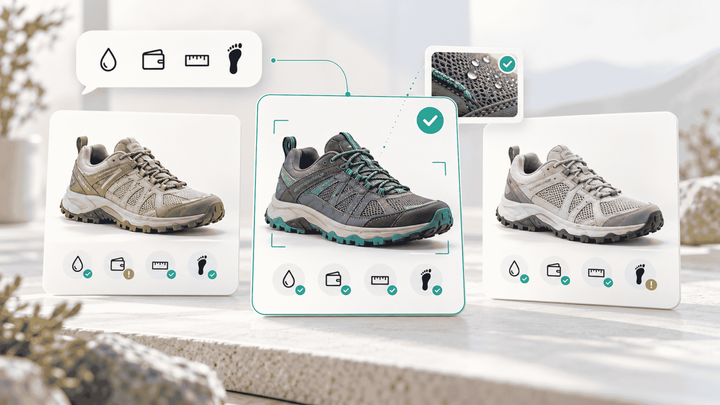
The rules change by category. Running shoes may require checks for terrain, size, and width; a laptop may need the ports and software support a customer needs. Generative explanations should describe the verified differences between eligible options.
Show a manageable initial selection, then test whether shoppers can compare products and understand the differences. Use consistent attributes and units. Include the exact finish, size, or configuration being considered.
Illustrative example: fictional products and prices. These are initial candidates, not confirmed recommendations for the complete monitor setup.
| Product and variant | Price and width | What the shopper should understand |
|---|---|---|
| Desk A, oak finish, fixed height | $449; 47 inches | Meets the stated product-price and width limits and matches the preferred finish. Monitor setup still needs checking. |
| Desk B, white finish, adjustable height | $579; 48 inches | Meets those limits and offers height adjustment. The finish differs from the preference; monitor setup remains unverified. |
| Desk C, oak finish, fixed height | $529; 55 inches | Excluded because it exceeds the width limit. |
Desk C appears here to demonstrate the exclusion rule. It should stay out of the matching shortlist.
For the remaining candidates, explain the relevant trade-offs. Is height adjustment useful enough to justify the higher price and different finish? Does the available desktop space work with the actual monitors? Which facts still need verification?
Compatibility deserves that attention. In Baymard’s survey of 3,023 US home and hardware shoppers, 24% identified compatibility information as a factor in their most recent purchase.
Make supporting specifications easy to open so people can go deeper when they need to. “Fits your needs” should be an explanation the shopper can inspect.
5. Use visual tools to resolve a specific uncertainty
Some people recognize the style they want before they can describe it. Let them upload photos to find a starting point, then apply the same budget, dimensions, and material requirements used elsewhere.
Alhena’s visual search guide describes combining image-based matching with written constraints. Computer vision can help identify a similar silhouette or finish; the product’s specifications still need to establish whether it qualifies.
Choose visual tools according to the uncertainty being resolved:
| Experience | What it can help clarify | What still needs checking |
|---|---|---|
| AI-powered image matching | Products with a similar appearance | Dimensions, material, availability, and intended use |
| AI image previews and virtual try-ons | How a supported item might look on someone | Size, physical fit, fabric feel, and actual drape |
| 3D product models and augmented reality (AR) placement | Appearance and scale in the shopper’s environment | Model accuracy, measured dimensions, and clearance |
Alhena Live Try-On provides an appearance preview for supported products and explicitly does not establish exact fit. Separately, Shopify documents 3D models displayed in a customer’s environment. These are different experiences with different requirements.
Test computer vision with the kinds of cropped, poorly lit, or partially obscured images customers might submit. Provide a route back to text and filters when an image does not produce useful matches.
6. Place assistance where uncertainty appears
Place contextual assistance beside the decision it helps resolve. Each placement should answer a specific shopper question.
| Shopping location | Question the experience should help resolve |
|---|---|
| Search or category page | Which product type and options fit my needs? |
| Product page | Will this item work in my situation? |
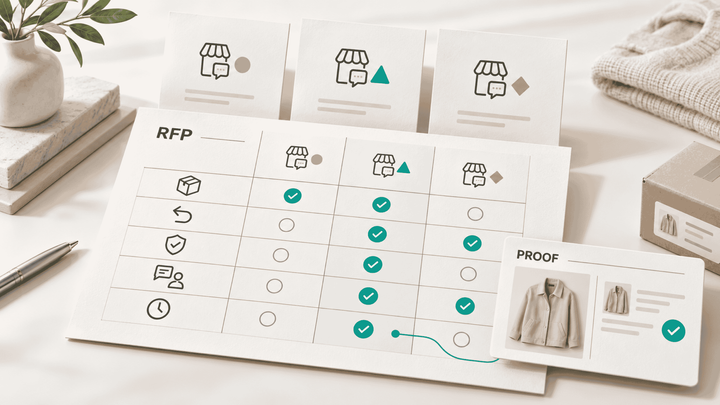
| Comparison view | Which difference should influence my choice? |
| Variant selector or size guide | Which purchasable version should I choose? |
| Cart | Are the selected items, quantities, price, and delivery details right? |
Alhena’s Embeddable Agents support placing assistance at storefront decision points. Choose the interaction for each location; a focused product answer and a longer guided conversation serve different needs.
Dryrobe’s sizing experience shows why placement matters. The brand added an Alhena link inside its product-page size guide, where shoppers were already working out their fit. Alhena’s case study reports a 36% reduction in size-related returns, comparing the most recent three months with the same period a year earlier. That comparison does not isolate AI’s contribution, but the placement offers a concrete design lesson: connect help to the uncertainty being resolved.
Optimize the mobile layout for readable cards, accessible controls, and easy dismissal. Shoppers should be able to return to the products without losing their requirements. That continuity belongs in the interaction design from the start.
7. Carry the exact choice through to purchase
AI-powered guidance needs to preserve the product and variant the shopper actually evaluated.
If someone chooses the 47-inch desk in oak finish, keep that exact combination through the purchase action. Recheck price and availability at the appropriate step, and surface delivery information before the shopper commits.
Retailers should prepare the product information needed for that handoff:
- Stable product and variant identifiers.
- Consistent dimensions, materials, and other selection attributes.
- Verified compatibility information, with missing details identified.
- Current price and inventory availability, with applicable delivery and returns information.
Alhena’s guide to product data quality for shopping assistants covers the underlying catalog work. Its guide to real-time inventory, pricing, and promotion data explains which buying conditions need checking again when the selection or cart changes.
If a store uses dynamic pricing, retrieve the applicable offer when the customer is ready to proceed. A different finish, delivery market, or promotion can change the answer. Make estimated charges clear: Shopify’s cart documentation, for example, states that costs can change and be reflected at checkout.
Where automated checkout is offered, show the final selection and total, obtain approval to proceed, and retain the retailer’s payment authorization and fraud detection controls. Treat adding an item to a cart and completing a payment as separate actions.
Design the exception paths with equal care. If the selected variant sells out, explain what happened and preserve the shopper’s requirements when suggesting alternatives. If an essential compatibility question remains unanswered, offer a specialist handoff with the requirements, shortlisted products, and unresolved question attached.
A shopper should not have to reconstruct the entire decision because one detail needs human help.
8. Keep the product context across stores and channels
For retailers with showrooms or pop-up stores, the same brief can support the next conversation. Someone might research a desk online, inspect the finish in a showroom, and return to buy on their phone.
Give customers a way to save and reopen the requirements and exact variants. When the transaction moves to a point of sale, recheck the relevant location’s stock and offer.
A physical retail space can illustrate the same principle. In a 2022 COS pilot, fitting rooms used smart mirrors that recognized products brought inside and let customers request items without leaving. The useful design connection is preserving product context while making the next action available.
9. Assign ownership before expanding across the catalog
Enterprise experience design needs an accountable owner and clear responsibilities.
The ecommerce or product lead should own the journey and commercial objective. UX should own interaction design and usability testing. Merchandising and product specialists should define meaningful differences and selection rules.
Engineering and data teams should verify integrations, variant identity, and information freshness. CX should define escalation routes. Analytics should design the measurement plan.
When piloting AI in retail, use team onboarding to confirm which pages receive AI-enhanced guidance, who maintains the selection rules, and how missing or conflicting product information reaches that owner.
Retailers using AI should start with one category where the buying difficulty is well understood. When testing AI tools, use realistic tasks: an exact-product request, a change of budget, an unavailable variant, and a question the system cannot answer.
Test the AI design concept with real catalog content. If the team uses Dribbble for visual inspiration, evaluate those ideas with long product names, sold-out variants, and missing specifications. Growing stores should repeat these checks as new categories and variants appear.
Set launch criteria before the pilot begins. Shoppers should be able to reach an appropriate option, understand unresolved details, and complete the next step. Resolve cases where firm requirements are silently relaxed, the cart contains a different variant, or an unresolved question fails to reach an owner before expanding.
10. Measure whether shoppers can decide
Use analytics to connect AI-powered shopping with the customer experience and commercial outcomes. Track where the shopping journey helps people decide and where it introduces friction.
Useful indicators include:
- Task completion: Can shoppers identify an appropriate product and variant in usability sessions?
- Time to a suitable shortlist: How long does it take to find plausible options?
- Clarification abandonment: Where do shoppers stop responding?
- Repeated requirements: How often must people restate information?
- Variant accuracy: Does the purchase action preserve the selected option?
- Downstream outcomes: What happens to cart abandonment, revenue per eligible visitor, cancellations, and relevant return reasons?
Interpret time alongside task quality. A quick selection is useful only if it fits the need. An abandoned cart also needs context: the shopper may have encountered a delivery issue after finding a suitable product.
Where feasible, randomly assign eligible visitors to experiences and compare outcomes across those groups. Visitors who choose to use AI may already differ in purchase intent or task difficulty. A higher conversion rate among assistant users alone cannot establish incremental lift.
For evaluating the recommendations themselves, use Alhena’s guide to measuring product recommendation accuracy.
Use sentiment analysis to identify exchanges worth reviewing, then inspect the actual obstacle. Microsoft’s classification guidance describes sentiment labels and scores; those signals do not establish that the selected product was suitable.
Repeated questions can also improve the catalog. Alhena’s Trending Topics analytics groups conversations and lets teams inspect the underlying exchanges. Repeated requests for desk depth or mounting details may point to missing product information.
Share recurring unmet needs with merchandising and demand forecasting teams as questions to investigate alongside sales and stock history. Keep inquiry counts separate from confirmed purchases. Use the findings to optimize the pages and selection rules behind the recurring difficulty.
How Alhena supports a complex catalog shopping journey
Alhena’s AI Shopping Assistant brings together Conversational Search, Guided Discovery, and Smart FAQs. These capabilities support describing a need in everyday language, refining product options, and answering questions during product selection.
Alhena’s product recommendations documentation also describes product cards with images, prices, and purchase actions. Add-to-cart functionality depends on a supported ecommerce integration or a configured custom handler.
Commerce connections matter too. Alhena’s Salesforce Commerce Cloud integration describes synchronizing catalog, inventory, and pricing information. Confirm the data freshness and purchase actions available for your implementation.
Applying AI in retail means designing for how customers in each category buy. A furniture shopper needs help translating a room and a work setup into requirements. An apparel shopper may need help interpreting fit. Each category calls for its own questions, evidence, and points of assistance.
Bring your hardest product-selection journey to an Alhena demo. Start with the question your customers struggle to answer and work through what a useful response should let them do next.
Frequently asked questions
What is an AI shopping experience?
An AI shopping experience uses artificial intelligence to help customers find products, compare options, and choose a suitable variant. AI helps by connecting customer needs with catalog information through search, recommendations, and AI chatbots or other interfaces. Each interaction should support a useful next step.
What makes a product catalog complex?
A catalog is complex when choosing a suitable product requires understanding unfamiliar attributes, comparing similar options, resolving compatibility or fit, or selecting among interdependent variants. SKU count alone does not describe that difficulty.
When should an AI shopping assistant ask a follow-up question?
Ask when the answer could change product eligibility, ranking, or the ability to verify an important requirement. Preserve information already supplied, explain why a detail matters, and provide an “I’m not sure” path.
How should generative AI support product selection?
Use it to summarize requirements, explain differences, and answer questions using verified product information. Personalized guidance should stay connected to the exact variant and current availability. A clear explanation still needs evidence that the item meets the shopper’s requirements.
Where should AI shopping assistance appear?
Place assistance near the decision: discovery help in search, fit and use guidance on product pages, trade-off explanations in comparisons, and variant guidance beside selectors or size guides. Test each placement against a specific shopper task.
Can visual search and AR verify product suitability?
Computer vision can help identify similar products, while a spatial preview can help someone assess placement. Neither alone verifies every purchase requirement. Keep dimensions, materials, compatibility, and size guidance available beside the preview, and distinguish appearance from confirmed fit.
How does AI in retail connect shopping guidance to inventory planning?
Demand forecasting helps estimate future product demand. Shopping guidance needs current availability for the exact variant and purchase context. Retailers can use AI to examine recurring unmet needs, then evaluate those signals alongside sales and stock evidence before changing assortment plans.
Should the experience extend to showrooms and pop-up stores?
Where customers move between online shopping and a physical environment, let them retain their requirements and selected products. Use consistent variant identifiers, and verify the applicable stock and price when they change location or channel. This is a proposed continuity pattern to test for the retailer’s own journey.
How should an AI retail pilot be measured?
Evaluate task completion, shortlist quality, repeated requirements, variant selection, and downstream purchase outcomes. Track cart abandonment and conversion alongside those quality measures. Use controlled experiments where feasible to assess the incremental impact of AI-assisted shopping.