What Is an AI Shopping Assistant? How It Works, 7 Use Cases, and the ROI
The short answer
An AI shopping assistant is conversational software that helps online shoppers find, compare, and buy products by understanding what they ask in plain language. It learns a store's catalog and policies. It asks a clarifying question when a request is vague. It recommends specific in-stock products, with a reason for each. It can also add items to the cart or answer questions after the purchase.
Think of it as the best salesperson on your floor, available at 2 a.m., who knows every SKU by heart.
The Death of Endless Scrolling in Online Shopping
Picture a warehouse store with no staff. Aisle after aisle of fertilizer, fifty bags that look identical, and no one to tell you which one won't burn your lawn. You'd walk out. Online, people do exactly that, except it takes four seconds instead of four minutes.
That's most ecommerce today. The catalog grew, search didn't, and the work of narrowing 400 options down to the right one got quietly handed to the shopper. We gave them filters and called it a feature. Brand, size, color, price, "cushioning level." The store knows everything about those shoes. It just has no way to ask what the person actually needs.
Scrolling is what shoppers do when a store can't answer them. It looks like engagement in your analytics, and it isn't. It's someone stalling before they leave.
The fix isn't more filters or a smarter grid. It's a conversation. A shopper types "breathable running shoes under $120 for marathon training, I overpronate a little," and gets three options back, each with one line explaining why it fits. No scrolling. No forty-tab comparison. Just the answer they came for.
This guide covers what an AI shopping assistant is (and isn't), how it works under the hood, and the seven use cases where brands see real returns. It also covers how to tell whether yours is paying off. Along the way, we'll show how we've built these capabilities at Alhena AI and what our customers have measured. Customer numbers are labeled as Alhena data. Third-party numbers come with their source.
What is an AI shopping assistant?
An AI shopping assistant is a conversational AI, built on large language models and a store's own product data, that guides shoppers from "I'm not sure what I need" to a confident purchase. It lives on your website as chat, search, or a widget embedded on product pages. Increasingly it also runs in channels like WhatsApp, SMS, Instagram DMs, and voice.
Three terms get used interchangeably, and it helps to separate them:
| What it does | Typical request | |
|---|---|---|
| Chatbot | Answers a fixed set of questions from scripts or FAQs | "Where's my order?" |
| AI shopping assistant | Guides a buying decision with personalized recommendations grounded in the catalog | "Which moisturizer works for oily skin under $40?" |
| AI shopping agent | Takes actions on the shopper's behalf, like building a cart or completing checkout | "Reorder my usual coffee and apply my discount." |
In practice, the line between the last two is fading. Most modern platforms, Alhena included, both advise and act. Some people call this a machine-mediated shopping journey: software sits between the shopper and the catalog and does the sorting, comparing, and explaining.
Here's what an AI shopping assistant is not: a search bar with a chat bubble on it, or a product quiz with friendlier copy. If it can't handle "okay, but cheaper" or "which of those is safe for sensitive skin?", it's a chatbot. (We wrote more about how assistants differ from live chat if you're weighing the two.)
How does an AI shopping assistant work?
Every conversation runs through the same four steps.
1. It learns your store. The assistant ingests your catalog: titles, specs, variants, prices, and inventory. It also takes in your policies (shipping, returns, warranties) and usually your reviews and help-center content. This is the foundation, and it's where most weak assistants fall apart. Thin product data produces thin answers.
2. It interviews before it recommends. A good assistant behaves like a good sales associate. When a request is vague, it asks one or two clarifying questions, one at a time, before suggesting anything. For example: "Is this for a beach wedding or a formal indoor ceremony?" Prompt engineers call this the interview pattern. Shoppers just call it being helpful.
3. It recommends from what you actually sell. The assistant matches the shopper's needs to real SKUs and explains each pick in plain language. The key word is grounded: every answer should trace back to your catalog and policies, not to something the model picked up on the open internet. An assistant that invents a product, a spec, or a return window hasn't removed friction. It has created a trust problem.
4. It takes the next step. That can mean adding to cart, picking a size, applying an offer, or checking order status. When a question genuinely needs a person, it hands the conversation to a human agent with the full context attached.
At Alhena, we obsess over step three. Our assistant is built to be hallucination-free: it answers from your verified content. When it isn't sure, it says so or escalates instead of guessing.
What should an AI shopping assistant consider when making recommendations?
A good recommendation weighs six things at once:
- What the shopper said they need: use case, budget, size, skin type, dietary needs.
- The context of the visit: device, location, season, and the product they're looking at right now.
- Catalog truth: what's in stock, the current price, exact specs, compatible variants.
- What other customers say: review and Q&A themes like "runs small" or "pills after a few washes."
- The shopper's history, if there is one: past purchases and items they skipped.
- Your business rules: promoting high-margin, seasonal, or new items.
The order matters. A recommendation that serves margin but ignores fit might win one sale and lose the customer for good. The best assistants use business rules as a tiebreaker between good options, never as a reason to push a bad one.
How do AI shopping assistants personalize experiences in real time?
They combine three layers of signal and update them during the session, not weeks later.
- Zero-party data is what the shopper tells you directly: "I prefer sustainable materials" or "I'm shopping for my dad." It's the most valuable data you'll ever collect, because nobody has to guess.
- First-party behavior covers clicks, browsing, cart activity, and past orders.
- Real-time context covers device, locale, time of day, the page they came from, and what they just searched.
The hard case is the first-time visitor with no history, which describes most of your traffic. Here the assistant uses a cold-start approach until behavioral signals build up. It asks a couple of lightweight questions, applies sensible defaults based on context, and matches on product similarity.
Personalization also works in reverse. When a shopper skips a suggestion or says "not that," a good assistant treats it as a signal and shifts the next results within the same conversation.
That's the difference between personalization that helps your very first visitor and a recommendation engine that needs a month of data before it's useful.
The Seven Moments That Decide a Sale
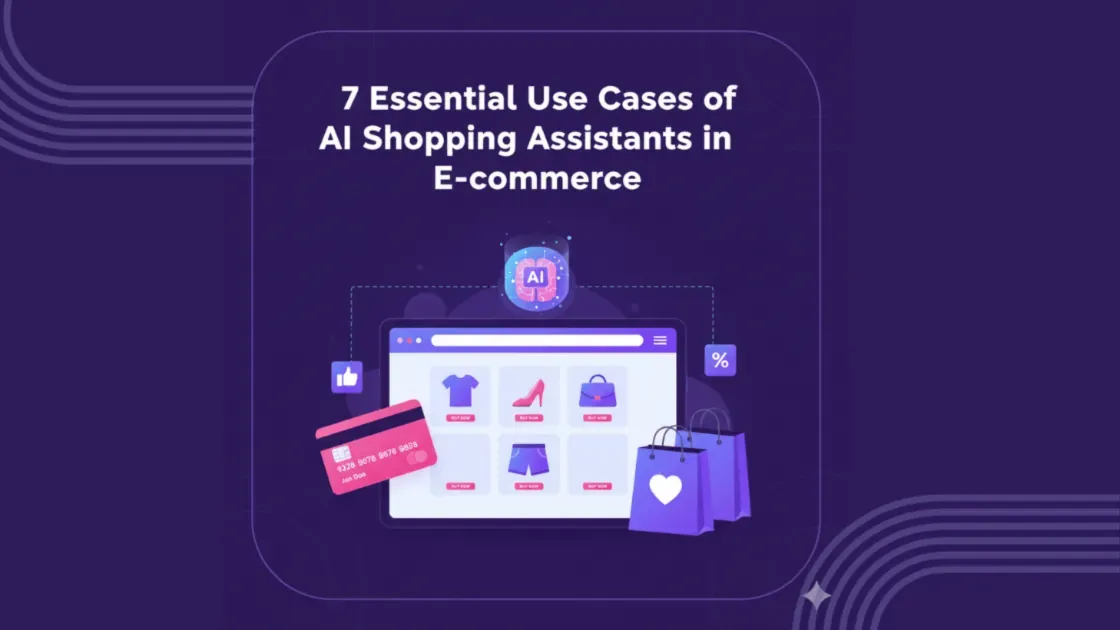
These are the seven essential use cases of AI shopping assistants in ecommerce. Each one starts with the shopper's moment, because that's where a sale is won or lost.
1. Discovery that starts with a sentence, not a filter
The moment: The shopper knows the problem but not the product, like "something warm but not bulky for a November trip to Chicago." No filter can parse that sentence.
What good looks like: The assistant pulls out the constraints (warmth, low bulk, cold weather, a travel date) and asks one question if something's missing. Then it returns a short list with reasons. The shopper steers from there: "love the second one, anything in green?"
How Alhena does it: Alhena AI's conversational search turns natural-language requests into catalog matches. It captures zero-party preferences as it goes, so each conversation gets sharper than the last. For Tatcha, Alhena built a conversational skin assessment and routine builder. AI-assisted sessions converted at 3× the site average, with a 38% higher average order value. (Alhena customer data.)
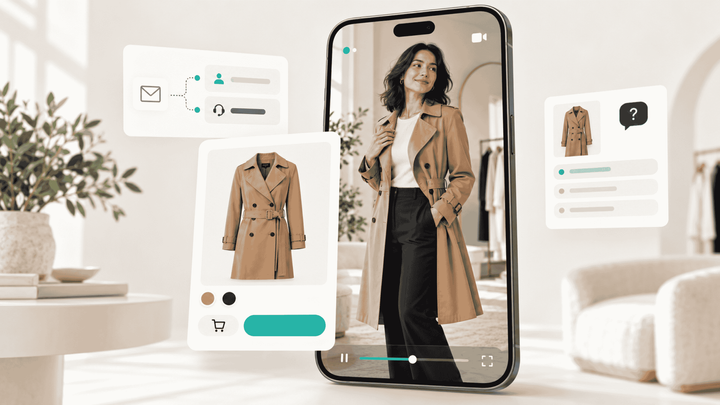
A walkthrough of the shopping assistant on a live storefront, including virtual try-on and the outfit builder.
2. Search that understands words, photos, and voice
The moment: Keyword search returns "no results" for "eco-friendly yoga mat under $50 that doesn't slip." Or the shopper can't describe the item at all. They just have a screenshot.
What good looks like:
- Semantic search that understands intent.
- Visual search: snap a photo and find the item or something close to it.
- Voice for hands-free browsing.
Multimodal means these work together. A shopper can upload a photo of a fabric and ask, "Which item in my cart matches this?"
How Alhena does it: Alhena's visual search, Snap to Shop, turns an image into visual features like shape, color, pattern, and texture. It finds the nearest matches in your catalog and explains each one ("similar silhouette, same navy tone"). Voice AI brings the same intelligence to spoken requests. Product Boost lets merchandisers promote high-margin or trending items inside those results without overriding personalization.
Ashu Dubey runs a live Voice AI demo: what happens when a shopper talks to your store the way they'd talk to an associate.
3. The comparison that ends the eight-tab spiral
The moment: The shopper has narrowed it down to three laptops and has eight browser tabs open. This is where a lot of people say "I'll think about it" and never come back.
What good looks like: The assistant pulls SKU-level specs and current prices. It asks the one question that settles it, like "Is battery life or graphics performance more important to you?" Then it returns a clear comparison with a recommendation.
The same logic powers occasion-based shopping: a wedding outfit, a camping kit, or a gift for a teenager. Dress code, weather, budget, and timing all get weighed together.
How Alhena does it: Alhena generates in-chat comparison tables and plain-language trade-off summaries directly from your catalog. Its outfit builder assembles complete looks instead of recommending single items.
4. Fit, shade, and ingredient confidence
The moment: "Will this foundation match my skin?" "Does this run small?" "Can I use this serum with retinol?" This kind of uncertainty causes abandonment before purchase and returns after it.
What good looks like:
- Fit and shade guidance based on the shopper's own details.
- Honest summaries of what reviewers say about sizing and quality.
- A clear warning when products in a routine don't work well together.
How Alhena does it: Alhena's Fit & Skin Analyzers recommend sizes and matching shades. Review intelligence summarizes themes like fit and durability across thousands of reviews. Ingredient conflict detection flags risky combinations in a skincare cart and suggests alternatives or AM/PM timing.
5. Cart recovery in the moment, not by email three hours later
The moment: Roughly 70% of online carts are abandoned, a benchmark Baymard Institute has tracked for years. Right now, the shopper is on the checkout page, rereading the return policy and hovering.
What good looks like: The assistant notices the hesitation and offers something useful. That might be sizing reassurance, a delivery date, or the answer to the exact question they were about to leave and search for. A time-limited offer can help occasionally, but discounts should be the last lever you pull, not the first.
How Alhena does it: Alhena's AI Nudges watch for hesitation signals, such as lingering on checkout or returning repeatedly to shipping or return info. When they see one, they step in with help specific to that moment rather than a generic pop-up.
6. The 11 p.m. question, answered
The moment: It's late, and the shopper wants to know if the order ships before Friday. Or it's a week later, and they want to know where it is.
What good looks like: Instant, accurate answers on shipping, returns, sizing, and order status, plus troubleshooting and exchanges. The tricky cases get a clean handoff to a human. Support and sales overlap more than most org charts admit: a pre-purchase question answered well is often the sale itself.
How Alhena does it: Alhena's AI Support Concierge answers from your knowledge base and connects to order and shipping systems. It escalates with full context to helpdesks like Zendesk, Gorgias, and Gladly. Results from Alhena customers:
- Tatcha: 82% of routine interactions deflected, with 81% CSAT.
- Crocus: 86% deflection and 84% CSAT.
- Puffy: 63% of inquiries automated at 90% CSAT, plus a 28% lift in pre-purchase conversion.
- Manawa: response time cut from 40 minutes to about one minute.
(Alhena customer data.)
A return request handled end to end on a Shopify store, without an agent touching it.
7. Multilingual, omnichannel selling
The moment: A shopper in Madrid messages you on WhatsApp in Spanish. Another in Tokyo asks a question on your site in Japanese. Your support team speaks English.
What good looks like: The same knowledgeable assistant in every language and channel. Context carries over from web chat to SMS to voice, so nobody has to answer the same question twice.
How Alhena does it: Alhena supports 90+ languages. It runs one knowledge base across web chat, email, SMS, WhatsApp, Instagram, and voice through AI Social Commerce, so answers stay consistent and on-brand everywhere.
Where should you deploy an AI shopping assistant: search bar, product pages, or checkout?
Eventually, all three, because each one catches a different moment:
- Search bar or homepage: best for broad discovery, when shoppers don't know what they want yet.
- Product pages: best for high-intent questions about fit, compatibility, or "is this good for…" This is usually the highest-leverage starting point, because the shopper is one answer away from adding to cart.
- Cart and checkout: best for rescuing last-minute hesitation about shipping, returns, payment, or sizing.
Our advice: start on product pages, measure assisted conversion for a few weeks, then expand. Alhena's Embeddable Agents are built for this. They put the assistant inside the product page, where decisions happen, instead of in a chat bubble tucked in the corner.
What ROI do AI shopping assistants deliver?
It depends on the brand, the catalog, and where the assistant sits, so be wary of anyone quoting one universal number. Here's what we can point to.
Alhena customer results:
How Victoria Beckham's digital team built a shopping journey as personal as their in-store experience.
Market signals: Amazon says Rufus was used by 300 million customers in 2025 and helped drive nearly $12 billion in incremental annualized sales, and that shoppers who use it are 60% more likely to complete a purchase. Shoppers arriving from external AI tools are proving valuable too. According to Adobe, visitors reaching US retail sites from AI platforms converted 60% better than non-AI traffic in July 2026 and generated 53% more revenue per visit, the 11th straight month AI traffic came out ahead. That second trend is about assistants you don't own, which we cover further down.
How to measure your own ROI. Track these five numbers:
- Assisted conversion rate compared with unassisted sessions.
- Average order value in assisted sessions.
- Revenue influenced: orders that followed a conversation.
- Deflection rate and CSAT.
- Return rate on assisted purchases.
Alhena's revenue-attributable conversation analytics connects individual conversations to the orders that followed. You can see which intents and entry points actually drive revenue, not just how many chats happened.
One warning
Conversation volume on its own tells you nothing. A busy assistant that doesn't move assisted conversion is just an expensive FAQ page.
How do retailers monetize AI shopping assistants?
There are five ways, roughly in the order they show up on a P&L:
- Higher conversion and bigger baskets. Better answers produce more orders, and good cross-sells produce larger ones.
- Lower cost to serve. Every routine question the assistant resolves is one your team doesn't have to.
- Smarter merchandising. You can promote high-margin, overstocked, or new products inside relevant answers, as long as they genuinely fit.
- Retail media inside the conversation. Amazon's sponsored prompts, for example, appear as suggested questions on search results and product pages and are designed to start a Rufus conversation about a specific brand. If you go this route, label sponsored placements clearly. Shoppers forgive an ad. They don't forgive a "recommendation" that turns out to have been paid for.
- Zero-party data. The preferences people share in conversation are gold for email, merchandising, and product development.
How to choose an AI shopping assistant (even for a million-SKU catalog)
Demos all look good. These questions separate the tools that hold up in production:
- Is it grounded? Ask the vendor to show what happens when the assistant doesn't know the answer. Then ask it about a product you don't sell and watch what it does.
- Can it handle your catalog? Variants, bundles, and fast-changing prices and inventory trip up many tools. For very large catalogs, ask:
- How often does the catalog sync?
- What happens when product attributes are missing or inconsistent?
- Do answers stay fast at scale?
- Does it fit your stack? Look for native integrations with your platform (Shopify, WooCommerce, Salesforce Commerce Cloud) and your helpdesk.
- Can it sound like you? Brand voice matters more in beauty, fashion, and luxury than anywhere else.
- Does it measure revenue, or just conversations? If it can't tie chats to orders, you'll never prove ROI.
- How fast can you launch? Timelines range from days to months of professional services. Alhena typically goes live in under 48 hours, without developer resources.
- Is it secure? Ask for SOC 2, GDPR, and ISO 27001 at a minimum.
The best test is a pilot. Pick one category, set one KPI (assisted conversion rate), and compare against a holdout group. For a side-by-side look at vendors, see our roundup of the best AI shopping assistants for ecommerce.
Your Assistant Isn't the Only One Selling You
How do you get your products recommended by ChatGPT, Gemini, and other AI shopping assistants?
Everything above is about the assistant on your own site. But a growing share of shoppers now start with an assistant you don't control: ChatGPT, Gemini, Perplexity, Google's AI Mode, or Amazon Rufus. If those tools can't read and trust your product information, you simply don't show up in the answer. Adobe itself notes that many US retailers still have AI visibility gaps.
What moves the needle:
- Complete, structured product data: full attributes, variants, identifiers like GTINs, precise specs, and a clean product feed.
- Product pages that answer real questions in plain sentences, like "Is this waterproof?" or "Does it fit wide feet?"
- Reviews and Q&A with genuine detail. AI engines pull from them constantly.
- Mentions on sites AI engines trust: review platforms, communities, and credible third-party roundups.
- Monitoring. You can't fix what you can't see.
Alhena's AI Visibility tool shows how your products appear across ChatGPT, Gemini, Perplexity, and Google AI Overviews. It scores your visibility, checks your product feed and structured data for gaps, and tells you what to fix first.
Here's the part most teams miss: the same clean catalog data that makes your on-site assistant accurate is what gets you recommended off-site. It's one investment that pays out twice.
From Assistants to Agents: What Comes Next
The next step is already underway. Assistants are becoming agents that compare, reorder, and check out on a shopper's behalf, sometimes across several stores at once. That raises a real question for brands about who owns the customer relationship when software makes the purchase.
Our view: brands that run a genuinely useful assistant on their own site keep that relationship. Brands that don't will increasingly meet their customers second-hand, through someone else's AI.
Co-founders Ashu Dubey and Nagendra Kumar break down what agentic commerce means for ecommerce brands.
Frequently asked questions
What is an AI shopping assistant and how does it work?
An AI shopping assistant is conversational software that helps online shoppers find, compare, and buy products by understanding plain-language requests. It learns a store's catalog and policies, asks clarifying questions when a request is vague, and recommends specific in-stock products with a reason for each. It can also take actions like adding items to the cart or checking an order's status.
How do AI shopping assistants personalize experiences in real time?
They combine three signals: what the shopper says directly (zero-party data), what the shopper does (clicks, cart activity, past orders), and live context such as device, location, and the page being viewed. The assistant updates its recommendations within the same conversation. A skipped suggestion or a new constraint changes the next set of results immediately.
How is an AI shopping assistant different from a chatbot?
A chatbot follows scripts and answers a fixed set of questions, such as order status or the return policy. An AI shopping assistant guides a buying decision. It understands open-ended requests, asks follow-up questions, compares products, and recommends items from the store's live catalog.
Do AI shopping assistants give accurate information?
They do when they're grounded in the store's own verified data. The best ones answer only from the catalog, policies, and knowledge base, and they escalate or admit they don't know rather than guess. Alhena AI is designed to be hallucination-free in exactly this way.
What is the ROI of an AI shopping assistant for ecommerce?
ROI shows up as higher conversion, larger orders, recovered carts, and lower support costs. For example, skincare brand Tatcha saw 3× higher conversion in AI-assisted sessions, a 38% lift in average order value, and 11.4% of total site revenue influenced by its Alhena assistant. The most reliable way to measure ROI is to compare assisted and unassisted sessions on conversion rate and order value.
How do retailers monetize AI shopping assistants?
Retailers earn from AI shopping assistants in five ways: higher conversion and order values, lower cost to serve, and smarter merchandising that promotes high-margin or new products within relevant answers. The other two are sponsored placements inside the conversation and the preference data shoppers share. Amazon, for example, sells sponsored prompts that start Rufus conversations about specific brands.
Where should I deploy an AI shopping assistant: search bar, product pages, or checkout?
Product pages are usually the best place to start, because shoppers there are one answer away from adding to cart. The search bar suits broad discovery, and cart or checkout placements catch last-minute hesitation about shipping, returns, or sizing. Most brands expand to all three once they've measured results on the first.
How do I choose an AI shopping assistant for a large catalog?
For catalogs with hundreds of thousands or millions of SKUs, check four things. How often does the assistant sync price and inventory? How does it handle variants and incomplete product attributes? Do answers stay fast at scale? Can it show which conversations drove revenue? Run a pilot on one category against a holdout group before a full rollout.
How does an AI shopping assistant help new shoppers with no purchase history?
It uses a cold-start approach: a couple of quick questions about needs and preferences, sensible defaults based on context like device and location, and product-similarity matching. Recommendations get more precise as the shopper interacts during the session.
How long does it take to launch an AI shopping assistant?
It varies by vendor, from a few days to several months when heavy custom work is involved. Alhena AI typically goes live in under 48 hours on platforms like Shopify, WooCommerce, and Salesforce Commerce Cloud, without developer resources.
Can an AI shopping assistant work in multiple languages?
Yes. Modern AI shopping assistants can hold conversations in dozens of languages. Alhena AI supports more than 90 languages and keeps answers consistent across web chat, email, SMS, WhatsApp, Instagram, and voice.
How do I get my products recommended by AI assistants like ChatGPT and Gemini?
Start with the basics: make your product data complete and structured, answer common shopper questions clearly on product pages, build detailed reviews, and earn mentions on trusted third-party sites. Then monitor how AI engines describe your products. Alhena's AI Visibility tool tracks this across ChatGPT, Gemini, Perplexity, and Google AI Overviews and shows what to fix.
The Bottom Line
Shoppers have stopped browsing and started asking. The stores that win will answer those questions the way a great salesperson would: specifically, honestly, and instantly, in whatever language and channel the shopper picked. Start with one placement, measure assisted conversion, and grow from there.