Why Demo Accuracy Doesn't Tell the Full Story
Every e-commerce AI chatbot looks impressive in a demo. The questions are predictable, the catalog is curated, and edge cases are nowhere in sight. Then you go live, and a customer asks about a discontinued SKU, misspells "tracking", and follows up with a returns question in the same conversational natural language, semantic understanding, semantic search, and semantic thread. That's where most AI agents on Shopify break down, revealing failure modes, critical failure modes and common failure modes in production, and edge cases no demo will show you.
This 3-week AI stress testing framework is built for Shopify merchants who need to test AI against their live catalog, Shopify Flow automations, and checkout extensions. (Need a faster, platform-agnostic checklist? Try our 48-hour ecommerce AI stress test.) It gives you a structured process to simulate and run simulation tests under real-world production scenarios and conditions on your Shopify store before committing to any AI system. No vendor trust required, just deterministic, measurable, and predictable data.
Week 1: Define Your Baseline and Performance Metrics
Don't install an AI app on your Shopify store and then figure out what "good" looks like. Flip the order. Spend the first week documenting your baseline and setting deterministic pass/fail thresholds.
Three performance metrics matter most:
- Resolution rate: customer interactions where the problem is actually solved, not just deflected to an article.
- Deflection rate: chats that never reach a human agent. Useful, but a chatbot that deflects by giving wrong answers isn't reliable.
- Containment rate: conversations handled entirely by the AI system with a satisfied customer. This is the gold standard for agent behavior and system behavior.
Pull your current numbers from Zendesk, Gorgias, or Shopify Inbox: ticket volume, first response time, CSAT, and AOV on assisted vs. unassisted sessions. Then set a rejection threshold, accuracy threshold, and failure threshold based on your business rules and business logic. For example: "If the AI agents hallucinate on more than 5% of product information queries, they fail." Write it down before testing AI and testing AI systems in production environments and production systems.
Week 2: The Accuracy, Safety, and Regression Audit
This is the most important week. You're stress testing and load testing the AI agents across four scenario-based testing and evidence-based testing using real store data to detect failure modes and validate reliability before production.
Catalog Accuracy Probe
Simulate 50 product questions split across bestsellers, mid-range items, and long-tail SKUs. Ask for information about sizing, materials, and availability. An AI system grounded in your Shopify product catalog via API endpoints and API integration through proper retrieval logic should handle all three tiers. Run regression checks against previous results to detect degradation and performance degradation, accuracy degradation, model degradation, and quality degradation over time.
Policy Accuracy Probe
Ask 15 to 20 FAQs about returns, shipping, warranty, and discounts. The real test validates whether the e-commerce AI cites your actual policy or invents one. A chatbot that states a 60-day return window when yours is 30 days is a critical failure mode, revealing additional failure modes that affect production. This is where hallucination-free AI with proper retrieval, inference, logic-based inference, AI inference, and reasoning makes the difference.
Adversarial, Edge Case, and Prompt Injection Probes
Simulate Shopify-specific edge cases: ask about expired Shopify Scripts discounts, reference Shopify Flow automations the bot shouldn’t access, test variant-level inventory questions, and probe adversarial scenarios with input variability and query variability: off-topic questions, prompt injections, profanity, or instructions to ignore its workflows. A well-built AI agent refuses gracefully and maintains on-brand behavior and behaves predictably and behaves consistently under pressure. Then test escalation edge cases: ask about a billing dispute or damaged item. Does it hand off to a customer service agent with full conversational context? Broken customer escalation is worse than no escalation at all.
Log every response as correct, partially correct, wrong, or refused. Track real-time accuracy rates per category with deterministic scoring using deterministic pass/fail and deterministic evaluation criteria. If catalog accuracy drops below 90% or policy accuracy below 95%, the AI system fails; this simulation fails. Run simulation testing with simulation probes thoroughly.
Week 3: Live Traffic, Load Testing, and Revenue Impact
Once accuracy checks pass, route 10% to 25% of your Shopify live chat traffic through the AI while keeping the rest on your current setup as a control group. Run concurrent request handling, concurrent session load, and concurrent user simulation and high-concurrency, peak concurrency, peak-concurrency and sustained load testing and performance load testing to test reliability under real production conditions and production testing, operational and operational production testing and operational monitoring, and production workflows.
Measure four things:
- Conversation to add-to-cart rate
- Conversation to checkout rate
- AOV delta between AI-assisted and control groups
- CSAT on AI interactions
Brands using autonomous, agentic, and autonomous AI shopping assistants built for e-commerce see real lifts here. Tatcha saw a 3x conversion rate and 38% AOV uplift. Puffy hit 90% CSAT while automating 63% of customer interactions.
Also check help-desk handoff quality. A good AI support concierge pre-qualifies issues in real-time and passes full context so agents don't start from scratch. Manawa cut response time from 40 minutes to 1 minute with this approach.
The Go/No-Go Checklist
After three weeks of thorough stress testing, simulation testing, and performance stress testing, score your AI agents against this deterministic go/no-go checklist:
- Catalog accuracy above 90% across all SKU tiers
- Policy retrieval accuracy above 95%, zero invented policies
- Graceful refusal on adversarial prompts, prompt injection attacks, prompt safety checks, and prompt boundary testing
- Clean escalation workflows with full context to human support agents
- Positive or neutral AOV delta vs. control
- CSAT within 5 points of your human baseline
- Zero hallucinated product claims in the simulation log
- Real-time revenue attribution per conversation
- Works with your help desk (Zendesk, Gorgias, Freshdesk)
- Deploys without pulling engineering resources
Score 8 or higher: roll out to more traffic. Score 6 to 7: extend the pilot. Below 6: the AI system fails and you should walk away.
How Alhena AI Validates What This Framework Tests
Alhena AI is built to pass this stress testing framework. The Shopify integration syncs your catalog, inventory, and pricing in real-time so AI agent responses stay grounded in verified product information through retrieval logic and routing logic, not inference alone. Two specialized AI agents handle the workflows: a Product Expert AI Agent for catalog queries and an Order Management AI Agent for order status, returns, and refunds.
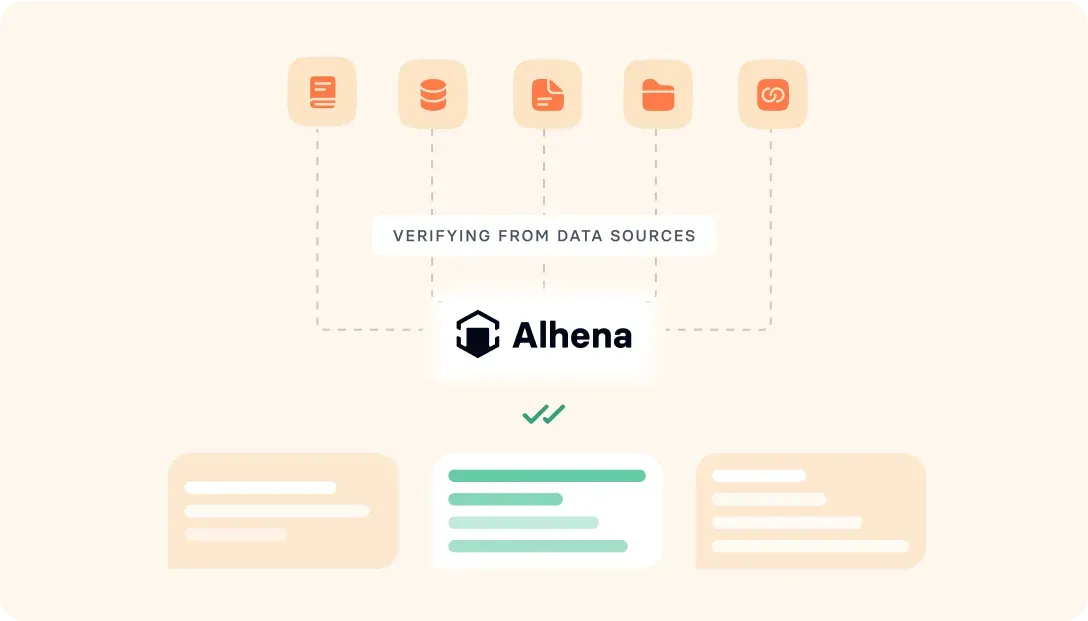
Alhena uses retrieval-augmented generation via API to detect and prevent hallucination, pulling answers from your knowledge base with continuous and continuous adaptation, continuous monitoring, and continuous improvement of learning that evolves instead of improvising. It integrates with Zendesk, Gorgias, and Intercom for escalation with full context. A built-in real-time analytics UI shows which customer interactions drove purchases.
Setup takes under 48 hours with no backend engineering and backend infrastructure resources or QA engineers. Ready to run this framework? Book a demo with Alhena AI or start for free with 25 conversations.

Frequently Asked Questions
How long does it take to stress-test an AI chatbot for Shopify?
This framework takes three weeks. Week 1 covers baseline metrics and threshold setting, Week 2 runs accuracy and safety audits across 50+ test queries, and Week 3 measures live traffic impact with a control group. Most merchants can run it alongside their existing AI agents and their existing live chat or support setup without disruption.
What is the difference between deflection rate and resolution rate for a chatbot?
Deflection rate counts conversations that never reach a human agent. Resolution rate counts those where the issue was actually solved. High deflection with low resolution means the AI agents give wrong answers. Containment rate is the more reliable performance metric.
How do I test if an AI chatbot hallucinates product information?
Run a catalog accuracy probe: ask 50 product questions across head, torso, and tail SKUs. Verify AI agent responses match your actual Shopify data. Any fabricated details count as hallucination failure modes. Alhena AI agents use retrieval grounded in your catalog to prevent this.
What accuracy benchmarks should a Shopify AI chatbot meet?
Target 90%+ catalog accuracy and 95%+ policy accuracy. Invented policies are an automatic failure mode. Adversarial and prompt injection probes should result in graceful refusals.
Can I test an AI chatbot on a portion of my Shopify traffic?
Yes. In Week 3 of this framework, you route 10% to 25% of traffic through the AI chatbot while keeping the rest on your existing setup as a control group. This lets you measure conversion rate, AOV, and CSAT differences between AI-assisted and non-assisted chats without risking your full user base.
How does Alhena AI compare to Shopify Inbox for customer support?
Shopify Inbox handles basic live chat but doesn't offer AI-powered product recommendations, automated order management, or real-time, built-in revenue attribution analytics. Alhena AI syncs your full Shopify catalog in real time, routes queries to specialized agents (Product Expert and Order Management), and measures which conversations drive purchases. It also integrates with help desks like Zendesk and Gorgias.
What should I do if the chatbot fails the stress test?
Score 6-7: extend the stress testing pilot two more weeks with specific targets. Below 6: walk away. Document all failure modes so you can compare AI agents objectively.