Training frontline teams so that “the bot will help, not replace” is less about technology and more about change management. AI in retail is growing fast, with artificial intelligence now touching everything from inventory management to AI customer service chatbots. But for store associates, CX agents, and buyer teams who are already under pressure, the arrival of new AI technologies can feel threatening. If AI feels like something being done to them rather than with them, adoption stalls.
Here's a better way to ship AI in retail and ecommerce in a collaborative manner. This guide covers 10 practical steps, from defining the narrative to building governance, that help retailers roll out AI customer service tools without losing frontline trust.
1. Start with the story, not the stack
Before you run a single training session, write a simple narrative you can repeat in every forum.
Answer three questions clearly:
- Why now?
- Rising service volumes
- Customers expecting instant answers
- Need to free humans for higher value work
- What is the bot’s job description? Describe it like a junior teammate:
- Handles repetitive and predictable questions
- Suggests answers and product recommendations
- Does the “paperwork” such as summaries, tags and drafts
- What is the human’s job description with AI in the loop?
- Handles nuance, emotion and exceptions
- Uses judgment for edge cases, high value customers and escalations
- Improves the bot by giving feedback
Bring this narrative into your all hands, team meetings and training decks. If you do not define the story, people will fill the gaps with fear.
Whether you're deploying an conversational AI chatbot for customer service or an AI-driven product recommendation engine, the narrative stays the same. It's about clarity. Define the bot's role clearly so your team sees it as a tool, not a threat. Platforms like Alhena AI's Agent Assist are built around this principle: the AI suggests, the agent decides.
2. Co-design AI customer service use cases with frontline teams
The fastest way to signal that the bot is here to help is to let the people closest to customers shape what it will do.
Practical approach:
- Run a 60 minute workshop per team:
- Ask agents or store staff: “What part of your work feels repetitive?”
- Capture: top 10 FAQs, common workflows, copy paste tasks.
- Map each item into:
- “Great for the bot to do alone”
- “Bot can assist, agent stays in control”
- “Keep as human only for now”
Use this input to define your initial AI scope. When people recognise their own pain points in the feature list, they are more likely to root for the bot instead of fearing it.
This co-design process can help teams and works whether you're rolling out AI in ecommerce order handling, retail AI chatbot interactions, or in-store AI for customer experience workflows. It's simple: the people closest to your customers should shape how the AI systems assist them.
3. Be explicit about what AI will not do
Uncertainty is worse than bad news.
Write a short “guardrails” statement and share it widely:
- Roles that AI is not replacing as part of this rollout.
- Decisions that will always require manager review, for example:
- Refunds above a certain amount
- Handling VIP complaints
- Changes to pricing and promotions
- Time horizon for any review of role design, for example at the end of a 6 month pilot.
You do not need to promise “no changes ever.” You do need to be honest about the scope of what is happening now.
Transparency about what artificial intelligence in retail can and cannot do builds the trust that helps retailers scale AI faster. A McKinsey report on AI adoption found that organizations with explicit guardrails see higher frontline buy-in. Be honest about the scope, from inventory management decisions to complex shopper complaints, and your team will be more willing to explore new AI capabilities.
4. Design AI training around workflows, not features
Frontline teams do not need an LLM seminar. They need to know: “What changes in my day? What uses will this have?”
Structure training around everyday scenarios:
- Before vs after journeys For each key journey, show:
- Previous flow
- New flow with “bot in the loop” Highlight who does what at each step.
- Hands on practice in a safe sandbox
- Give agents a training environment with real examples.
- Let them try prompts, inspect bot suggestions, correct mistakes.
- Playbooks for typical moments For example:
- “How to use the bot’s suggested reply and still sound like yourself.”
- “What to do if you think the bot is wrong.”
- “When to ignore the suggestion and write from scratch.”
The more the training mirrors reality, the less the bot feels abstract or threatening.
For teams working with AI customer service agents, use real ticket histories and past conversations as training items. Let agents compare their own responses with the AI-driven suggestions to build confidence in the system's capabilities. Skip the generative AI theory. Focus on practical, daily workflows.
5. Launch AI in retail with copilot mode first
Resist the temptation to turn on full automation on day one.
Instead, start with assistive use cases where:
- The bot drafts responses, agents edit and send.
- The bot recommends products, associates choose which ones to present and how.
- The bot fills structured fields, humans verify.
Benefits:
- Teams see quality and limits in real time.
- You avoid customer facing errors while models are still being tuned.
- You build trust because people can override the bot at any point.
Only once frontline teams are comfortable and quality data supports it should you consider fully automated flows for very narrow, low risk use cases.
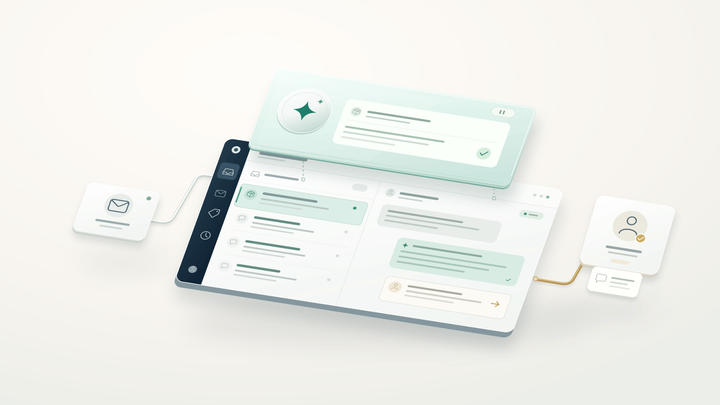
Think of copilot mode as the AI agent assist layer. Tools like Alhena AI's Agent Assist do exactly this: the AI drafts responses and surfaces product analytics, while the agent reviews, edits, and sends. This model has helped brands like Puffy achieve 90% CSAT while automating 63% of inquiries. Only once frontline teams are comfortable and quality data supports it should you consider fully automated flows for very narrow, low risk use cases.
6. Make feedback loops visible and fast
If agents see errors but nothing changes, they will quietly stop using the bot.
Set up very clear channels:
- A dedicated “Bot feedback” tag in your ticketing or chat system.
- A simple form: “Good suggestion” / “Wrong or unsafe” / “Missing playbook”.
- A weekly meeting where product, operations and a small group of frontline reps review:
- Top failure patterns
- Examples of where the bot saved time
- Tweaks to prompts or knowledge base
Then close the loop:
- Post short updates: “You flagged that the bot was mishandling refund exceptions. We updated the rules and here is what changed.”
- Spotlight agents whose feedback led to concrete improvements.
Nothing communicates “this is a partnership” like the system visibly changing because people spoke up.
Modern AI customer service platforms track these feedback signals automatically. Alhena AI's Support Concierge, for example, surfaces failure patterns in its analytics dashboard so teams can adapt their knowledge base in real time, not just at weekly meetings.
7. Align AI analytics and measurement so teams aren’t penalized
If your metrics reward raw speed at all costs, people may feel forced to accept risky bot suggestions.
Rethink your KPIs for AI assisted work:
- Track:
- Handle time, but also
- Resolution rate
- Customer satisfaction
- Reopens and escalations
- Attribute:
- When the bot assisted (suggested reply used)
- When the agent wrote from scratch
Use this data to:
- Celebrate sessions where AI plus agent produced a better outcome, not just a faster one.
- Identify training needs, for example agents over trusting the bot in complex cases.
Avoid linking individual performance directly to “percentage of bot suggestions used,” especially at the start. That encourages blind acceptance instead of judgment.
The best AI in retail deployments separate two metrics: efficiency (did the bot reduce handle time?) and quality (did the customer experience improve?). Alhena AI's Shopping Assistant tracks both through built-in revenue attribution analytics, showing exactly which AI-driven conversations led to conversions, not just deflections.
8. Give frontline teams a voice in governance
Treat AI like any other operational capability with rules and owners.
Create a small AI Council that includes:
- An operations or support leader
- A representative group of frontline agents
- Someone from product or data science
- Someone from risk or legal where relevant
Their responsibilities:
- Approve new AI use cases and automations.
- Review monthly: performance, risk events, customer feedback.
- Decide when a use case moves from assistive to more automated.
When frontline representatives sit on this council and their view genuinely influences decisions, the message is clear: “You are not being replaced, you are co steering this.”
9. Equip managers with the right talking points
Team leaders and supervisors are the people your staff will turn to with concerns. Help them by giving clear, honest scripts.
Examples they can adapt:
- On fear of replacement “This bot is being introduced to remove the most repetitive parts of your work so you can focus on conversations where your judgment and empathy matter. Your role remains essential, and you will also help us teach the system.”
- On whether they must use it “During the pilot, we expect everyone to try the bot in their day to day work so we can gather data. If something feels off, flag it. You will not be penalised for overriding the bot when you think it is wrong.”
- On evaluation “We will look at quality outcomes and customer satisfaction, not just how often you use AI. Using AI wisely is part of the job, not handing everything over to it.”
Managers also need a private space to express their own concerns and get clarity. If they are unconvinced, that scepticism will quietly spread.
10. Invest in new skills, not just new tools
To make “the bot will help, not replace” true over time, people must grow into work that AI cannot easily do.
Offer:
- Short modules on:
- Advanced customer communication
- Handling complex problem solving
- Using data from AI assisted conversations to spot patterns and propose changes
- Pathways such as:
- “AI Quality Champion” roles within the frontline team
- Rotations into knowledge management or operations design
This signals that as automation takes over simpler tasks, the organisation intends to move people upstream rather than out.
Bringing it together
Successful AI in retail rollouts share the same pattern:
- They make the purpose of AI explicit.
- They involve frontline teams early in design.
- They start in copilot mode, build trust, then carefully automate.
- They keep people in the loop through feedback, governance and new skill paths.
Whether you're deploying AI customer service chatbots, AI for ecommerce product recommendations, omnichannel customer messaging, or in-store AI technologies, the playbook is the same. Technology alone won't convince anyone the bot is here to help. The way you communicate, train, measure, and listen is what turns that promise into reality.
Get started with AI that your frontline team will actually use
Ready to roll out AI in retail without the adoption headaches? Alhena AI deploys in under 48 hours with built-in copilot mode, so your agents stay in control while AI handles repetitive work. Brands like Tatcha saw 3x conversion rates and 82% chat deflection, while Manawa cut response times from 40 minutes to 1 minute. Book a demo to see how it works, or start free with 25 conversations.
Frequently Asked Questions
What does AI in retail mean for frontline employees?
AI in retail refers to artificial intelligence tools that assist store associates and customer service agents with tasks like answering FAQs, recommending products, handling order inquiries, and answering questions about products. For frontline employees, it means less time on repetitive work and more time on conversations that need human judgment and empathy.
How do you implement AI customer service without losing team trust?
Start with copilot mode, where the AI suggests responses and the agent decides whether to use them. Involve frontline teams in choosing which use cases to automate. Be explicit about what AI will not do, and set up visible feedback loops so agents see their input improving the system. Brands using Alhena AI's Agent Assist follow this exact model.
What is copilot mode in AI customer service?
Copilot mode means the AI works alongside the human agent rather than replacing them. The AI drafts responses, recommends products, or fills structured fields, but the agent reviews and approves everything before it reaches the customer. This builds trust and catches errors while the AI system is still being tuned.
How long does it take to roll out AI in retail stores?
Timeline varies by scope, but modern AI platforms deploy faster than most teams expect. Alhena AI, for example, deploys in under 48 hours with no developer resources needed. The bigger variable is change management: giving your team time to co-design use cases, practice in a sandbox, and build confidence before full automation.
What are examples of AI in retail that help rather than replace workers?
Common examples include AI chatbots for customer service that draft replies for agents to edit, AI-driven product recommendations that associates present to shoppers, and automated inventory management alerts that free teams from manual stock checks. The key is starting with assistive use cases where humans stay in control.
How should you measure AI performance without penalizing frontline teams?
Track quality outcomes like customer satisfaction, resolution rate, and reopens alongside speed metrics like handle time. Avoid tying individual performance to how often agents accept AI suggestions. Instead, use analytics to identify where AI plus human collaboration produces the best results, and celebrate those wins.
What is the difference between AI agent assist and full automation?
AI agent assist (copilot mode) keeps the human in control. The AI suggests, the agent decides. Full automation lets the AI handle entire conversations without human review. Most successful AI in retail deployments start with agent assist and only automate narrow, low-risk tasks after the team builds confidence and the data supports it.
Can AI customer service chatbots work alongside existing helpdesk tools?
Yes. Platforms like Alhena AI integrate with helpdesks including Zendesk, Freshdesk, Gorgias, Intercom, and Kustomer, as well as ecommerce platforms like Shopify and WooCommerce. The AI layer sits on top of your existing systems, so frontline teams don't need to learn a completely new tool.