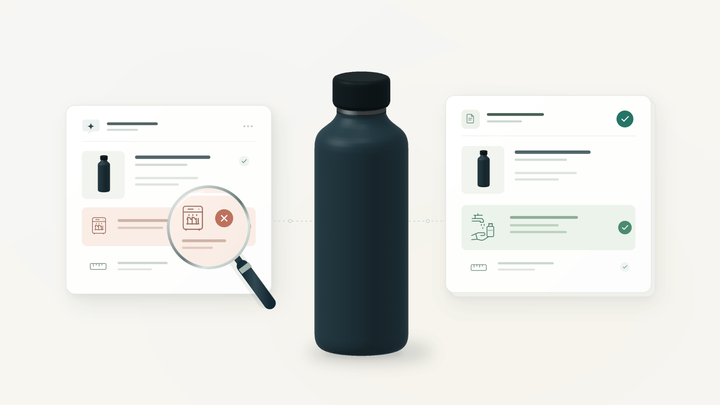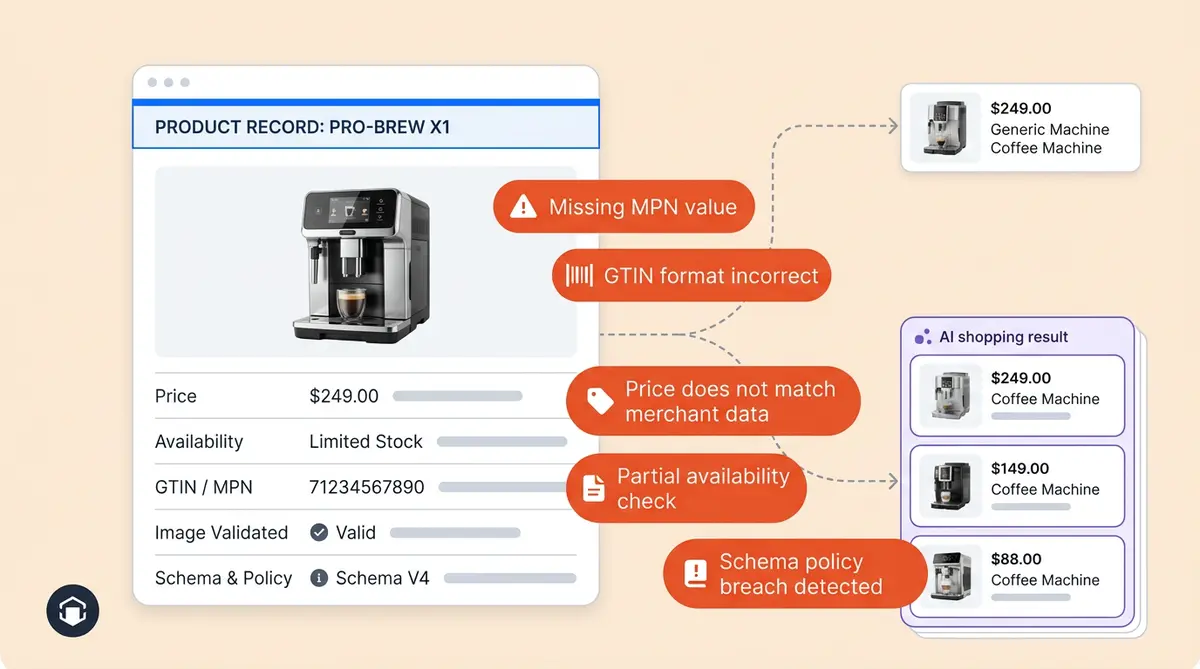
Google Merchant Center disapprovals don't just block your products from Google Ads Shopping campaigns. They signal deeper data problems that affect Google Ads performance and make your catalog invisible to ChatGPT, Perplexity, and Gemini. The same missing GTIN, the same price mismatch, and the same placeholder image that triggers a Merchant Center rejection are the same gaps an AI shopping engine hits when deciding whether to recommend you.
This post explains the connection between Merchant Center feed health and AI shopping visibility and what to do about both at once.
The Five Disapproval Categories That Also Kill AI Visibility
Most disapproved products in your Google Merchant Center account trace back to five root causes. Each one has a direct parallel in how AI shopping platforms evaluate your products.
Price and micro-data mismatches. Google compares your feed price to the price on your landing page. If the values don't match, the product gets disapproved. AI engines do the same thing. ChatGPT Shopping pulls pricing from your feed and cross-references it against your PDP. A mismatch doesn't just trigger a Merchant Center error. It makes the AI less confident in recommending you at all.
Availability drift. Your feed says "in stock" but your site says "sold out." Google flags this immediately. AI agents face the same problem: recommending an out-of-stock product erodes user trust, so platforms penalize unreliable availability signals. If your inventory sync is broken for Merchant Center, it's broken for AI too.
Missing or invalid identifiers. GTINs, MPNs, and brand are required attribute fields that let Google (and AI engines) cross-reference your product attribute values against manufacturer databases. Without them, your product is an orphan. A product without a GTIN in your Merchant Center feed is usually missing it on the PDP too, which means AI recommendation systems can't confidently surface it.
Image issues. Placeholder images, watermarks, promotional overlays, and low-resolution or wrong-size photos all cause Merchant Center disapprovals. AI engines parse product images for rendering inside chat responses. A product with a bad image gets skipped in favor of one with a clean, high-resolution photo that looks good in a conversational card.
Policy violations. Failing to provide return policies, making unsupported health claims, and restricted category errors and policy violations block products in Merchant Center. AI platforms apply similar trust filters. A product missing structured return and shipping data on its PDP loses ranking signals that AI engines use to decide which products to recommend.
Why the Same Data Breaks Both Channels
Google Merchant Center and AI shopping platforms pull from overlapping data attribute sources. Merchant Center reads your product feed directly. ChatGPT, Gemini, and Perplexity crawl your PDPs, parse your Schema.org product markup, and, in many cases, pull from Google Shopping's own index.
ChatGPT Shopping processes 50 million shopping queries daily, and 75% of its product data comes from Google Shopping feeds. So a feed disapproval doesn't just remove you from shopping ads. It can remove you from ChatGPT's product index entirely.
The structured data on your PDP, including the JSON-LD product schema with name, description, price, availability, GTIN, and aggregateRating, serves double duty. Google validates it to ensure you provide accurate data for Merchant Center compliance. AI engines parse it for recommendation decisions. One set of structured data fixes improves both channels.
A Dual-Channel Data Checklist
Instead of fixing Merchant Center errors in isolation, treat each fix as an opportunity to improve your AI visibility at the same time. Here's what to check for each disapproval category:
- Price: Match your feed price value to your PDP price exactly, including the correct currency type and sale price annotations in both the feed and your Schema.org markup
- Availability: Ensure inventory updates sync to your feed and your PDP structured data within the same refresh cycle. ChatGPT's feed refreshes every 15 minutes, so near-real-time sync matters
- Identifiers: Add GTIN, MPN, and brand to your feed AND your JSON-LD product schema. If a product doesn't have a GTIN, use MPN plus brand as the fallback in both places
- Images: Use clean, high-resolution product photos at the required size with descriptive alt text. Marketing overlays and promotional badges cause disapprovals. Remove watermarks and promotional overlays. AI engines render these images inside chat cards
- Policy data: Provide return policy, shipping details, and warranty info as required structured fields on your PDP, not just in your site footer
For a deeper walkthrough of every PDP element AI platforms evaluate, see the 15-point PDP optimization checklist.
How to Verify Your Fixes Worked Across Both Channels
Merchant Center has its own diagnostics report. Open it in Merchant Center, filter by severity, fix the flagged issues, request review or appeal, and export the issues list to work through them systematically. Google's documentation walks through each error code. Once you've fixed the disapproved products, request a review to get them re-evaluated.
But the diagnostics report only tells you about Google Shopping. It doesn't tell you whether ChatGPT, Perplexity, or Gemini are actually surfacing your products after you fix the data.
That's where Alhena AI Visibility comes in. After you clean up your feed and PDP data, Alhena tracks how each product appears across AI shopping platforms at the SKU level. It shows which AI engines are surfacing your products, how they render inside AI answers, and where content gaps still exist.
The workflow is straightforward: fix the disapproval in Merchant Center, update your PDP structured data to match, and then use AI Visibility to confirm the downstream effect on AI discovery. Without that second step, you're fixing half the problem.
Clean Data Is Now a Multi-Channel Requirement
In 2024, disapproved products in Merchant Center were a paid media problem. In 2025, they're an omnichannel visibility problem. The same five data gaps that block your products from Google Shopping also block them from the AI engines where a growing share of product discovery happens.
Brands that treat feed hygiene and AI visibility. To <a href="https://alhena.ai/blog/ai-brand-visibility-analysis-tools/">track your brand visibility across AI platforms</a>, start with a weekly audit as two sides of the same coin will show up everywhere shoppers look. Brands that fix feed errors in isolation will keep wondering why ChatGPT never recommends them.
Want to see how your products appear across AI shopping platforms today? Book a demo with Alhena AI or start for free.

Frequently Asked Questions
Do Google Merchant Center disapprovals affect ChatGPT Shopping visibility?
Yes. ChatGPT Shopping pulls roughly 75% of its product data from Google Shopping feeds. A feed disapproval can remove your product from that index entirely, which means ChatGPT won't have the data it needs to recommend you.
What are the most common causes of GMC disapprovals?
The top five causes are price mismatches between your feed and landing page, availability drift, missing identifiers like GTIN or MPN, image issues such as watermarks or placeholders, and policy violations like missing return or shipping information.
How do AI shopping engines use GTIN and MPN data?
AI platforms use GTINs and MPNs to cross-reference products against manufacturer databases, verify authenticity, and match products to specific shopper queries. Without these identifiers, your product can't be confidently matched and is less likely to appear in recommendations.
Can Alhena AI fix my Google Merchant Center disapprovals?
No. Alhena AI Visibility doesn't manage GMC feeds or fix disapprovals directly. What it does is track how your products appear across ChatGPT, Perplexity, and Gemini at the SKU level, so you can verify that your feed fixes are actually improving your AI visibility downstream.
How do I check if my products appear in AI shopping results after fixing feed errors?
Use Alhena AI Visibility to monitor SKU-level appearance across AI shopping platforms. It shows which engines surface your products, how they render inside AI answers, and where content gaps remain. This closes the loop that GMC Diagnostics can't.
Should I fix my GMC errors and PDP structured data at the same time?
Absolutely. Your GMC feed and your PDP Schema.org markup serve overlapping purposes. Fixing the feed price without updating your JSON-LD Product schema means AI engines that crawl your site directly will still see mismatched data. Update both in the same pass.