AI Platforms Are Already Talking About Your Products
ChatGPT, Perplexity, Gemini, and Google AI Overviews and other answer engines are answering product questions about your brand right now. They're recommending your products, comparing them to alternatives, quoting prices, and summarizing reviews. Most ecommerce teams have never run any search monitoring to check what these platforms actually say when a shopper asks about their catalog.
That's a problem. Hallucination rates across leading AI models range from 15% to 52%, according to Search Engine Land. AI referral traffic to retail sites saw 4,700% growth year over year as of mid-2025, per Adobe Analytics. McKinsey projects $750 billion in U.S. revenue will flow through AI-powered search by 2028. If you don't monitor brand AI search results today, you're letting AI platforms control your product information and narrative without any oversight.
This guide gives you a step-by-step AI search monitoring process, step by step, to audit what AI says about your brand through AI search monitoring, with copy-paste prompt templates you can use in the next ten minutes.
Platform-by-Platform Prompt Templates You Can Use Today
Open each AI search monitoring tool and run these prompts, replacing the bracketed placeholders with your actual brand, product, and category names. Run each prompt at least three times per platform, because AI responses change between queries.
ChatGPT Prompts
- "What is the best [category] product from [your brand]?"
- "Compare [your product] vs [competitor product] for [use case]"
- "What are the pros and cons of [your product]?"
- "Is [your product] worth the price?"
- "[Category] recommendations under [price]"
Perplexity Prompts
Perplexity cites sources inline, so pay attention to which sources and data sources it pulls from. Use the same five prompts above, plus:
- "Best [category] brands ranked by customer reviews"
- "[Your brand] return policy and warranty details"
- "What do customers say about [your product] quality?"
Google Gemini and AI Overviews Prompts
For Gemini, use the direct chat tool. For AI Overviews, type the same queries into Google Search and check whether Google Overviews appear above the organic results. These AI Overviews surfaces are growing in demand across shopping queries.
- "Top rated [category] products 2026"
- "[Your brand] vs [alternative brand] which is better"
- "Should I buy [your product] or wait for a sale?"
Seven Checkpoints: What to Look for in Every AI Response
Every time you run a prompt, evaluate the response against these seven checkpoints. Score each one as accurate, partially wrong, or completely wrong.
- Product specifications and descriptions. Does the AI describe your product's materials, dimensions, and features correctly? AI models frequently merge specs from similar products into a single, inaccurate answer.
- Pricing and availability. Is the price current, or is the AI citing a number from last year's catalog? Does it claim a product is "available" when it's actually sold out?
- Competitive positioning. How does the AI frame your product? Premium, budget, best value? If your $200 skincare serum gets described as a "budget alternative," that's a positioning problem.
- Outdated or discontinued products. AI training data and cached information can lag months or years behind. Check whether discontinued SKUs still appear in recommendations.
- Missing top SKUs. Are your best sellers absent from "best [category]" lists entirely? If AI doesn't know about your hero products, shoppers won't discover them through AI search.
- Hallucinated features or policies. Does the AI claim you offer free returns when you don't? Does it invent a feature your product doesn't have? These fabrications directly mislead buyers.
- Review sentiment accuracy. AI often summarizes reviews. Check whether the sentiment it cites matches your actual review profile on your storefront and third-party platforms.
Document Everything in a Simple Spreadsheet
Create a tracking spreadsheet with six columns: Platform (ChatGPT, Perplexity, Gemini, AI Overviews), Query (the exact prompt you used), Product Mentioned (which of your products appeared), Accuracy Score (1 to 5 based on the seven checkpoints), Positioning (how AI framed your product relative to alternatives), and Action Needed (what you need to fix on your storefront to correct the AI's output).
This spreadsheet becomes your AI brand monitoring baseline. Without it, you're guessing. With it, you have a concrete list of inaccuracies to address through better product descriptions, schema markup, and structured content on your PDPs. This process is the foundation of GEO (generative engine optimization) and AEO (answer engine optimization).
How Often Should You Monitor Brand AI Search Results?
Run weekly checks on your top 10 products. These are the SKUs driving the most revenue, so inaccurate AI responses about them carry the highest business risk. Use the same prompt templates each week to tracks how responses change over time.
Run a monthly full catalog audit. Pick 20 to 30 additional SKUs across categories and run 3 to 5 prompts per product. Document everything in your spreadsheet. This cadence gives you enough data to spot patterns: maybe AI consistently gets your pricing wrong, or always misses your newest launches.
If you sell seasonal products, run extra audits before peak shopping periods. AI models don't update their training data on your schedule, so the gap between what AI says and what's actually true widens during product transitions.
Why Manual AI Brand Monitoring Ecommerce Teams Do Eventually Breaks Down
This manual process works. It will reveal problems most brands don't know they have. But it has real limits you should understand before you start.
AI outputs are non-deterministic. SparkToro found less than a 1-in-100 chance that ChatGPT returns the same brand list twice for the same prompt. Your single check captures one data point from a constantly shifting distribution.
It doesn't scale. If you sell 500 SKUs across four AI platforms with five prompts each, that's 10,000 manual checks. No ecommerce team has bandwidth for that without monitoring tools.
You can't tracks changes over time. Without automated logging, you have no way to know whether that inaccurate pricing you flagged last month got better or worse.
There's no connection to revenue. Your spreadsheet tells you what AI says, but not whether those AI responses are actually sending (or losing) shoppers. You can't prioritize fixes without knowing which inaccuracies cost the most money.
From Spreadsheet to Live Dashboard: How Alhena AI Visibility Automates This Process
Alhena AI Visibility does everything in this guide automatically, at the SKU level, across ChatGPT, Gemini, Perplexity, and Google AI Overviews.
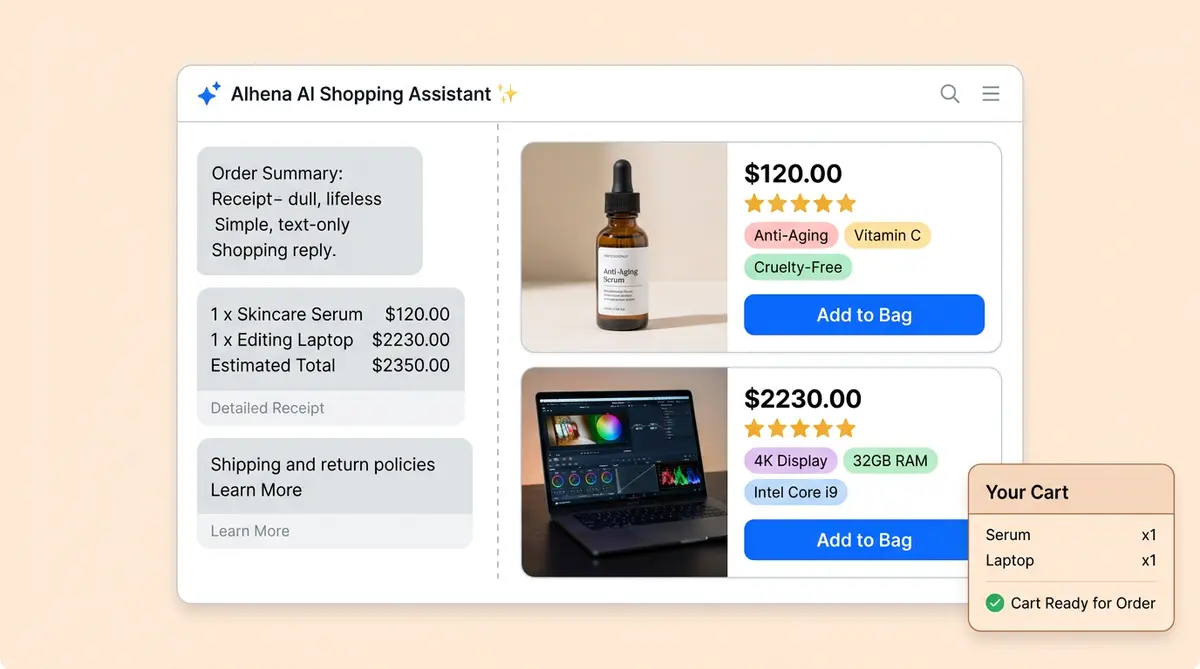
Instead of running prompts by hand, Alhena AI agent continuously monitors how each of your products appears in AI search results. It tracks rendering quality and product card completeness, not just brand mentions. It goes beyond basic brand mentions to track rendering quality. It flags inaccurate pricing and outdated specs automatically, so your team focuses on fixing problems instead of finding them.
The biggest difference from the manual process is revenue attribution. Alhena connects AI visibility data to your actual on-site conversion data through first-party ecommerce intelligence. Your spreadsheet shows what's wrong. Alhena's dashboard shows what's wrong, ranks it by revenue impact, and tells you what to fix first.
For teams that want to go deeper on generative engine optimization, Alhena also generates citation-ready content and PDP optimization and content optimization recommendations that improve how AI models represent your products over time.
Start With the Manual Audit. The Scale Problem Will Speak for Itself.
Open ChatGPT right now. Type "What is the best [your category] product from [your brand]?" and read what comes back. Do the same on Perplexity, Gemini, and Google. Use the seven checkpoints. Document what you find.
Most ecommerce teams that run this audit for the first time are surprised by how much AI gets wrong about their products. Once you see inaccurate specs, wrong pricing, missing bestsellers, and hallucinated features across multiple platforms, the case for automated AI search monitoring tools becomes obvious.
Ready to move from spreadsheets to a live AI search monitoring dashboard? Request a demo to explore? Book a demo with Alhena AI today or start for free with 25 conversations.

Frequently Asked Questions
How do I monitor what AI search engines say about my ecommerce brand?
Start by running product-specific prompts on ChatGPT, Perplexity, Gemini, and Google AI Overviews. Use queries like "What is the best [category] product from [your brand]" and score each response against a 7-point accuracy checklist covering specs, pricing, positioning, and hallucinated features. Alhena AI automates this entire process at the SKU level with continuous monitoring across all major AI platforms.
What is AI brand monitoring for ecommerce and why does it matter?
AI brand monitoring for ecommerce means tracking how AI platforms describe, recommend, and position your products when shoppers ask questions. With AI referral traffic to retail sites growing 4,700% year over year, inaccurate AI responses about your pricing, specs, or availability directly cost you sales. Alhena AI Visibility connects this monitoring to on-site conversion data so you can prioritize fixes by revenue impact.
How often should ecommerce teams audit their AI search visibility?
Run weekly checks on your top 10 revenue-driving SKUs and monthly audits covering 20 to 30 additional products across categories. Before peak shopping seasons, add extra audits since AI training data lags behind product catalog changes. Alhena AI replaces this manual cadence with real-time, continuous monitoring across every SKU in your catalog.
Can prompt-based AI audits catch hallucinated product information?
Yes. By running structured prompts like "What are the pros and cons of [your product]" across multiple AI platforms, you can identify fabricated features, incorrect return policies, and outdated specs that AI models present as fact. The challenge is scale: AI responses are non-deterministic, so you need multiple runs per prompt. Alhena AI flags hallucinations automatically and tracks them over time and tracks patterns across platforms.
How does Alhena AI Visibility differ from manual AI brand monitoring spreadsheets?
A manual spreadsheet captures point-in-time snapshots with no connection to business outcomes. Alhena AI Visibility monitors continuously at the SKU level, tracks product card rendering quality and completeness, flags pricing and spec inaccuracies automatically, and connects every AI mention to actual on-site conversion and revenue data through a live dashboard that prioritizes actions by revenue impact.