Why Gorgias AI Matters for Ecommerce Brands Right Now
Ninety-one percent of customer service leaders are under executive pressure to implement AI in 2026, according to Gartner. For Shopify-based ecommerce brands looking to cut response times, Gorgias is often the first helpdesk they turn to. With over 15,000 brands on the platform and a 4.6-star rating on G2, it's earned its place.
But here's the thing: Gorgias AI isn't plug-and-play. The platform markets "up to 60%" ticket resolution, yet published case studies show real numbers between 26% and 56%. The gap between promise and reality comes down to setup quality, knowledge base depth, and understanding what Gorgias AI can and can't do.
This guide to automated customer service walks you through every step of setting up Gorgias AI automation for your ecommerce store. You'll learn the exact setup process, the costs you should plan for, the limitations worth knowing about, and where a purpose-built ecommerce AI like Alhena AI fills the gaps that Gorgias leaves open.
What Gorgias AI Actually Does for Ecommerce Support
Gorgias AI breaks down into three layers, each handling different parts of your support workflow.
The AI Agent
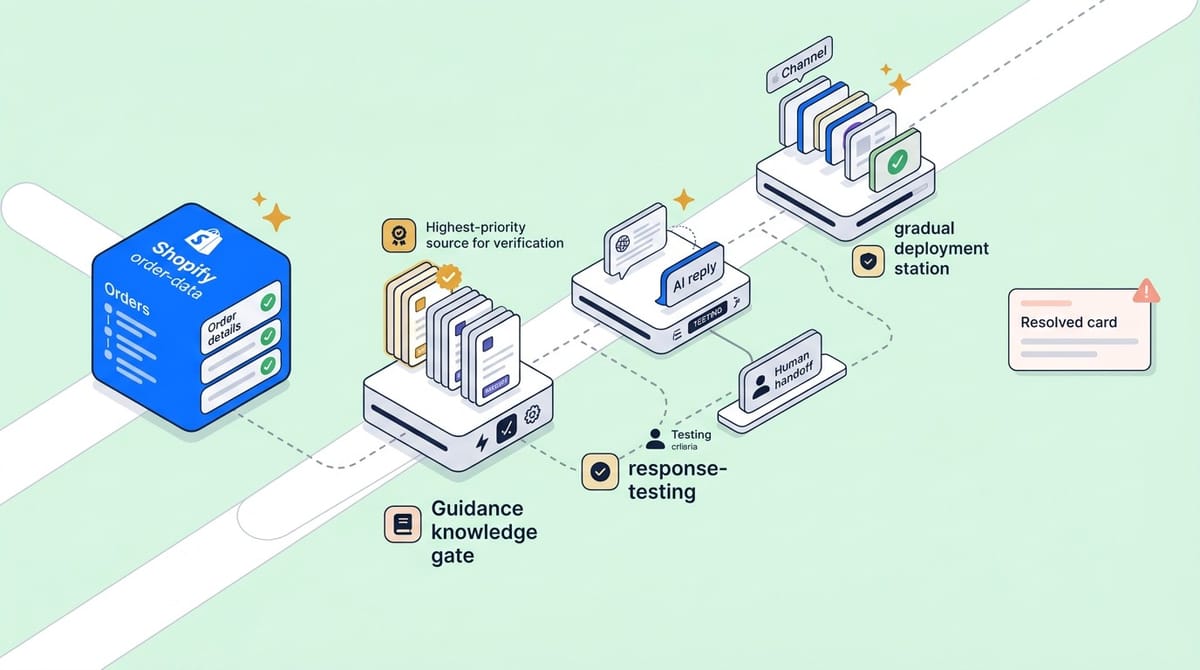
The Gorgias AI Agent is an LLM-powered automation feature. It reads incoming tickets, checks your knowledge base and Shopify order data, and generates responses without human input. When it's confident in the answer, it resolves the ticket automatically. When it's not, it hands the conversation to human agents with full context attached.
With AI Agent 2.0, Gorgias added a Shopping Assistant mode. This lets the AI recommend products through clickable cards in chat, detect purchase intent, personalize offers, and provide discounts to close sales. It's a clear signal that Gorgias wants to move beyond ticket deflection into revenue generation.
Automation Rules and Macros
Before the AI Agent existed, Gorgias relied on rules-based automation. Rules use IF/THEN logic triggered by ticket events: if a new ticket or customer message contains "where is my order," auto-tag it as WISMO and send an auto reply with a tracking link. Macros are predefined response templates with automatic replies that agents can fire with a click. Both still work alongside the AI Agent and remain useful tools for simple, repetitive tasks.
Intent Detection
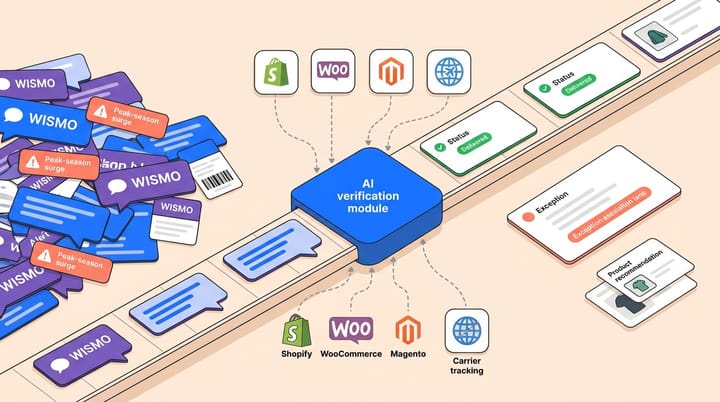
Gorgias automatically classifies incoming messages by intent (shipping status, refund request, order cancellation, and others) across 16 languages. You can build automation rules around these intents to trigger routing, escalate complex issues, assign tickets to specific agents, or send auto-responses. If you're curious about how AI handles order tracking queries specifically, our guide to WISMO automation covers the topic in depth.
How to Set Up Gorgias AI Agent: Step by Step
The technical setup can be done in under an hour if your knowledge sources are ready. The real work, writing Guidance and tuning responses, takes one to three weeks to get right. Here's the full process.
Step 1: Connect Your Shopify Store
Navigate to Settings > My Apps > Shopify in your Gorgias dashboard. Select your store and click "Update App Permissions." You'll be redirected to Shopify to authenticate the connection. This gives the AI Agent access to order data, customer profiles, and product catalogs.
One important caveat: the Gorgias AI Agent only works with Shopify. If your commerce platform is WooCommerce, Magento, or BigCommerce, the AI Agent isn't available to you. The broader Gorgias helpdesk supports other platforms, but the AI layer doesn't. Brands on other platforms may want to explore alternatives to Gorgias that support multi-platform setups.
Step 2: Build Your Knowledge Base
Go to AI Agent > Knowledge and click "Create content." You can add knowledge from five sources:
- Your store website (product pages, policy pages, About Us)
- Help Center articles from your existing Gorgias Help Center
- Docs and document uploads (PDF, DOCX, PPTX, XLSX, up to 10 files)
- Custom URLs (up to 10 specific pages)
- Guidance instructions (custom rules you write for the AI)
Guidance is the most powerful piece. These are plain-language instructions that tell the AI exactly how to handle specific scenarios. For example: "If a customer asks about international returns, explain that we accept returns within 30 days and provide the international shipping label link." Guidance takes priority over all other knowledge sources, so it's your primary tool for shaping AI behavior, from order management queries to product questions.
Step 3: Configure Tone and Behavior
Gorgias offers three preset tones (Friendly, Professional, Sophisticated) or lets you write a custom brand voice description. You'll also set handover rules that define when the AI should stop trying and pass the ticket to a human. Common triggers include negative sentiment, VIP customers, or topics the AI shouldn't handle (like legal complaints).
Step 4: Test Before Going Live
From the AI Agent menu, click Test. Submit sample questions across different channels and intents. Ask about order status by order number, returns, product details, and edge cases. This is where you'll catch gaps in your Guidance and knowledge base. Expect to go through several rounds of testing and rewriting before the responses feel right.
Step 5: Deploy Across Channels
Once testing looks solid, activate the AI Agent channel by channel:
- Email: AI Agent > Email > enable toggle
- Chat: AI Agent > Chat > configure widget and enable
- SMS: AI Agent > SMS > enable (requires the SMS add-on)
Start with one channel during business hours, monitor performance for a few days, then expand. Don't go live on all channels at once. The AI Agent also has a 72-hour reporting delay before automated interactions show up in your dashboard, so give it time before judging results.
Setting Up Gorgias Automation Rules and Macros
Even with the AI Agent running, rules and macros handle the structured, repeatable tasks that don't need AI interpretation.
To create a rule, go to Settings > Productivity > Rules > Create Rule. The "Identify intents and sentiments" template is a good starting point. A practical example: if Gorgias detects an "order/cancel" intent, auto-tag the ticket with "cancellation" and route it to your retention team.
Macros work differently. They're response templates agents trigger manually. Go to Settings > Productivity > Macros to create them. Each macro can include pre-written text, automatic actions (add tags, set priority, close ticket), and dynamic variables that pull in customer or order data.
A word of caution from experienced users: intent-based rules require trial and error. Rules that are too broad misfire on unrelated tickets. Rules that are too narrow miss the tickets they should catch. To avoid conflicts, plan for several rounds of adjusting keyword combinations and thresholds before your automated responses and conversational ai rules work reliably.
What Gorgias AI Costs: The Full Pricing Breakdown
Gorgias pricing has two layers, and the interaction between them catches many brands off guard.
Helpdesk plans start at $10/month (Starter, 50 tickets) and scale to $900/month (Advanced, 5,000 tickets). Most growing ecommerce brands land on the Pro plan at $360/month for 2,000 tickets. Enterprise pricing is custom.
AI Agent costs are charged per automated resolution: $0.90 per conversation on annual billing, $1.00 on monthly. The Pro plan includes 600 AI interactions, and the Advanced plan includes 2,500.
Here's the detail most brands miss: AI-resolved tickets are double-billed on accounts created after May 2025. Each conversation the AI resolves counts as both a helpdesk ticket and an AI resolution. So you pay the per-ticket fee and the $0.90-$1.00 AI fee. On legacy plans, tickets counted in one category or the other, not both.
For a brand processing 3,000 support tickets monthly with 40% AI resolution, that's 1,200 AI resolutions at $0.90 each ($1,080) plus the full 3,000 tickets against your helpdesk plan. The total can climb quickly past the sticker price. If pricing is a key concern, you can compare options on our pricing page or run numbers through the ROI calculator.
The Gaps Most Gorgias Users Run Into
Gorgias is strong helpdesk software with solid AI features for Shopify brands. But once you use it in production, several limitations surface that are worth knowing before you commit.
Shopify Lock-In
The AI Agent only works with Shopify. If you sell on WooCommerce, Magento, or Salesforce Commerce Cloud (or plan to expand to those platforms), you can't use Gorgias's AI automation at all. The helpdesk itself connects to other platforms, but the AI layer doesn't. For multi-platform brands, a platform-agnostic AI solution is the better path.
Limited Order Access
The Gorgias AI Agent can only pull the last 10 orders per customer from Shopify. For brands with loyal, repeat shoppers who might have 50+ orders on file, this creates blind spots. A customer asking about an order from six months ago may hit a wall if it falls outside that 10-order window.
Hallucination Risks
Gorgias themselves acknowledge the hallucination problem in their own blog. Examples include AI confidently claiming a jacket is "fully waterproof and tested to 10 feet underwater" when it's only water-resistant, or generating fake discount codes like "SAVE20NOW" that fail at checkout. The platform uses confidence thresholds and a secondary QA model to reduce this, but the risk doesn't disappear.
This is where Alhena AI's hallucination-free architecture stands apart. Every response is grounded in verified product data, so your AI never invents features or creates phantom discounts.
Real Automation Rates vs. Marketing Claims
Gorgias markets "up to 60%" automation. Published case studies tell a different story. Psycho Bunny, one of their featured customers, achieved 26% automation. Other brands land between 30% and 56%. The gap depends on product complexity, knowledge base quality, and how much time you invest in writing Guidance. Compare that with Alhena AI customers like Puffy, which hit 63% automated resolution while maintaining 90% CSAT.
No Native Revenue Attribution
Gorgias AI Agent 2.0 added shopping features, but the platform still doesn't offer the kind of revenue attribution analytics that tells you exactly how much revenue your AI generated. You'll know it resolved tickets. You won't know if those conversations drove purchases. Alhena AI's built-in revenue analytics track every conversion and AOV uplift back to AI interactions.
How Alhena AI Fills the Gaps Gorgias Leaves Open
Alhena AI was built for ecommerce from the ground up: not as a helpdesk with AI bolted on, but as a conversational AI engine designed to both support customers and drive sales.
Multi-platform from day one. Alhena works with Shopify, WooCommerce, Magento, and Salesforce Commerce Cloud. It also integrates with your existing helpdesk, whether that's Gorgias, Zendesk, Freshdesk, or Intercom. You don't replace your helpdesk. You add an AI layer that makes it smarter.
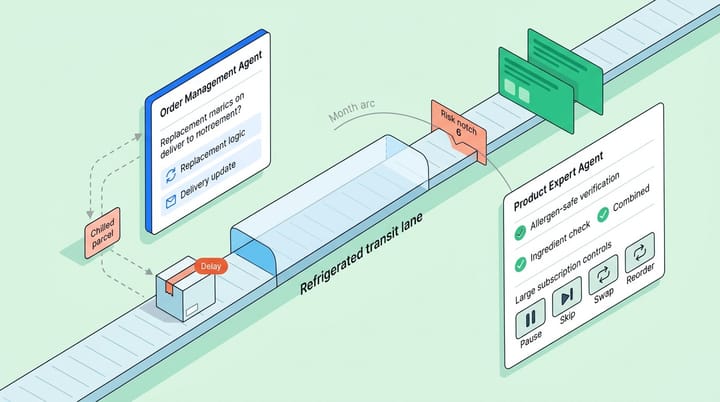
Zero hallucinations. Alhena's Product Expert Agent and Order Management Agent pull only from verified product data and real order records. No invented features, no fake discount codes, no made-up delivery dates.
Revenue-first design. Tatcha saw a 3x conversion rate and 38% AOV uplift after deploying Alhena, with 11.4% of total site revenue coming through AI conversations. Victoria Beckham achieved a 20% AOV increase. These aren't ticket deflection numbers. They're sales results. You can read the full Tatcha case study here.
Deploys in under 48 hours. Where Gorgias AI takes one to three weeks of Guidance writing and testing, Alhena learns from your product catalog, FAQs, and past tickets automatically. Most businesses using AI get started, train the system, and go live within two days with no dev resources needed.
Omnichannel coverage. Across multiple channels beyond web chat and email, Alhena handles Instagram DMs, WhatsApp, and voice. The social commerce capabilities let you turn DM conversations into completed purchases.
For brands already on Gorgias, Alhena integrates directly as an AI layer on top of your existing setup. You keep your helpdesk workflows. Alhena handles agentic, AI-powered conversations, product recommendations, and checkout assistance that Gorgias's native AI can't match. Our guide on combining Shopify, Gorgias, and an AI shopping assistant walks through exactly how this works.
Key Takeaways
- Gorgias AI Agent is Shopify-only. If you're on WooCommerce, Magento, or Salesforce Commerce Cloud, the AI automation features aren't available to you.
- Setup takes one to three weeks to optimize. The technical configuration is fast, but writing Guidance and tuning responses takes real effort.
- Watch for double-billing. Post-May 2025 accounts pay both the helpdesk ticket fee and the AI resolution fee for every automated conversation.
- Real automation rates range from 26% to 56% in published case studies, not the "up to 60%" in marketing materials.
- Gorgias AI can hallucinate. The platform acknowledges this risk, including inventing product features and generating fake discount codes.
- Alhena AI complements or replaces Gorgias AI with multi-platform support, zero hallucinations, revenue attribution, and deployment in under 48 hours.
Ready to see how AI can drive real revenue from your support conversations? Book a demo with Alhena AI or start free with 25 conversations to see the difference.

Frequently Asked Questions
What is Gorgias AI and how does it work for ecommerce?
Gorgias AI is an automation layer built into the Gorgias helpdesk that uses large language models to read, classify, and respond to customer support tickets. It pulls from your knowledge base, Shopify order data, and custom Guidance instructions to resolve inquiries without human input. The AI Agent handles answering questions about order status, returns, and product info, and hands off complex issues to live agents.
How long does it take to set up Gorgias AI Agent?
The technical setup (connecting Shopify, adding knowledge sources, configuring tone) takes under an hour. The real time investment is writing Guidance instructions and testing AI responses, which typically takes one to three weeks before the AI performs reliably. Brands that skip thorough Guidance writing often see lower automation rates.
Does Gorgias AI work with WooCommerce or Magento?
No. The Gorgias AI Agent is Shopify-only as of 2026. The broader Gorgias helpdesk connects to other platforms for ticket management, but the AI automation layer requires a Shopify store. Brands on WooCommerce, Magento, or Salesforce Commerce Cloud need an alternative like Alhena AI, which supports all four platforms.
How much does Gorgias AI cost per ticket?
Gorgias AI Agent costs $0.90 per automated resolution on annual billing ($1.00 monthly). On accounts created after May 2025, AI-resolved tickets are double-billed, counting against both your helpdesk ticket quota and your AI resolution quota. A brand automating 1,200 tickets monthly would pay roughly $1,080 in AI fees alone, plus the base helpdesk plan cost.
What automation rate can I realistically expect from Gorgias AI?
Gorgias markets up to 60% automation, but published case studies show results between 26% and 56%. Psycho Bunny, a featured Gorgias customer, achieved 26% automation. Your results depend on product complexity, knowledge base depth, and how much time you invest in Guidance. By comparison, Alhena AI customers like Puffy have reached 63% automated resolution with 90% CSAT.
Can Gorgias AI generate revenue or just deflect tickets?
Gorgias AI Agent 2.0 added a Shopping Assistant mode with product recommendations and intent-based discounting. These features show Gorgias moving toward revenue generation, but the platform still lacks native revenue attribution analytics. You can see tickets resolved but cannot track how much revenue AI conversations drove. Alhena AI tracks every conversion, AOV uplift, and revenue dollar back to specific AI interactions.
Does Gorgias AI hallucinate or give wrong answers?
Yes, Gorgias acknowledges hallucination risks in their own documentation. Examples include AI inventing product features (claiming a jacket is waterproof when it is water-resistant) and generating fake discount codes that fail at checkout. The platform uses confidence thresholds and a QA model to reduce these incidents, but they still occur. Alhena AI uses a hallucination-free architecture that grounds every response in verified product data.
How does Alhena AI compare to Gorgias AI for ecommerce brands?
Alhena AI supports Shopify, WooCommerce, Magento, and Salesforce Commerce Cloud, while Gorgias AI is Shopify-only. Alhena deploys in under 48 hours vs. one to three weeks for Gorgias. Alhena provides built-in revenue attribution, zero hallucinations, and omnichannel coverage including Instagram DMs, WhatsApp, and voice. Tatcha saw 3x conversion and 38% AOV uplift with Alhena. Alhena also integrates with Gorgias as a helpdesk, so you can keep your existing workflows.