The Question Every Operator Asks During a POC
"I just updated my return policy. How long until the AI knows about it?"
It's the first question that comes up in every proof-of-concept. It deserves a straight answer, not a vague "our AI stays current" claim. The truth is that freshness isn't a single number. Different content types update on different cadences. Understanding these paths is critical for ecommerce teams. Here's how Alhena keeps AI agents current, and what that means for support teams day-to-day.
Not One Pipeline, But Several Paths
Your AI agents draw answers from multiple knowledge bases: product catalog data, help center articles, FAQs, policy documents, and corrections your team has made. Each one updates differently, and ecommerce teams need to know how each path works. To see how Alhena handles contradictions between FAQs, check out our FAQ Conflict Detection deep dive.
Alhena handles two types of content updates:
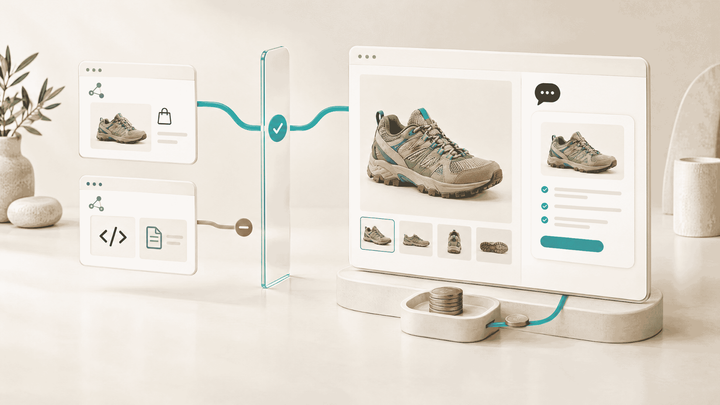
- Ecommerce platform data for content tied to your store. Product details, pricing, and catalog information sync through your Shopify or WooCommerce integration. When support teams correct an AI agents response in the dashboard during conversations, that feedback applies in near real time, so similar future questions reflect the fix without waiting for a full retraining cycle.
- Crawled content for sources outside your ecommerce platform. Your docs site, help center, Notion workspace, or uploaded PDFs get crawled on a schedule. For paid ecommerce businesses, the default automatic training frequency is every 7 days. You can also trigger a manual retrain from the dashboard at any time.
The practical takeaway: store-connected data stays tightly synced through your platform integration, keeping product recommendations accurate for consumers. If you publish a new help article, the scheduled crawl picks it up on its next pass, or you trigger a retrain manually when you need it faster.
What Happens During a Knowledge Update
When you trigger a retrain (or the schedule fires one), Alhena uses incremental training. That means only your newest data sources get processed, not the entire knowledge base from scratch. A small FAQ update finishes much faster than onboarding a brand-new 5,000-page website.
A few details that matter for e-commerce teams making decisions about their AI:
- Incremental by default: Alhena processes only the new or changed data sources you've added since the last training run. This keeps update times predictable for AI agents even as your knowledge bases grow.
- Automatic discovery: When crawling your site, Alhena automatically detects your
robots.txt,sitemap.xml, andllms.txtfiles to find content efficiently, up to 5,000 pages per URL. - Multiple source types: Websites, PDFs, Google Drive files, Notion pages, Zendesk articles, helpdesk tickets, and ecommerce platforms can all feed the knowledge base. Each source type has its own ingestion path. Adding a new PDF doesn't require re-crawling your entire website.
How to Confirm Your Content Is Live
Visibility matters more than speed claims. After a training run completes, here's how you verify freshness:
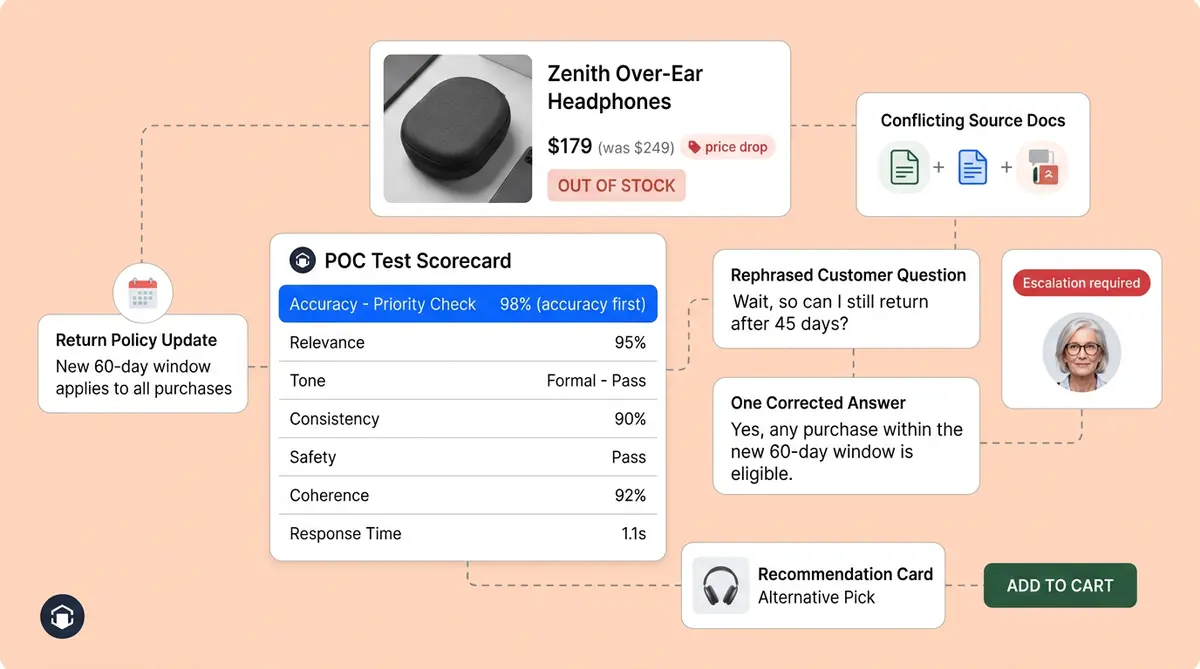
- Test with known questions: Ask the AI a question whose answer just changed (e.g., "What's your return window?" after you updated it from 30 to 14 days). If the response reflects the new policy, the update is live.
- Check the knowledge base in the dashboard: The Alhena dashboard shows your data sources and their import status. You can see which sources have been processed and confirm that your latest content is included.
- Use the conversation debugger: When you review a conversation, Alhena shows the answer sources it used. If a response pulls from outdated content, you can trace exactly which source needs a refresh.
If you ever wonder "why isn't my new FAQ showing up?", the most common reasons are: the source isn't available in the knowledge base, the scheduled retrain hasn't run yet, or the document is disabled. All of these are visible in the Alhena dashboard.
What We Don't Promise (and Why That's Honest)
AI agents reflect corrections in near real time. A full documentation crawl across thousands of pages does not. Re-crawling that volume every few minutes would hammer your origin server for no benefit.
Training time depends on your content volume and complexity, not on arbitrary platform limits. During onboarding, Alhena provides estimated ranges specific to your setup rather than publishing a universal SLA that would be misleading for stores with vastly different knowledge bases.
Some content may briefly reflect older versions between scheduled training runs. The traditional weekly cadence supports good decisions for ecommerce personalization. The default weekly cadence balances freshness with stability. If you need faster turnaround for a specific update, a manual retrain from the dashboard takes care of it.
A Practical Freshness Checklist for Your POC
Use this during evaluation to test freshness:
- Product catalog changes: Update a price or mark an item out of stock in your ecommerce platform. Verify in the dashboard that the AI reflects the change within your expected window.
- Agent corrections: Use the human feedback flow and test that corrected responses improve on the next similar question. Docs confirm feedback applies in near real time.
- Docs site updates: Publish a new article or change a policy page. Trigger a manual retrain and confirm the AI picks up the new content.
- Single PDF revised: Upload the new version and trigger a retrain. Ask a question that should reference the updated content.
How This Connects to Alhena's Broader Accuracy Story
Freshness is one input to hallucination-free answers, not the whole story. Alhena's continuous learning architecture handles what the system improves on over time. The knowledge base ops workflow covers what your team does when catalogs change. This post fills the middle layer.
Together, these three pieces give ecommerce businesses visibility into how Alhena stays accurate for customer experiences without requiring constant manual intervention. Brands like Tatcha have achieved 82% chat deflection and 3x conversion rates with this approach, precisely because AI agents deliver accurate answers with strong deflection for support teams from current ecommerce data rather than stale snapshots. Read the full Tatcha case study here.
Ready to see how fresh your AI answers can be? Book a demo with Alhena AI or start for free with 25 conversations.
For a detailed look at how to track, pause, and resume AI training runs, see our Training Monitor deep dive.

Frequently Asked Questions
How often does Alhena retrain on new content?
For paid ecommerce businesses, the default automatic training frequency is every 7 days. You can also trigger a manual retrain from the dashboard at any time when you need a faster turnaround after a policy or catalog change.
How quickly do agent corrections take effect in Alhena?
According to Alhena's documentation, human feedback applies in near real time. When your team corrects a response in the dashboard, similar future questions reflect the fix without waiting for the next scheduled training run.
Does Alhena support incremental training?
Yes. Alhena uses incremental training by default, processing only the newest data sources you've added since the last run. This means a small FAQ update finishes much faster than a full website onboarding.
How many pages can Alhena crawl from a single URL?
Alhena can crawl up to 5,000 pages per URL. It automatically detects your robots.txt, sitemap.xml, and llms.txt files to discover content efficiently.
What content sources can Alhena's AI train on?
Alhena supports websites, PDFs, Google Drive files, Notion pages, Zendesk and Freshdesk articles (see our dedicated guide on training your AI from Zendesk Help Center or Freshdesk KB), helpdesk tickets, and ecommerce platform data from Shopify and WooCommerce. Each source type has its own ingestion path for ecommerce businesses.
How can I verify that my AI knowledge base is up to date?
Three ways for ecommerce teams: ask a customer question whose answer just changed and check the response, review your data sources and import status in the Alhena dashboard, or use the conversation debugger to see which sources AI agents used.