Healthy AI, Healthy Support: How To Keep Your Deployment From Quietly Breaking
A lot can go wrong with AI deployments. Here's a small note on avoiding common root causes.
When AI agents first go live in customer support, they usually get a lot of attention. Leadership watches the dashboards. Product and engineering are on call. Every conversation is reviewed.
Six weeks later, it is another system in the stack.
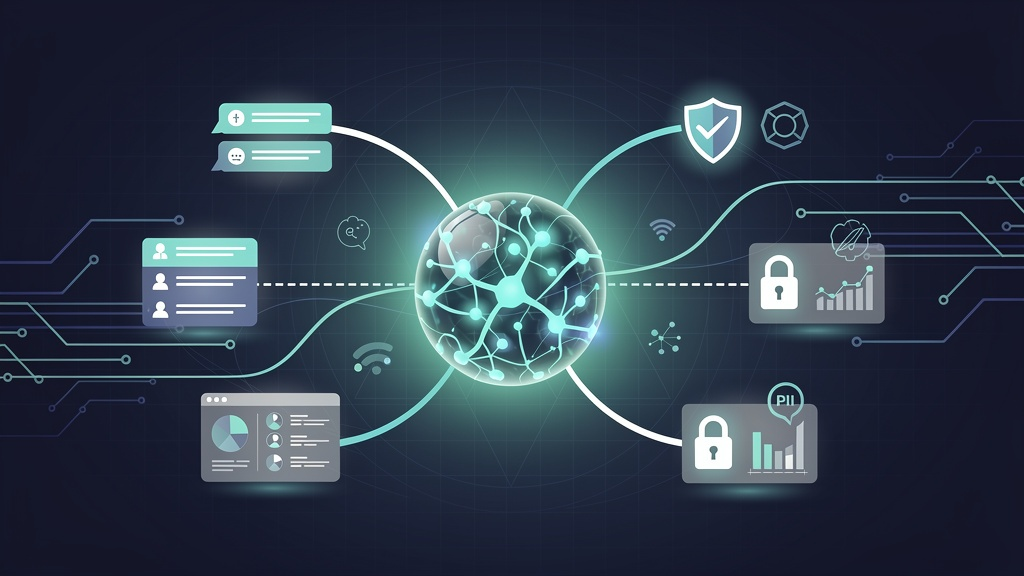
The risk is not that AI stops working overnight in a dramatic way. The risk is slow drift. Integrations quietly break. A forgotten API key expires on a Friday night. A new data pipeline starts logging more PII than it should. The agent still replies, but quality and compliance are degrading behind the scenes.
This is why customer support leaders need to think about AI not as a one-time deployment, but as an ongoing operational responsibility.
Below is a practical way to frame that responsibility.
1. Treat AI as a living integration, not a static feature
A healthy AI deployment is not just "the model". It is an ecosystem:
- Your ticketing system and CRM
- Your order management and billing tools
- Authentication and permissioning
- Analytics, monitoring, and alerting
- Compliance and logging
Support leaders should push for a simple principle:If this AI stopped working correctly today, how quickly would we know, and what would fail first?
That question forces you to think in terms of:
- Dependencies and integration points
- Monitoring and alerting
- Ownership and escalation paths
Once you see the AI agent as a living integration, the main failure modes become clearer.
2. Integration breakage: the most boring and most common risk
What can go wrong
Integrations do not fail loudly. Common patterns:
- An external API gets updated and a critical parameter changes.
- Authentication keys or OAuth tokens expire.
- Middleware, gateways, or reverse proxies are updated and unexpectedly block or throttle AI traffic.
- Rate limits are tightened by a third party and your agent silently fails to fetch key data.
- A field is renamed in your CRM or ticketing tool, and the AI starts writing incomplete notes or missing mandatory fields.
From the customer’s perspective, this looks like:
- "The bot keeps saying it cannot fetch my order."
- "It suddenly stopped processing refunds."
- "It keeps transferring me for things it used to handle."
The root cause is often not the AI model. It is plumbing.
What should be top of mind
- Explicit integration map Maintain a simple, human readable map of dependencies:
- Which APIs power which AI capabilities
- Where credentials live
- Who owns each dependency
- This should be part of your runbook, not a tribal memory inside engineering.
- Health checks that mimic real workflows Do not rely only on "is the API up" checks. Build synthetic tests that:
- Try a full "where is my order" workflow
- Try a "change my shipping address" workflow
- Try a "cancel my subscription" workflow
- If any step fails, you get alerted before your customers tell you.
- Credential lifecycle management
- Track expiry dates for API keys and certificates.
- Rotate keys on a schedule, not reactively.
- Use environment-specific credentials so a staging test does not accidentally break production.
- Change management discipline Whenever a core system or integration changes:
- Treat "AI impact" as an explicit checklist item.
- Run a small regression suite of AI conversations before and after the change.
Integration reliability is not glamorous, but in practice it is the difference between a trusted AI assistant and something your agents quietly disable.
3. Handling PII: privacy is not a one-time checkbox
Customer support AI is often sitting in the most sensitive part of your business. It sees:
- Names, emails, phone numbers
- Payment and address details
- Order history and behavior patterns
- Sometimes medical, financial, or other sensitive data
That triggers real obligations around SOC 2, GDPR, and other frameworks. More importantly, it affects customer trust.
What can go wrong
- Logs or training data accidentally store full transcripts with raw PII.
- Screen recordings and debug traces include tokens, card fragments, or IDs.
- A "temporary" S3 bucket used for experimentation becomes a permanent, ungoverned data lake.
- AI responses leak more data than needed, for example confirming full addresses or exposing internal identifiers.
- Data retention rules are not enforced, so old conversations remain accessible far longer than your policy allows.
What should be top of mind
- Data minimisation by design
- Ask: what is the minimum data the AI needs to do its job.
- Mask or tokenize where possible. For example, pass last 4 digits of a card, not the full token.
- Avoid sending full conversation histories when only the last few messages are needed.
- Redaction and safe logging
- Apply PII detection and redaction before logging or storing transcripts.
- Treat "debug mode" as production too. Sensitive data leaks often happen in debug logs.
- Ensure vendors that process logs or transcripts are covered by your DPA and security review.
- Clear data retention rules
- Define how long you keep AI conversation data, per geography if needed.
- Implement automatic deletion or anonymisation, not manual clean up.
- Align these rules with GDPR and SOC 2 commitments, and make them visible to legal and security teams.
- Role based access controls
- Not every agent or team needs access to raw transcripts or metadata.
- Use roles and scopes so that analytics, support, and engineering each see only what they need.
- Privacy centric UX
- Limit how much personal information the AI repeats back to the customer.
- Design prompts that discourage oversharing and guide customers to safe channels for highly sensitive data.
Healthy AI in support should feel conservative about data. The principle is simple: maximize usefulness while minimizing what is collected, stored, and exposed.
4. Quality, drift, and “silent degradation”
Even if integrations are stable and PII is handled correctly, AI quality can degrade in ways that are easy to miss.
What can go wrong
- Your product, policies, or pricing change faster than your knowledge base is updated.
- New edge cases appear in peak seasons that the model was never tested on.
- Subtle prompt or configuration changes alter tone, escalation behavior, or accuracy.
- A new language or region is added, but the AI is still optimized for the original market.
This shows up as:
- More escalations for the same issue types
- Agents saying "the bot keeps giving half answers"
- Slightly frustrated but not vocal customers
What should be top of mind
- Scorecards that mix quantitative and qualitative signals Track:
- Containment rate by topic
- Time to resolution for bot assisted vs human only tickets
- Escalation reasons tagged in a structured way
- Sampled conversations rated by QA or a quality council
- Regular “knowledge freshness” reviews
- Align AI content updates with product launches, policy changes, and pricing updates.
- Make someone explicitly responsible for keeping the AI’s knowledge current.
- Drift alerts for key intents
- Monitor performance for your top workflows: refunds, shipping issues, password resets, etc.
- Trigger a review if success metrics move beyond an agreed band.
- Feedback loops from humans in the loop
- Give agents simple tools to flag conversations where the AI struggled.
- Review those flags in a weekly or biweekly rhythm and feed them back into training or prompt updates.
AI quality does not usually collapse overnight. It decays slowly unless you deliberately treat it as a moving target.
5. Ownership, runbooks, and incident response
A surprising number of AI issues turn into long outages simply because no one knows who is supposed to act.
What can go wrong
- A degraded AI experience sits live for hours because support assumes "engineering is looking at it" and engineering assumes "the vendor is looking at it".
- No one is clear on whether to disable the bot, fall back to FAQ only, or redirect to humans.
- Incident reviews focus on the model rather than on the full socio-technical system.
What should be top of mind
- Clear ownership
- Name a business owner for the AI support experience.
- Name a technical owner for the integration and infrastructure.
- Make it explicit who decides when to scale down, switch modes, or temporarily disable automation.
- Simple, written runbooks For common scenarios like:
- Integration outage with a specific vendor
- Suspicion of a privacy or data handling issue
- Sharp drop in containment or sharp rise in negative feedback
- Document:
- How to detect it
- Immediate steps to contain impact
- Who to notify and in what order
- How to communicate with customers and internal stakeholders
- Post incident reviews that include AI behavior
- Do not stop at "the API was down".
- Ask: did the AI degrade gracefully, did it overpromise, did it safely escalate.
- Capture learnings in prompts, flows, and monitoring, not just in a slide deck.
6. Culture: positioning AI as an ally for your team
Finally, a healthy AI deployment is not just robust tech. It is also a cultural agreement.
Customer support leaders sit at the center of that agreement. They have to make sure:
- Agents see the AI as a tool that helps them resolve issues faster, not as a threat to their jobs.
- Product and engineering see the frontline team as partners and not just beta testers.
- Legal and security teams are brought in early so that audits later are boring rather than painful.
Practical steps:
- Share transparent metrics with your team. Show where AI is doing well and where it is not ready yet.
- Involve experienced agents in reviewing and shaping AI responses.
- Celebrate cases where AI reduced repetitive work and left more time for complex or high empathy conversations.
Healthy AI support is collaborative. It respects customers, protects their data, and makes life better for agents.
Bringing it all together
For customer support leaders, maintaining AI in a healthy state comes down to a few recurring questions:
- Are our integrations resilient and monitored in realistic ways.
- Are we treating customer data with more care, not less, because of AI.
- Do we have visibility into quality and drift, beyond vanity metrics.
- Do we know who owns what when something goes wrong.
- Are we building a culture where AI is a trusted teammate, not a black box or a threat.
If those questions are answered clearly and revisited regularly, AI becomes what it should be in support: a reliable, well governed part of your service, not a fragile experiment waiting to break at the worst possible moment.