Starting automation in customer support does not require a full transformation on day one. In most ecommerce environments, a meaningful shift begins with identifying high-volume, repetitive journeys that consume live agents’ time and do not require nuanced human judgment.
Customer service automation works best when it is focused, measurable, and aligned with customer needs. The goal is not to remove human agents from the equation. It is to design automated systems that handle predictable inquiries while giving your support team more capacity to manage complex interactions that influence loyalty and revenue.
Below are ten self service journeys that ecommerce brands should consider automating first, especially when starting automation in customer support.
1. Order Status and Shipment Tracking
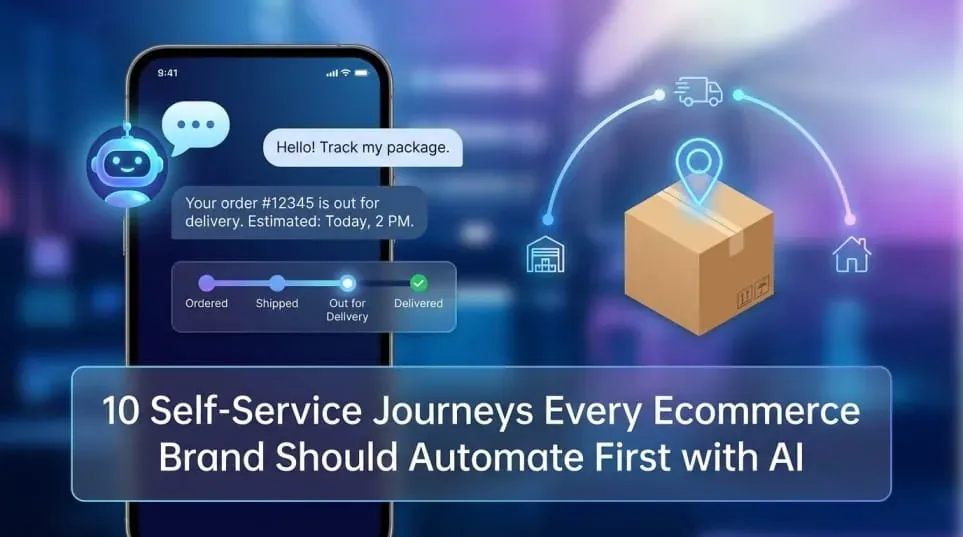
Order tracking is the most common repetitive inquiry in ecommerce customer support. Customers want to know where their package is, when it will arrive, and whether any delays have occurred.
An ai powered chatbot integrated with your CRM and logistics systems can:
- Pull real-time shipment data
- Provide delivery estimates
- Share tracking links
- Proactively notify customers about delays
This reduces contact center load and improves customer satisfaction by providing immediate answers. It also frees live agents from basic status requests and allows human agents to focus on higher-value conversations.
2. Returns and Exchanges
Returns generate a significant percentage of inbound inquiries, particularly in apparel, beauty, and footwear.
Automated customer service workflows can guide users through:
- Eligibility checks
- Policy explanation
- Label generation
- Exchange selection
- Refund status updates
An ai agent can reference your knowledge base and faqs while dynamically verifying order data. When edge cases arise, the system can escalate to human agents with the full context attached. This improves CSAT because customers do not need to repeat information.
3. Order Modifications and Cancellations
Customers often want to change an address, swap a size, or cancel an order shortly after purchase.
Instead of routing every request to the human agents, automation tools can:
- Validate whether the order is still editable
- Apply permitted changes
- Confirm updates in real time
Clear workflow automation ensures that automated systems only allow changes within defined service processes. If an order has already shipped, the ai chatbot can explain next steps and suggest alternatives.
4. Account Management and Password Resets
Account access issues are predictable and high frequency. They are ideal candidates for self service.
Automated systems can manage:
- Password resets
- Email updates
- Subscription preferences
- Address book changes
By integrating with CRM and authentication layers, these workflows reduce manual effort inside the contact center. They also improve customer experience by delivering immediate resolution.
5. Product Discovery and Pre-Purchase Questions
When starting automation in customer support, many brands focus only on post-purchase use cases. Pre-purchase inquiries are equally important.
An ai powered chatbot using natural language processing can help customers:
- Compare products
- Clarify sizing or compatibility
- Understand ingredients or materials
- Review availability
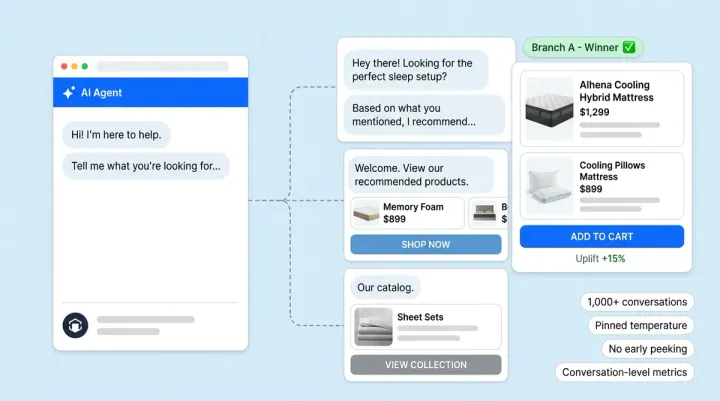
This is where ai chatbots begin to influence cx more directly. When trained on a structured knowledge base, they can deliver personalized responses based on browsing behavior and expressed preferences.
Complex product consultations can escalate to live agents, but the majority of informational inquiries can be handled through automated customer service.
Pre-purchase customer experience automation is best handled by state of the art AI Shopping Assistants. Know more about them here.
6. FAQs and Policy Clarification
Many support tickets originate from information that already exists in FAQs. Customers often do not navigate static help centers efficiently.
Instead of relying solely on searchable documentation, a chatbot interface layered on top of your knowledge base can interpret questions conversationally. Machine learning models improve intent recognition over time, reducing friction in service processes.
This approach maintains consistency across channels and ensures that automated responses reflect the latest policy updates.
7. Subscription Management
For brands offering replenishment or subscription services, common inquiries include:
- Skipping deliveries
- Changing shipment frequency
- Updating payment methods
- Canceling subscriptions
Workflow automation connected to billing and fulfillment systems allows customers to manage these actions independently. This reduces dependency on live agents while preserving control and compliance.
When customers request exceptions outside policy, the ai agent can escalate with full transaction history attached to the support team automatically.
8. Basic Warranty and Claim Intake
For certain categories such as electronics, furniture, or premium accessories, warranty inquiries can overwhelm customer support.
Automated customer service can guide customers through structured intake:
- Purchase validation
- Photo uploads
- Issue classification
- Documentation submission
Using natural language processing, the system can triage cases and route them appropriately. Clear workflows ensure that human agents only handle cases that require manual review.
9. Appointment Booking or Service Scheduling
Brands that offer consultations, styling sessions, or repair services often rely on manual coordination.
Automation tools integrated with scheduling platforms allow customers to:
- View available slots
- Book or reschedule appointments
- Receive reminders
This reduces repetitive back-and-forth communication in the contact center and ensures accurate data entry within the CRM.
10. Intelligent Call Routing and Interactive Voice Response
Self service is not limited to web chat. For brands with a phone channel, interactive voice response systems can reduce call handling time.
Modern AI powered interactive voice response goes beyond rigid menus. With machine learning and conversational AI, callers can describe their issue in natural language. The system can:
- Provide automated answers
- Route to the appropriate support team (if needed)
- Attach context before escalation
This improves efficiency while protecting CSAT. When escalation is required, human agents receive structured summaries instead of starting from scratch.
A Practical Framework for Starting Automation in Customer Support
Customer service automation should be phased. Brands often succeed by following three principles:
1. Start With High-Volume, Low-Complexity Journeys
Focus on repetitive inquiries where rules are clear and risk is low.
2. Integrate With Core Systems
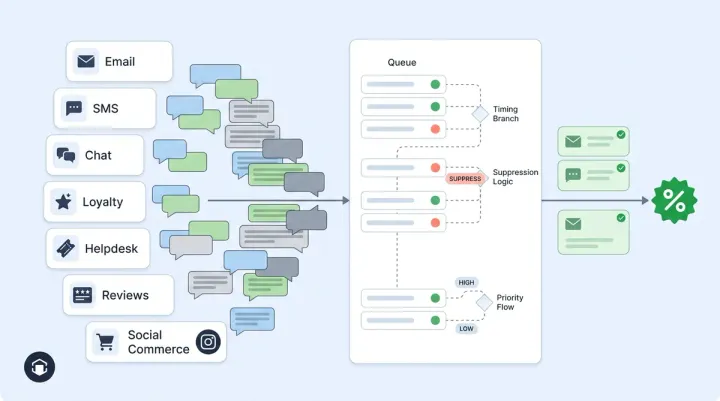
Automation works best when connected to CRM, order management, and logistics systems. Isolated AI chatbots create fragmented customer experience.
3. Design Clear Escalation Paths
Automated does not mean closed. Every AI agent should have defined triggers to escalate to live agents. Smooth handoffs protect customer satisfaction.
Measuring Impact Without Overstating Results
When implemented thoughtfully, automated customer service can improve:
- First response times
- Contact center efficiency
- CSAT for routine interactions
- Internal workflow clarity
However, success depends on alignment between automation, support team processes, and customer needs. Over-automation without governance can create friction.
Brands that approach automation as a disciplined redesign of service processes rather than a technology overlay are more likely to see sustainable improvements in CX.
Final Thoughts
Starting automation in customer support is less about deploying AI tools and more about identifying the right journeys to automate first. Order tracking, returns, account management, and FAQs are practical starting points because they are structured and repetitive.
As automated systems mature, brands can extend automation into more personalized and advisory use cases. The role of human agents then evolves toward exception handling, empathy, and complex problem solving.
Customer service automation, when implemented incrementally and measured carefully, can create a more efficient support team and a more consistent customer experience.