# Feefo

### What is Feefo Integration?

"Integration Alhena AI With Feefo" outlines the seamless connection between Feefo’s Business APIs and Alhena AI, enabling businesses to efficiently manage and respond to customer reviews. This integration empowers companies to connect their Feefo business account with Alhena AI and streamline the review engagement process through intelligent automation and controlled approval workflows.

With this setup, companies can:

* **Automatically fetch and monitor new reviews** from Feefo.
* **Enable human approval flows** for sensitive reviews (1 to 3-star ratings).
* **Leverage Alhena AI to autonomously draft and post high-quality, context-aware responses** to positive reviews (4 to 5 stars) without manual approval.
* **Ensure that all responses align with the brand’s tone and values**, using AI trained on company-specific data.

This integration boosts brand reputation management by reducing response time, ensuring consistent communication, and allowing teams to focus on strategic initiatives while Alhena AI handles routine interactions.

***

### How to Integrate Feefo?

#### Step 1: Login into Alhena Dashboard

* Navigate to **Integration** → Look for **Feefo Integration** as shown below.

<figure><img src="/files/9fdBNBtBXV4hsYFSzW4N" alt=""><figcaption><p>Feefo Integration in Alhena Dashboard</p></figcaption></figure>

***

#### Step 2: Connect Feefo

* Click on **Connect** & provide the required API integration details.
* You will need your **Feefo App ID** and **Feefo APP Secret**.
* Please refer to [Feefo API Documentation ](https://help.feefo.com/knowledge-base/how-to-connect-using-an-oauth-2.0-token#Creating-an-App-Key)for details on generating API credentials.

<figure><img src="/files/24mddrFhRSPFXQy8T0LG" alt=""><figcaption><p>Screenshot from Feefo APP creation</p></figcaption></figure>

<figure><img src="/files/c20hqfjOA3a3v4lXUAiI" alt=""><figcaption><p>Connect to feefo in Alhena Dashboard</p></figcaption></figure>

***

#### Step 3: Authorise Access

* Once credentials are provided, click the **Connect** button.
* If credentials are correct then it'll automatically fetch all the required setup from feefo.

***

### Configure Feefo integration settings

After authenticate into Feefo, you will be redirected to the **Alhena Dashboard Feefo integration settings**.\
Alternatively, you can manually navigate to: **Integration → Feefo Integration**.

* Click on **Configure settings**.

<figure><img src="/files/maxaVZY4UCOaSx3QoN1i" alt=""><figcaption><p>Feefo integration settings in Alhena Dashboard</p></figcaption></figure>

***

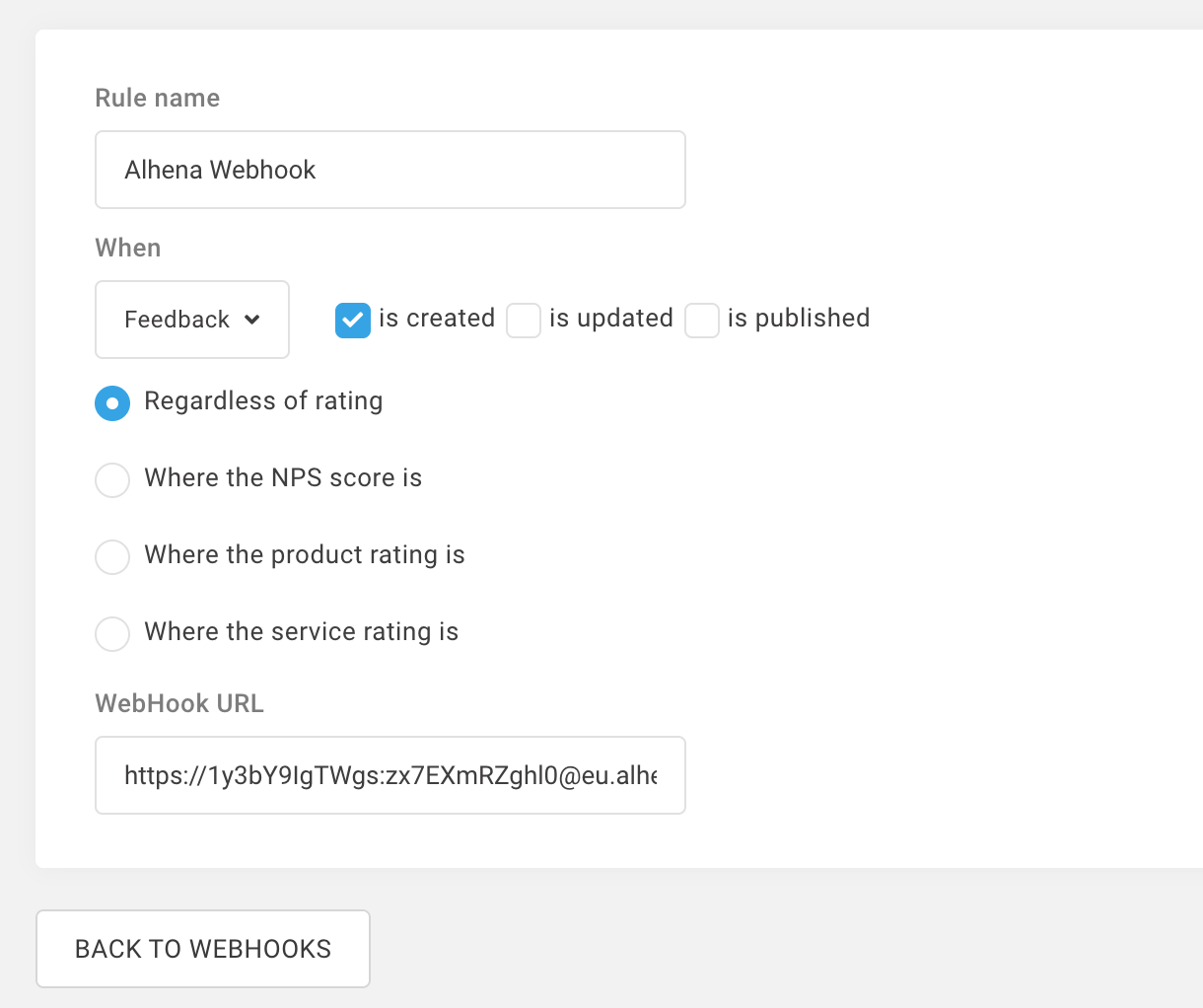
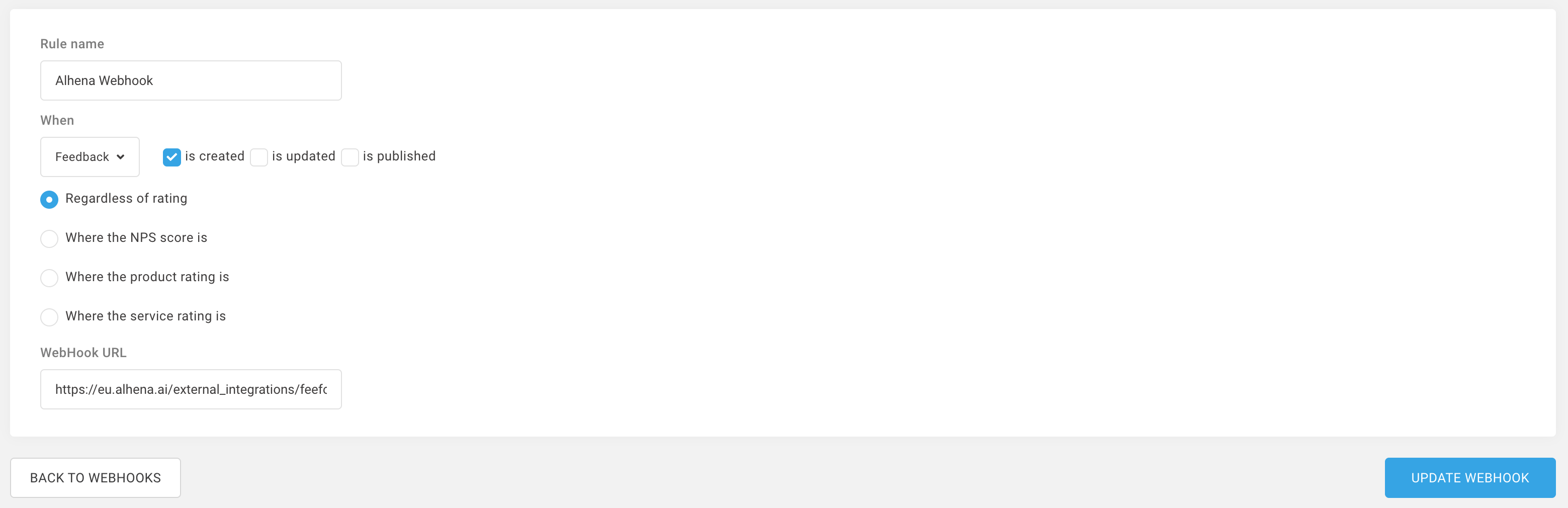
#### Enable Feefo WebHook

To start receiving Feefo reviews/comments in real-time:

1. Click **Copy URL** from the Alhena Dashboard.
2. Go to your **Feefo Business Account** → **Settings -> WebHooks -> Register WebHook.**
3. Add Rule name eg. Alhena WebHook, and then click "Regardless of rating"
4. Paste the WebHook URL you copied from Alhena Dashboard.
5. Click on **Save WebHook.**

<figure><img src="/files/iBl9C1ZQl7qpPftMMKff" alt=""><figcaption><p>Webhook config screenshot from Feefo</p></figcaption></figure>

You’re all set 🎉

***

### How to Manage Feefo Reviews or Comments

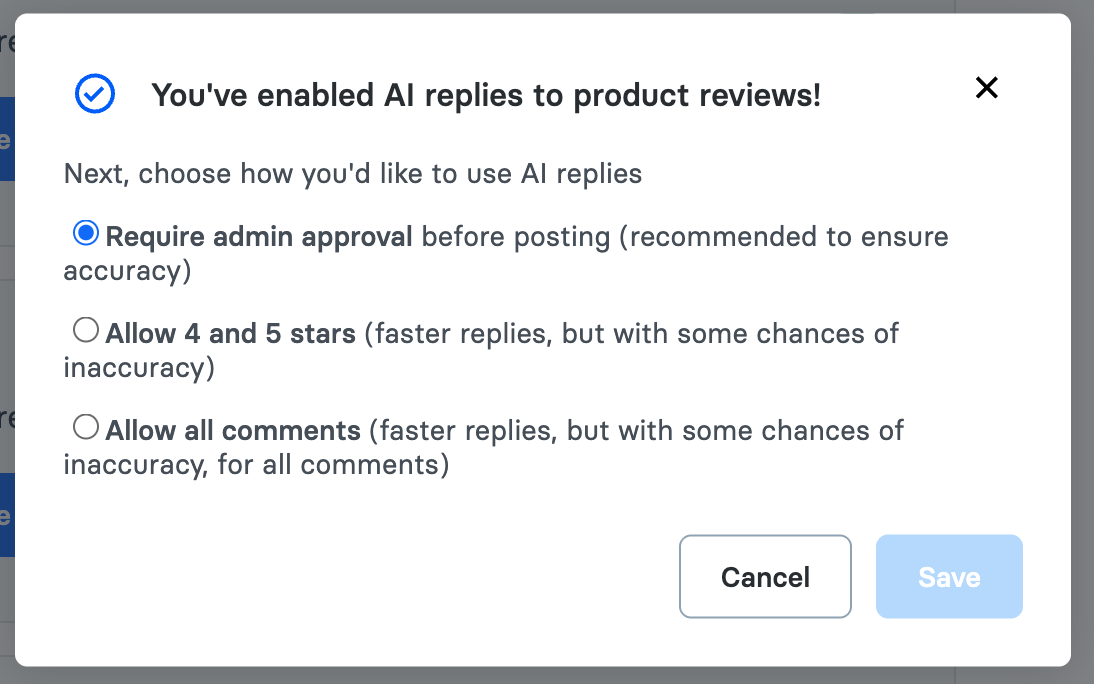
#### Change Reply Settings

* Navigate to **Change Reply Settings** inside Alhena Dashboard.
* Configure your reply rules as per your preferences (manual approval for low ratings, auto-approval for high ratings, etc.).

<figure><img src="/files/PWF6PhdLG09xM4YXgSQj" alt=""><figcaption><p>Change reply settings in Alhena Dashboard</p></figcaption></figure>

***

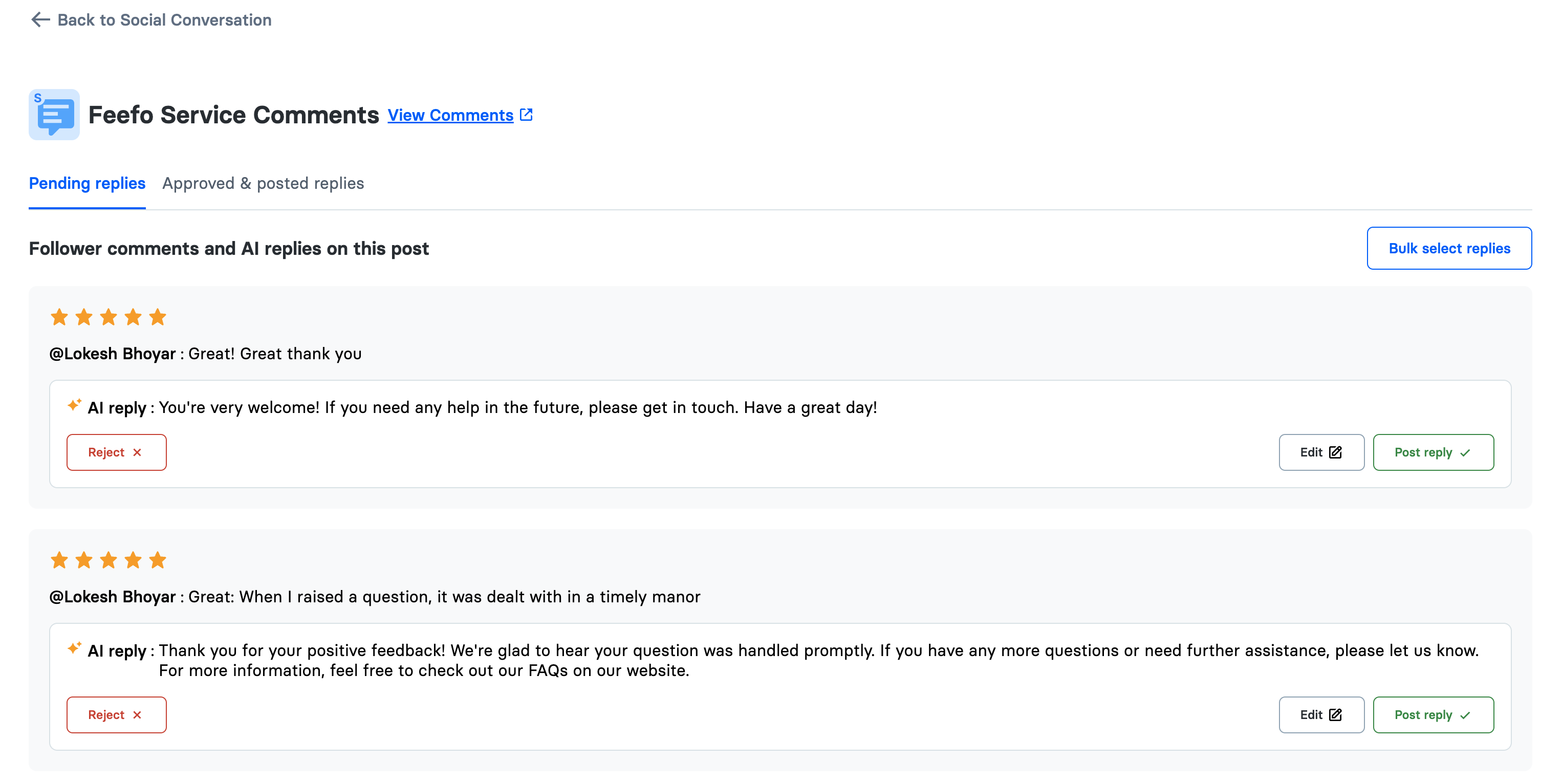
#### Approve Feefo Replies

Manage AI-generated replies in [Social Conversations](/docs/dashboard/social-conversations.md):

Go to: **Social Conversations → Select Feefo Tab -> Select Manage replies**

You have several options for handling AI-generated replies:

* **Reject AI replies**: Dismiss replies that do not meet your criteria.
* **Edit AI replies**: Modify the responses to better suit your needs.
* **Post reply**: Post your own custom response.

<figure><img src="/files/oLr78cc56ewtiO8ojJox" alt=""><figcaption><p>Manage replies in Alhena Dashboard</p></figcaption></figure>

For efficiency, use the **bulk selection feature** to approve multiple replies at once.


---

# Agent Instructions: Querying This Documentation

If you need additional information that is not directly available in this page, you can query the documentation dynamically by asking a question.

Perform an HTTP GET request on the current page URL with the `ask` query parameter:

```
GET https://alhena.gitbook.io/docs/integrations/reviews/integration-alhena-ai-with-feefo.md?ask=<question>
```

The question should be specific, self-contained, and written in natural language.
The response will contain a direct answer to the question and relevant excerpts and sources from the documentation.

Use this mechanism when the answer is not explicitly present in the current page, you need clarification or additional context, or you want to retrieve related documentation sections.