AI Assistants (MCP)

Connect your AI assistant to Alhena so you can query your conversations, analytics, A/B experiments, and AI configuration directly — in plain English, without opening the dashboard.

Alhena exposes an MCP (Model Context Protocol) endpoint that AI assistants connect to as a custom tool server. Once authorized, your assistant can search conversations, pull performance metrics, inspect experiment results, review AI guidelines, and more.

Supported assistants: Claude (claude.ai and Claude Code) and Codex.

Want to give Alhena's AI agents access to external tools? This page covers using an AI assistant to query Alhena. If you want to connect Alhena's own AI agents to external MCP servers, see MCP Servers instead.

Prerequisites

  • An active Alhena account

  • One of the supported assistants:

Regions

Use the MCP URL that matches the region where your Alhena account is hosted:

Region
MCP URL

US

https://app.alhena.ai/api/mcp

EU

https://eu.alhena.ai/api/mcp

If you are unsure which region you are on, check the URL you use to log in to Alhena. If it starts with eu.alhena.ai, use the EU endpoint; otherwise use the US endpoint.

Setup

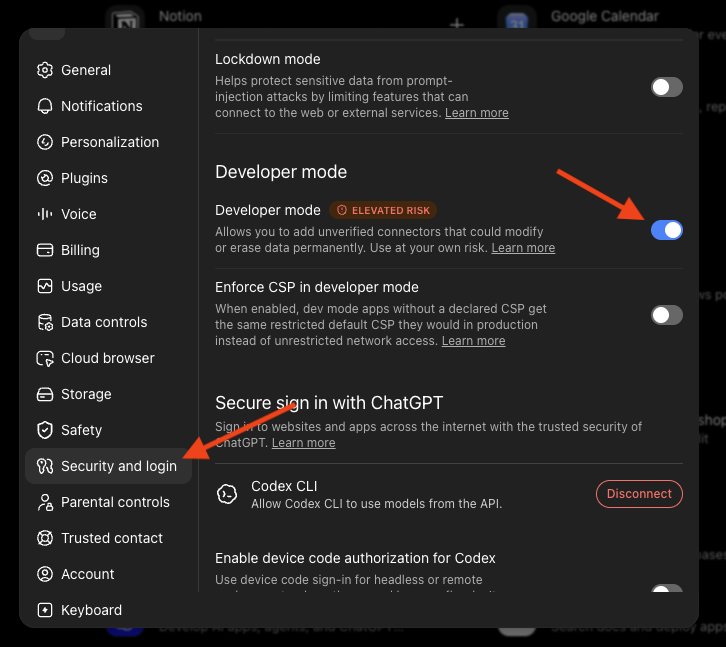
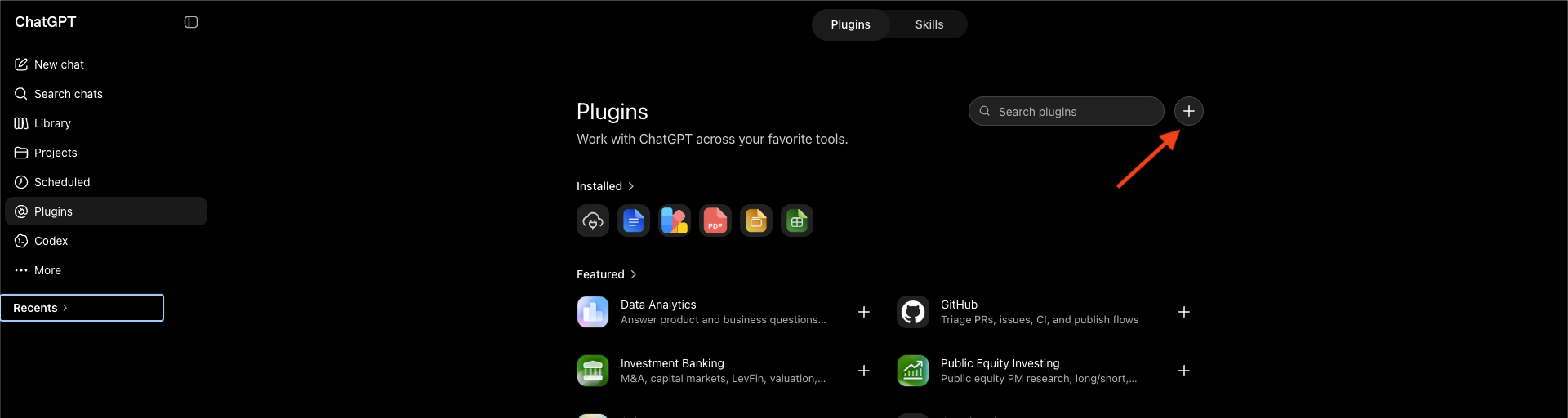
Step 1: Add the custom connector

  1. Click Add Custom Connector

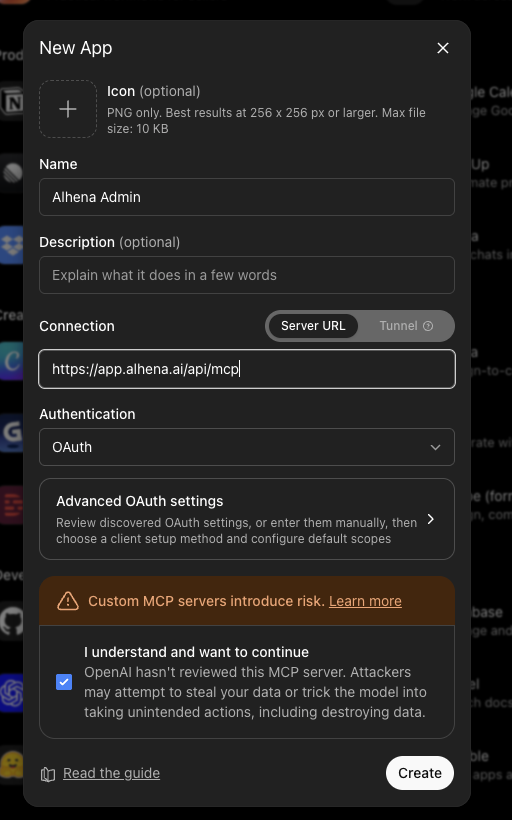
  2. Fill in the details:

    • Name: Alhena (or your preferred name)

    • MCP URL: https://app.alhena.ai/api/mcp (US) or https://eu.alhena.ai/api/mcp (EU) — use the one matching your account's region

  3. Click Add

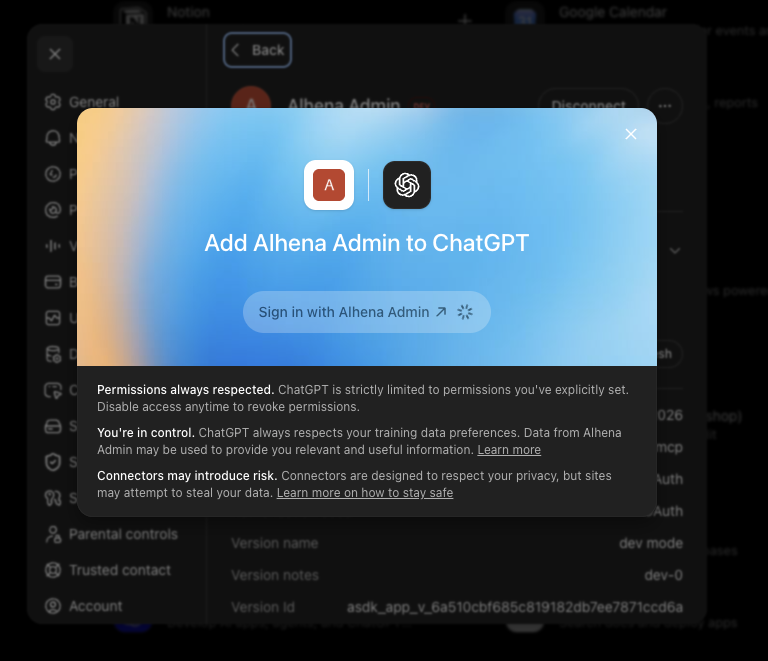
Step 2: Authorize access

  1. On the connector screen, scroll to the bottom and click Connect

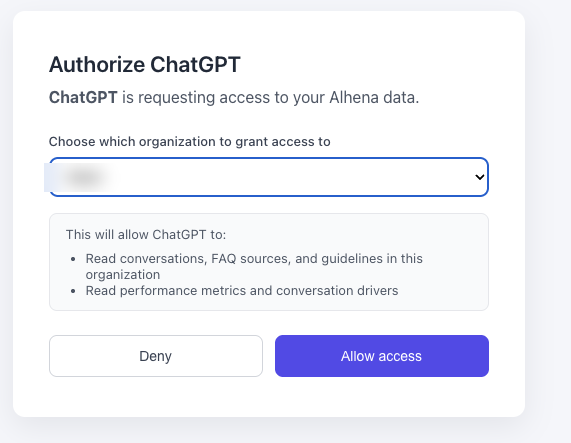
  2. An OAuth authorization screen will appear — click Allow Access to grant Claude permission to read your Alhena data

Step 3: Start using it

Open a new Claude chat and ask questions. Claude will automatically call Alhena when your question requires it.

What you can ask

Conversations

  • "Find conversations where customers complained about shipping"

  • "Show me open escalated tickets from the past week"

  • "Pull up conversation 48291"

  • "Which conversations led to a purchase?"

Performance metrics

  • "How many AI vs human tickets did we have last month?"

  • "What's our CSAT trend over the last 30 days?"

  • "Show me ticket volume by day for the past two weeks"

  • "How are we performing compared to the previous period?"

A/B experiments

  • "What experiments are currently running?"

  • "Show me the results for experiment 12"

  • "Is experiment 7 statistically significant?"

AI configuration

  • "What guidelines does my AI follow?"

  • "Show me the guidelines for the answering agent"

  • "Why did the AI give this answer in ticket 48291?"

Conversation drivers

  • "What are the top pages driving conversations this month?"

  • "Which countries are our conversations coming from?"

Troubleshooting

Issue
Solution

Connector fails to add (claude.ai)

Double-check the MCP URL matches your region: https://app.alhena.ai/api/mcp (US) or https://eu.alhena.ai/api/mcp (EU)

MCP server fails to add (Claude Code)

Ensure you have Claude Code installed and run the command exactly as shown, using the correct regional URL

MCP server fails to add (Codex)

Ensure you have Codex installed and run the command exactly as shown, using the correct regional URL

OAuth authorization fails

Make sure you are logged into the correct Alhena account in your browser before clicking Allow Access

Browser doesn't open during OAuth (Claude Code)

Claude Code will display the authorization URL — copy it and open it manually

Claude doesn't use the connector

Open a new chat — existing chats may not pick up newly added connectors

Need to re-authorize (Claude Code)

Run /mcp and select "Clear authentication", then reconnect

Need to re-authorize (Codex)

Run codex mcp login alhena again to refresh the OAuth token

No data returned

Confirm your Alhena account has data for the time period or resource you are asking about

  • Analytics — View performance data directly in the Alhena dashboard

  • A/B Testing — Set up and manage experiments

  • MCP Servers — Connect Alhena's AI agents to external MCP servers

Last updated