> For the complete documentation index, see [llms.txt](https://alhena.gitbook.io/docs/llms.txt). Markdown versions of documentation pages are available by appending `.md` to page URLs; this page is available as [Markdown](https://alhena.gitbook.io/docs/features/ai-visibility/prompts.md).
# Prompts
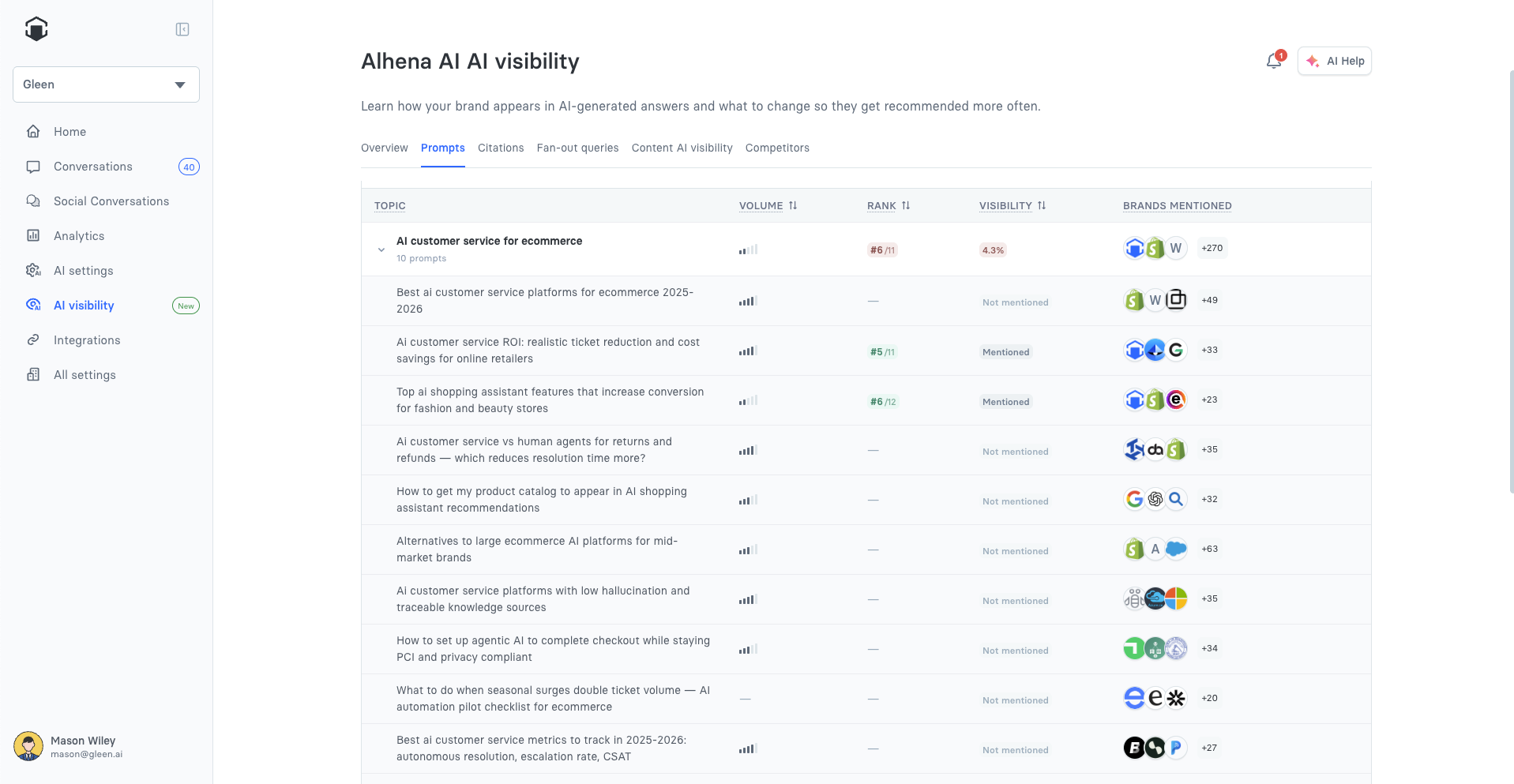
The **Prompts** tab shows your visibility prompt by prompt, grouped by topic.
The Prompts tab
## Topics & prompts
Your tracked **topics** are listed with expand/collapse; expand a topic to see its **prompts**. Use **Search prompts** to filter, **+ Add topic** to track a new theme, and the add-prompt row inside a topic to add prompts. Your plan sets the total number of prompts you can track; there's no separate limit on how many topics you have or how many prompts go in each one.
To add prompts built around a specific product, open the product and use **Suggest prompts** — see [Suggesting prompts for a product](/docs/features/ai-visibility/content-ai-visibility/product-overview.md#suggesting-prompts-for-a-product).
Sort by:
| Column | Meaning |
| -------------- | ----------------------------------------------------------------------------------- |
| **Volume** | Estimated demand for the prompt, 1–5 relative to your other prompts. |
| **Rank** | Where your brand ranks among the brands recommended in AI answers. Lower is better. |
| **Visibility** | How often your brand appears in AI answers for this prompt, as a percentage. |
Click a prompt to open its detail page.
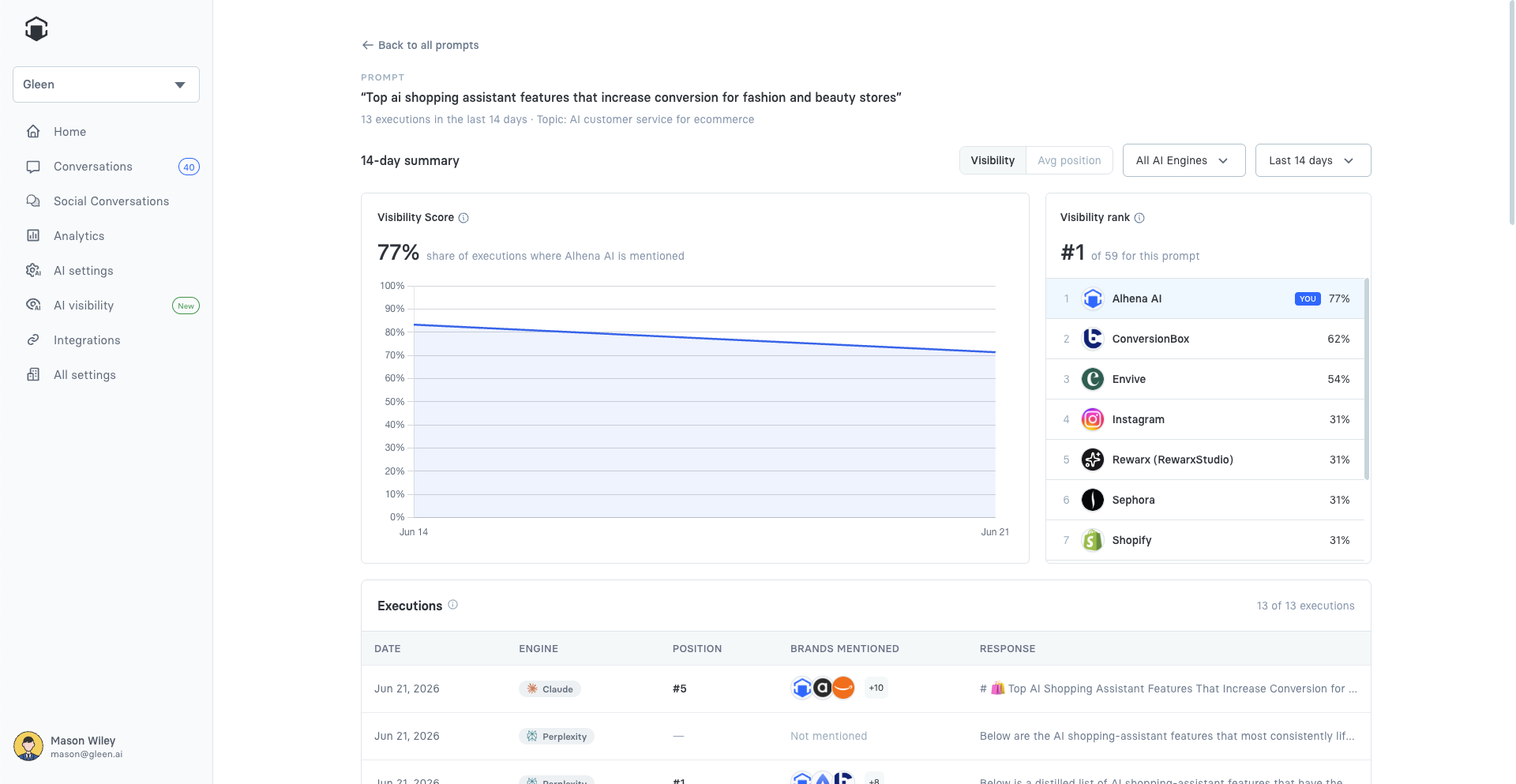
## Prompt detail
The prompt detail page breaks down a single prompt. It has the same **Visibility / Average position** toggle, engine filter, and date filter as Overview, plus:
* **Summary** — your Visibility Score (or Average position) trend for this prompt, and the brand-rank list for it.
* **Executions** — each time the prompt was run against an AI engine in the period. Open an execution to see the AI answer. For **AI Overview**, a run where Google didn't show an overview is marked **AI Overview not triggered** rather than showing an answer.
* **Citations** — the pages AI engines pulled into answers for this prompt.
* **Fan-out** — the web searches engines ran under the hood for this prompt, with your Google rank for each.
Prompt detail
### AI answer & recommendations
Opening an execution shows the **AI answer** the engine actually produced (with its citations), alongside a **New content ideas** tab — per-prompt content suggestions you can mark complete or skip. This is where Alhena's prompt-level recommendations live.